
Customer Support
How do I Verify my Card?
Card validation is now mandatory only in the old Papaki Control Panel.
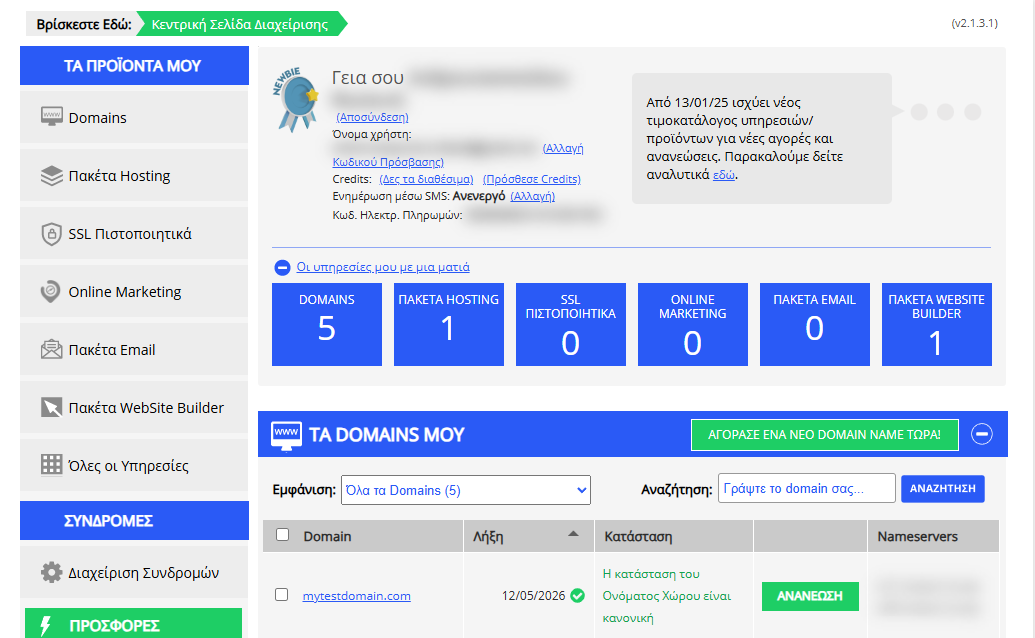
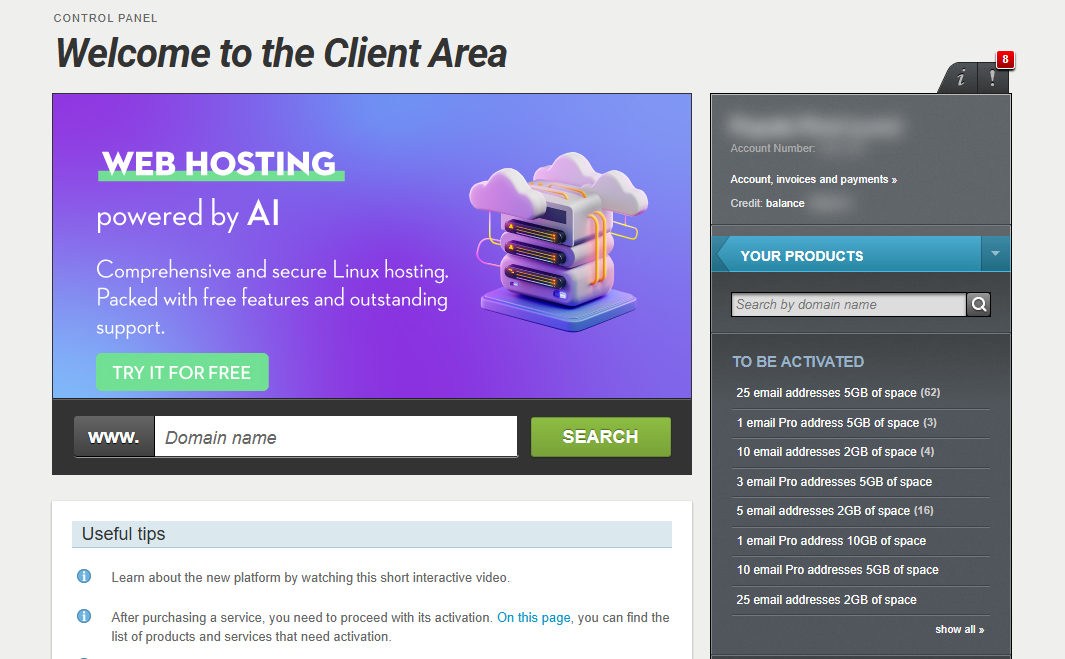
If you wish to validate your card through your account on Papaki, you can follow these steps:
- Log in to your Papaki account.
Forgot your password? See here how to recover it. If it's your first login attempt to the new Papaki panel, please read more here.
- Click the red button Previous client area » on the right side of the control panel to access the old Papaki panel.

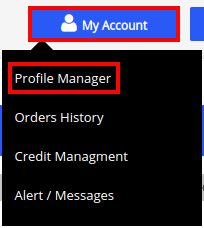
- Select My Account and then click on Profile Manager.
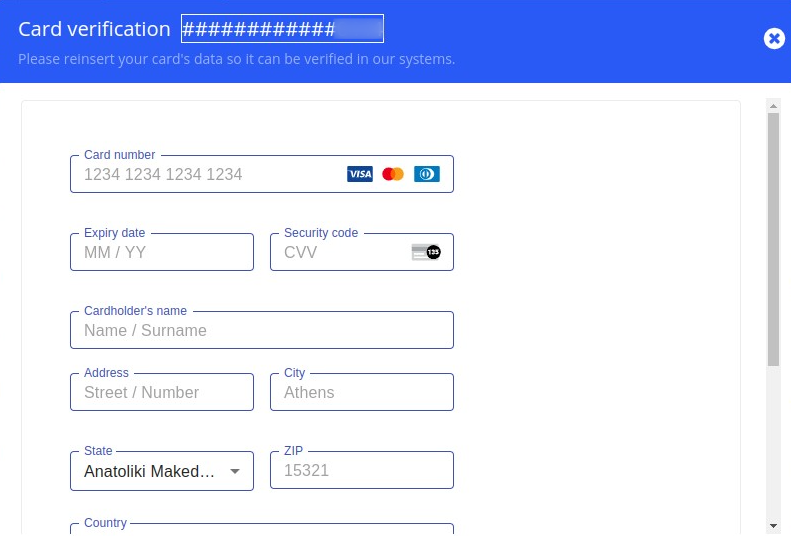
- Next, click on Payment Methods where you will find all the cards you have added in the past, and click on Verification.
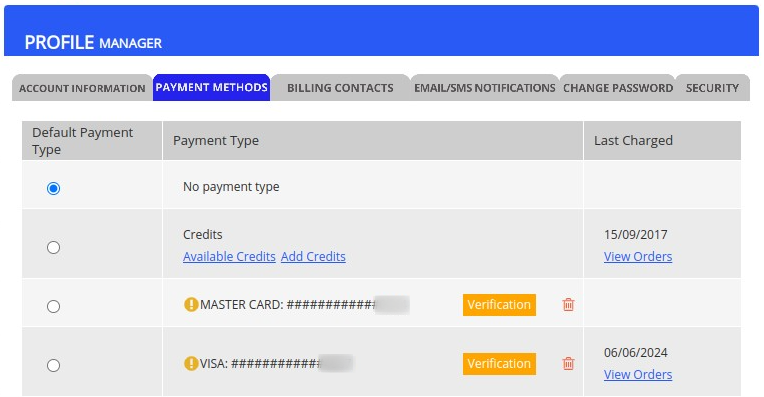
- You will then be asked to re-enter your card details, and after saving, the process will be completed.
You haven't found what you are looking for?
Contact our experts, they will be happy to help!
Contact us