
Customer Support
VPS – Is it possible to upgrade or downgrade my plan?
What do “upgrade” and “downgrade” mean for a VPS?
- Upgrade: Moving to a plan with more resources — such as more memory (RAM), additional CPU cores, larger or faster storage, or extra features.
- Downgrade: Moving to a plan with fewer resources — such as fewer CPU cores, less RAM, or a smaller disk.
However, downgrading is not supported. This is mainly due to technical limitations related to disk usage and the way data is distributed.
Why is downgrading not supported?
Here are the main reasons why downgrading is often not technically feasible:
- Disk space reduction: Attempting to reduce disk size may result in the removal of data-containing sections that the system cannot safely detect — this poses a significant risk of data loss.
- File distribution: Your data may be scattered across the disk. Reducing the allocated space without knowing which sectors are safe could result in the deletion of critical data.
- Storage system limitations: The infrastructure used does not support safely shrinking the disk while the system is operational.
Therefore, downgrading a VPS plan is not supported within our infrastructure.
How to upgrade your VPS
If you want to increase the resources of your VPS, you can usually do so, depending on your current plan. Here’s how the process generally works:
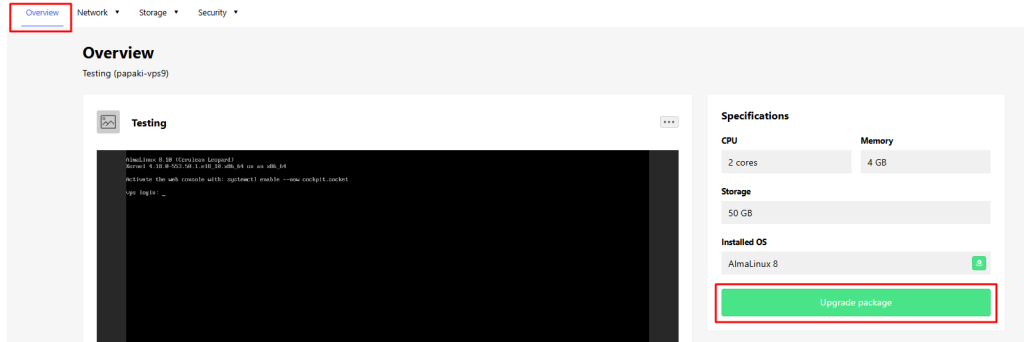
- Log in to your VPS control panel and go to the Overview tab.
- Look for the option Upgrade Plan, or alternatively, click here.
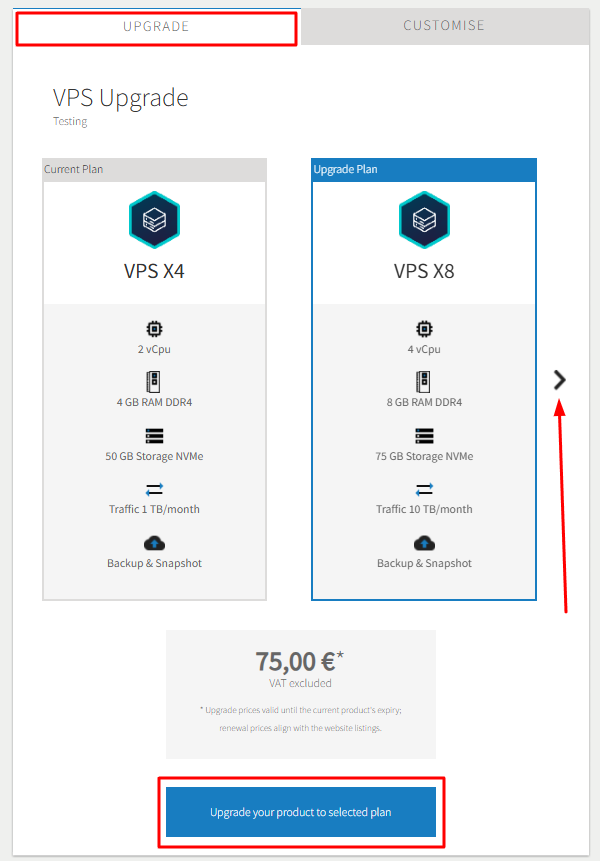
- From the Upgrade tab, choose the new plan you wish to move to and click Upgrade your product to selected plan.
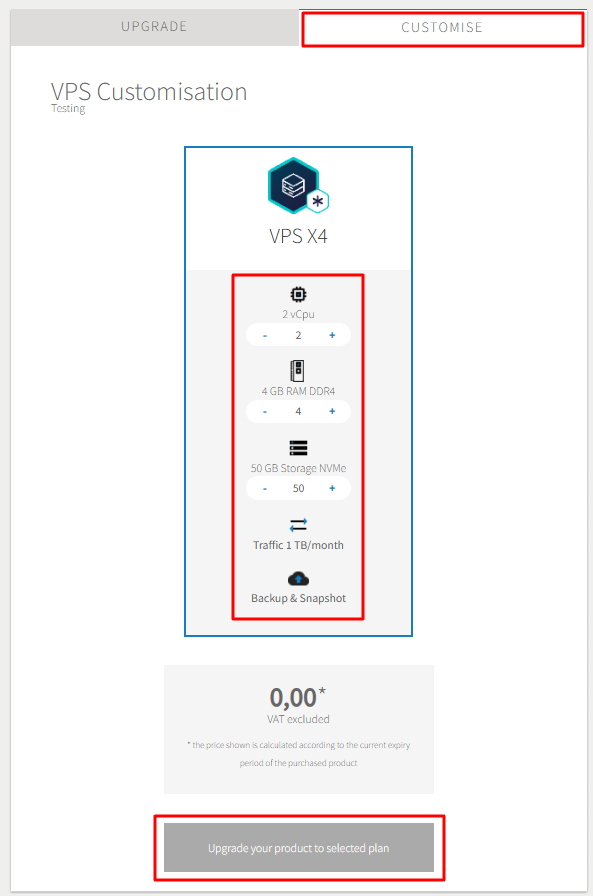
- You may also upgrade specific resources instead of the whole plan, from the Customize tab. Then click Upgrade your product to selected plan.
- The provider may restart your VPS during the process.
- After the upgrade, you may need to recognize the additional disk space in your operating system or extend the partition to use it.
What if you want a smaller VPS?
If you want to switch to a plan with fewer resources:
- Purchase a new VPS subscription with the desired smaller plan. You can view all available plans here.
- Manually transfer your data, databases, configurations, and website environment to the new VPS.
- If your VPS has the Plesk or cPanel operating system installed, the migration can be handled by our specialized team. Please contact the Customer Service Department to get information about the process and the service cost.
- Once everything is working properly, request the cancellation of your existing VPS.
This method is essentially a “downgrade by migration” rather than a direct downgrade.
You haven't found what you are looking for?
Contact our experts, they will be happy to help!
Contact us