
Customer Support
How do I activate my email package and connect it to my domain?
If you want to start using your email through the hosting email package available in your Papaki account, follow the steps below. The process is simple and doesn’t require any technical knowledge.
What you need to know
- To use the email service from your hosting package (whether free or paid), the domain name you want to connect must be in Papaki.
- This means Papaki must be the domain registrar, and the domain must be managed under the same account as the email package.
- If your domain is in a different Papaki account from the one where your email package is located, you’ll need to transfer domain management so that both are under the same account.
- To activate the free email provided by Papaki, you must use Papaki’s free DNS service. Otherwise, the free email will not function and will be automatically deleted (along with all content) after 7 days.
- This guide applies to email hosting packages provided through the new Papaki Control Panel. If you have an email hosting package hosted on a Plesk infrastructure, please refer to the guide you can find here.
Steps to activate your email package and connect it to a domain

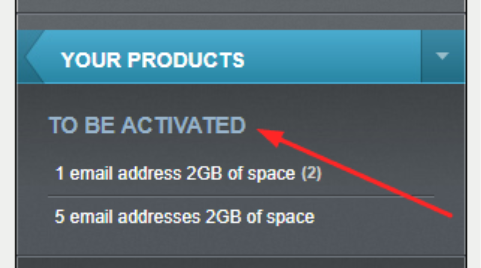
- In the right-side menu, locate the “To Be Activated” section and select the email package you want to activate.
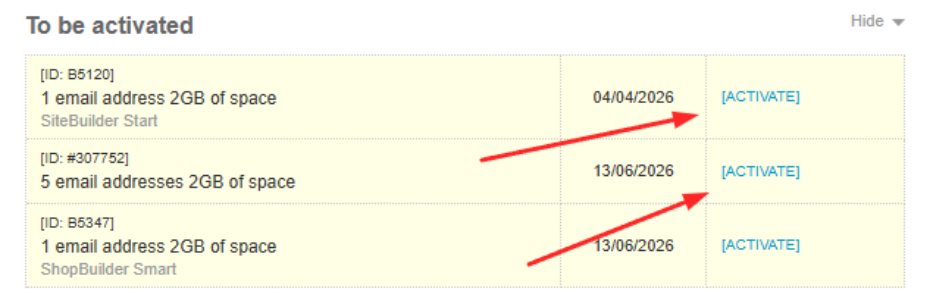
- Click "Activate" on the selected package.
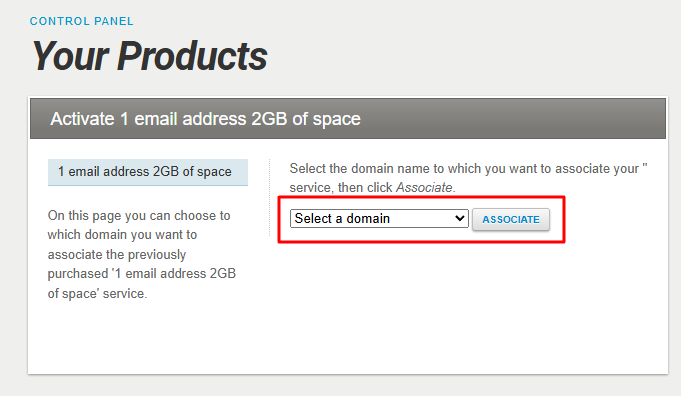
- Choose the domain you want to connect to the email package and click "Associate".
- You’ll be redirected to your Mail Manager, where you can manage your email environment.

Important:
If you want to disconnect the email package from one domain and link it to a different one, the change cannot be done automatically. You’ll need to contact our support team.
Frequently Asked Questions (FAQs)
Can I change the domain after activating the email package?
Not directly. You'll need to contact support to disconnect the package from the current domain and link it to a new one.
Can I use an external DNS service?
Not for free email. It only works when using Papaki’s free DNS. External DNS can be used for payed email services.
You haven't found what you are looking for?
Contact our experts, they will be happy to help!
Contact us