
Customer Support
How can I create a domain alias in my Web Hosting?
If you want multiple domain names to point to the same website, you can create domain aliases through your Papaki control panel.
This allows you to add either a different domain or a subdomain of your primary domain so that all visitors are directed to the same website content.
What is a Domain Alias?
A domain alias acts as an alternative address to your main website. When a visitor types in the alias, they are automatically redirected to the content of the primary domain.
Example:
If your primary domain is example.com, you can add example.net or store.example.com as an alias so they all display the same website.
Attention!
If you have an email hosting package hosted on a Plesk infrastructure, please refer to the guide available here.
How to Add a Domain Alias in Papaki
Steps:

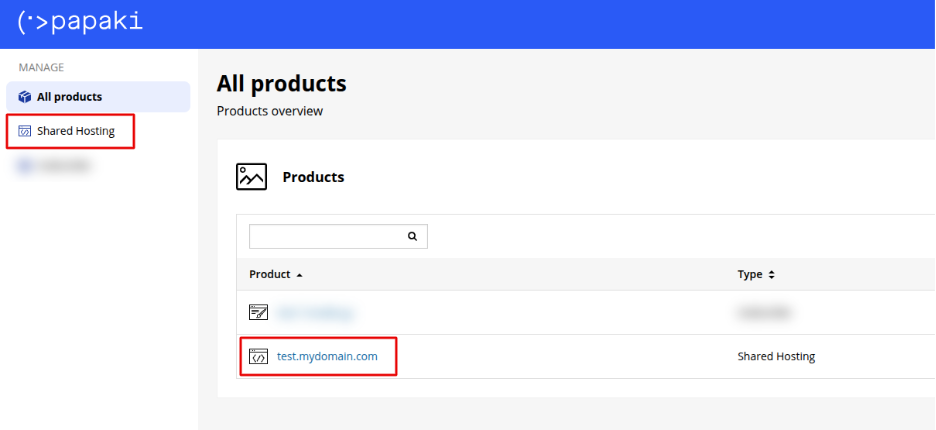
- From the dashboard, locate the product you want to manage. Click the name of the plan.

You will be redirected to the hosting management area. Here you can view, by category, all services linked to your Papaki account.
- Click the hosting plan name you want to manage.
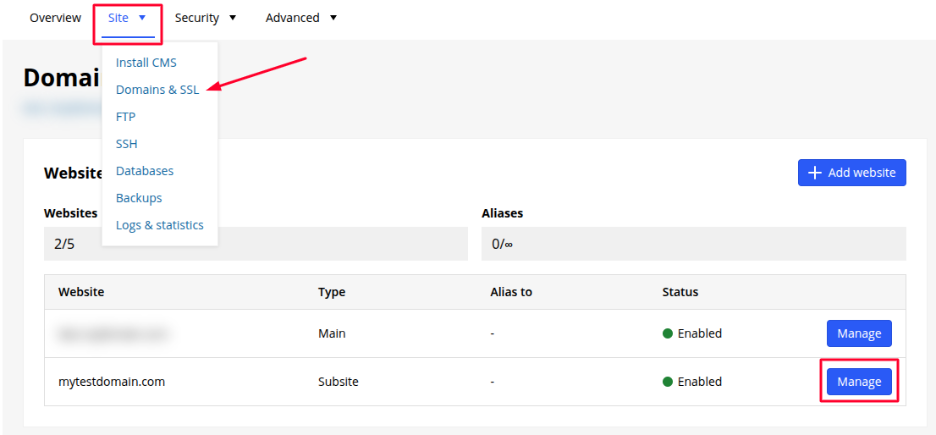
- From the Website tab, go to Domains & SSL. Locate the domain you want to manage and click Manage.
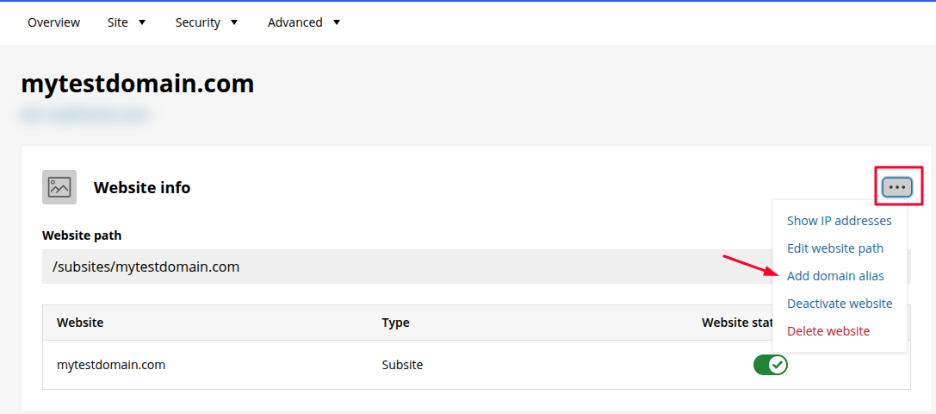
- Click the three-dot menu. Then, select Add domain alias.
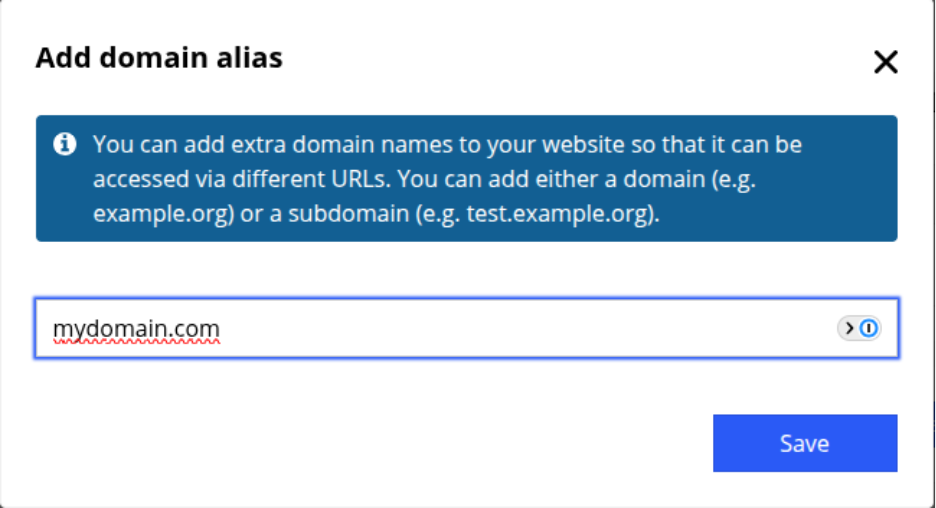
- Enter the domain or subdomain you want to use as an alias and click Save to complete the process.
What to Expect After Saving
- The domain alias will be activated a few minutes after it is added.
- All requests to the alias will be automatically redirected to the main website.
- Make sure the alias domain is properly registered and points to the correct DNS nameservers so it can function correctly. You will receive the corresponding IP via email. Read more here.
You haven't found what you are looking for?
Contact our experts, they will be happy to help!
Contact us