
Customer Support
Ηow can I change the owner of my .gr domain?Ηow can I change the owner of my .gr domain?
Change of Ownership (Domain Transfer) allows you to transfer a domain to a new individual or legal entity while keeping the same domain name. The process is straightforward and does not require technical knowledge—you can complete it directly through your Papaki account.
Which domains does this apply to?
This guide applies exclusively to domain names managed by the Greek Registry, including:
- .gr
- .com.gr
- .net.gr
- .org.gr
- .edu.gr
- and, in general, all domain extensions managed by the Greek Registry.
What you should know before you begin
- You can update all contact details of the domain owner.
- A change of ownership is considered a transfer of ownership and is a paid service.
- Make sure the new owner's details are accurate and complete.
- If the transfer is between two different companies, two individuals, or between a company and an individual, certain official documents will be required.
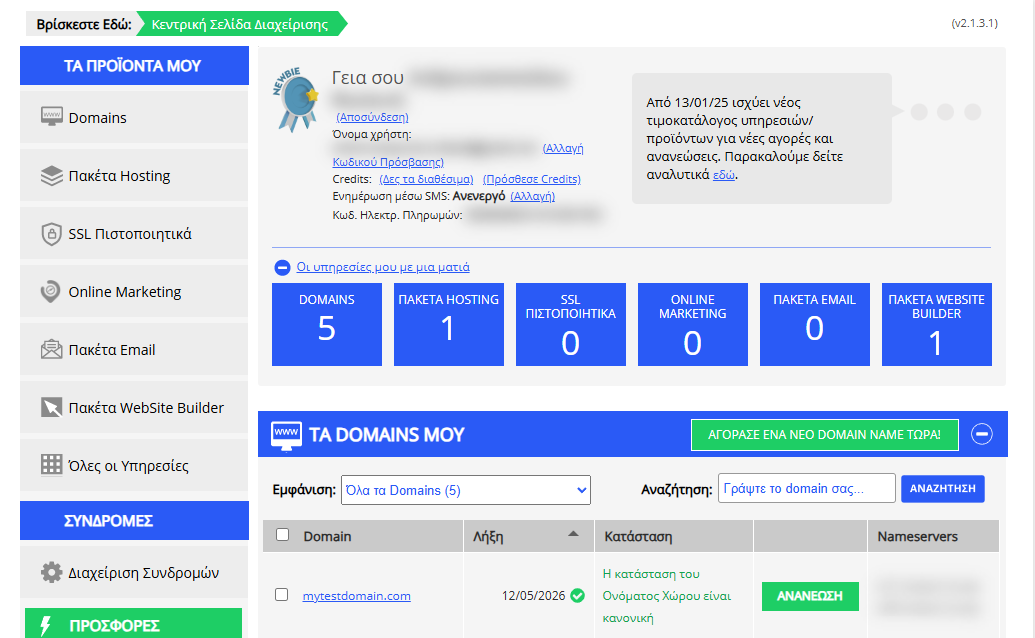
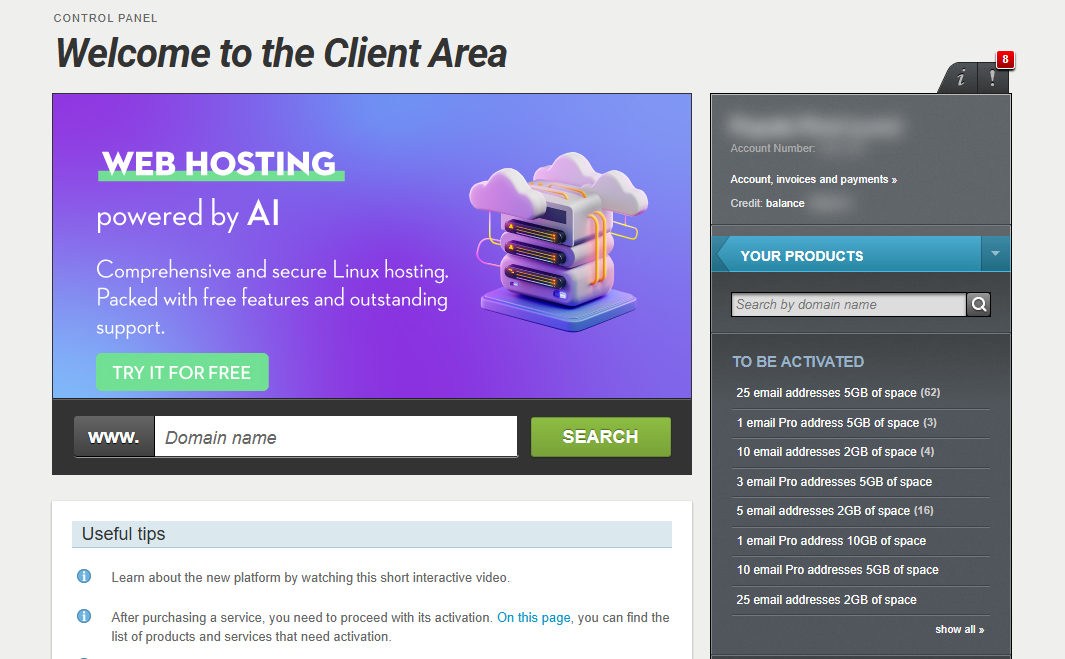
[Papaki 2.0]
Step-by-step: Change domain ownership

- From the right-side menu under Domains & Products, select the domain you want to manage.
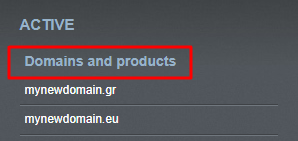
- Then go to:
Domain & DNS → Change of owner assignee
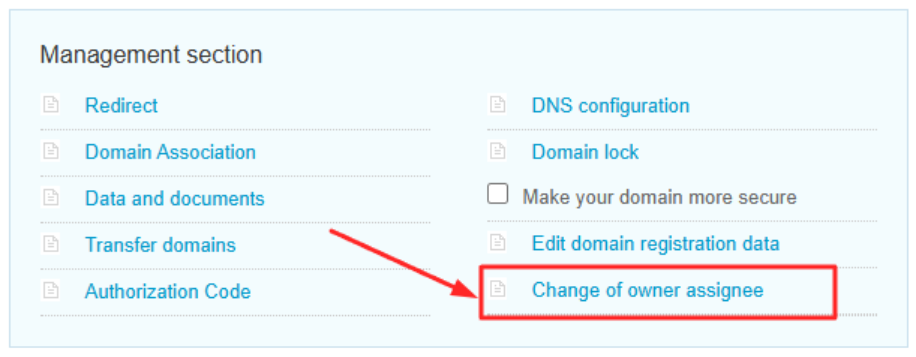
or
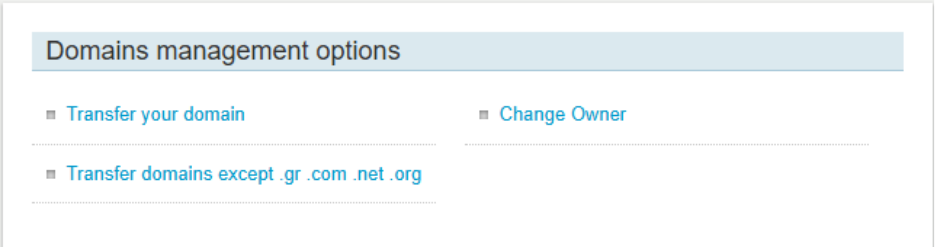
Scroll to the bottom of the homepage and, under Domain management options, click on Change Owner.
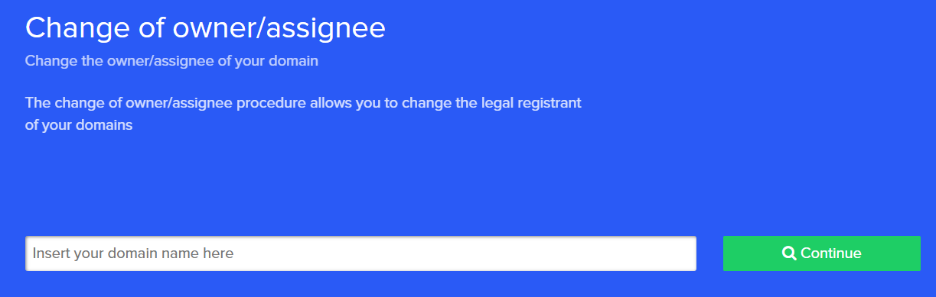
- Enter the domain name for which you want to change the ownership.
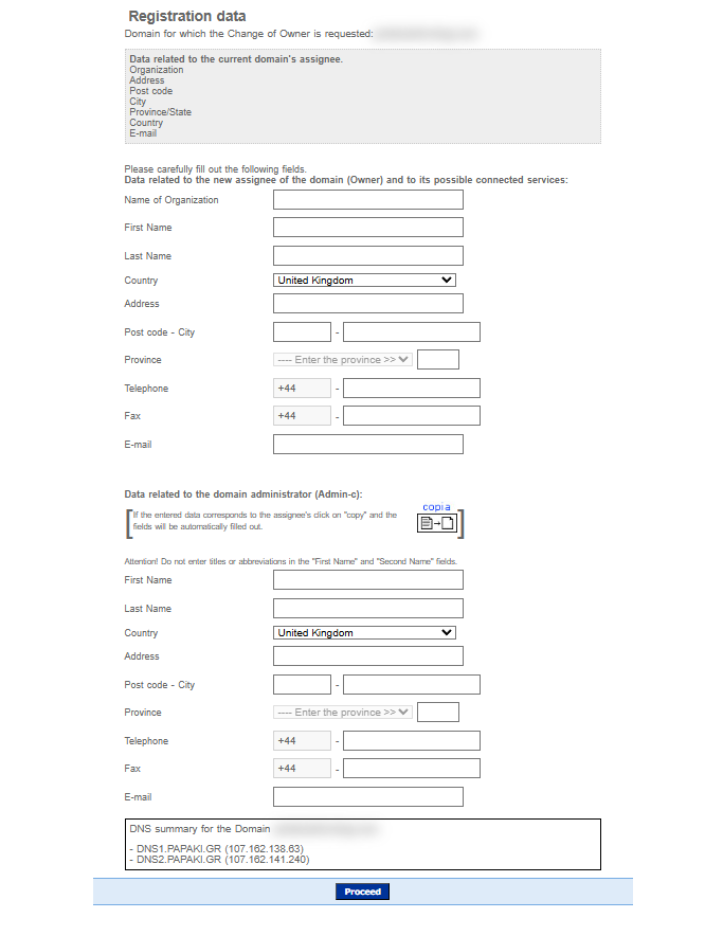
- If your domain extension allows it, a form will appear. Fill in the new owner's details and click Continue.
- Complete the order for the ownership change.
If you want to add another domain, click Add another domain. Otherwise, click Proceed to checkout.
- In the next step, make the payment.
Accept the Terms of Use and complete your order. You’ll receive a confirmation email.
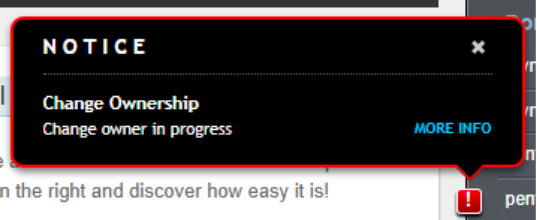
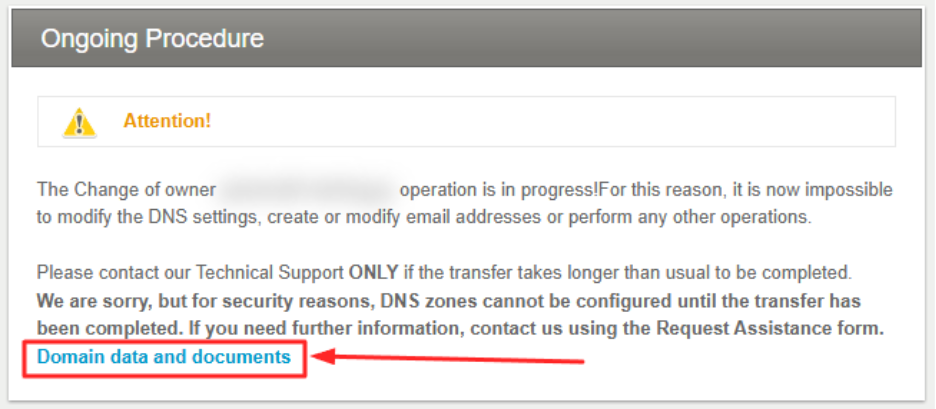
- In your dashboard, next to the domain, a red exclamation mark will appear with the status:
Change owner in progress. Click on More Info.
- Click "Domain data and documents".
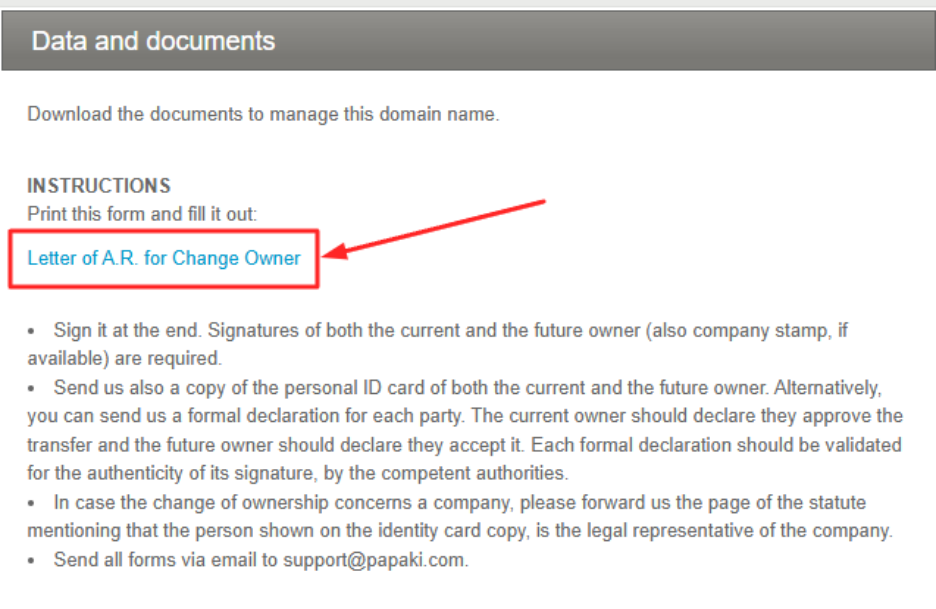
- You’ll see the new owner's information and have the option to download the related document:
- Select Letter for A.R. for Change Owner
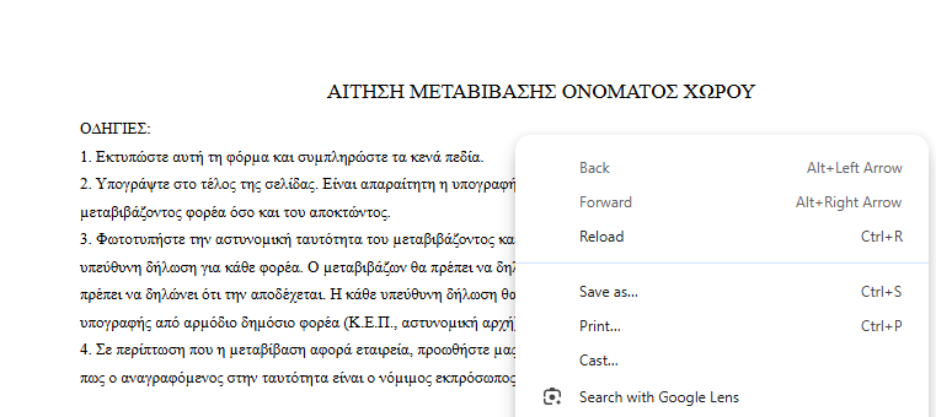
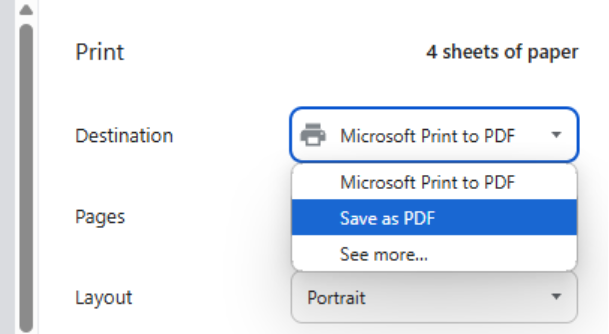
- Right-click → Print or Save as PDF
- To complete the process, submit a support request through your dashboard and attach the required documents.
Required documents
To complete the change of ownership, you will need to provide the following:
➤ LAR Form
- Completed and signed by both the current owner and the new owner.
➤ Solemn Declaration via Gov.gr, ID card, or passport
For both:
- The current owner
- The new owner
The solemn declaration must be addressed to ENARTIA Single Member S.A.
Alternatively, a document bearing a certified signature from a Citizen Service Center (KEP) or another competent authority may be submitted.
➤ Company Articles of Association (if the registrant is a legal entity)
The document must include:
- The company name
- The legal representative of the company
In this case, a solemn declaration via Gov.gr from the legal representative is also required. The declaration must be addressed to ENARTIA Single Member S.A.
Alternatively, a document bearing a certified signature from a Citizen Service Center (KEP) or another competent authority may be submitted.
What happens after you submit the documents?
Once we receive the required documentation, we will:
- Review the submitted documents.
- Verify that the LAR Form, identification documents, and any corporate documentation are complete and valid.
- Complete the ownership change process with the Registry.
Frequently Asked Questions (FAQs)
Can I change the domain owner for free?
No. Domain ownership changes (transfers) are a paid process for all extensions, regardless of whether the domain is currently active. Read more here.
How long does the process take?
In most cases, it takes a few hours. However, the exact time depends on the domain extension.
Will my website or email be affected by the ownership change?
No. Changing the domain owner does not affect the technical functionality of your website or email.
Does the new owner need to have a Papaki account?
No. The new owner does not need to have (or create) a Papaki account.
Domain management can be handled by the designated administrator, who doesn’t need to be the same person as the owner.
[Papaki 1.0]
In case you want to change the owner of a domain name, you could do this from your Papaki account.
- Log in to your Papaki account.
Forgot your password? See here how to recover it. If it's your first login attempt to the new Papaki panel, please read more here.
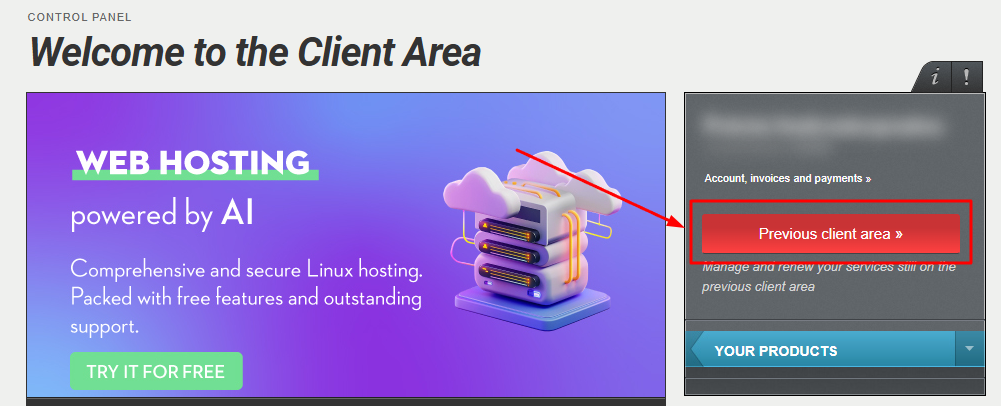
- Click the red button Previous client area » on the right side of the control panel to access the old Papaki panel.
3. From My Products list, select Domains and click on your Domain.
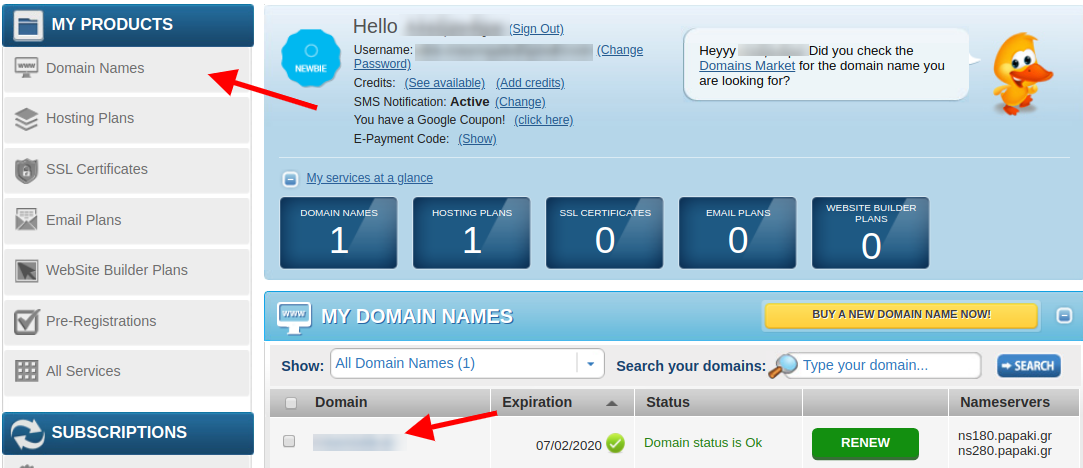
- Most of the tld's , except .gr and .fr domains, you could click Edit on the Owner Contact and save the new owner's details.Keep in mind that some registries like ICANN, forward a confirmation email for this change.
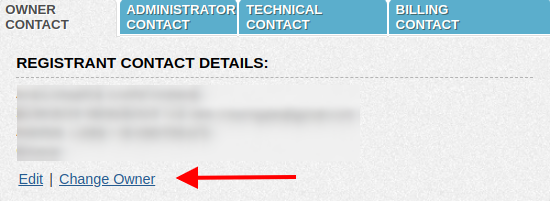
For the .gr and .fr domains, so that you may change the owner, click on Change Owner and this procedure has a charge.
You could find the owner's change cost, from our Price list here.
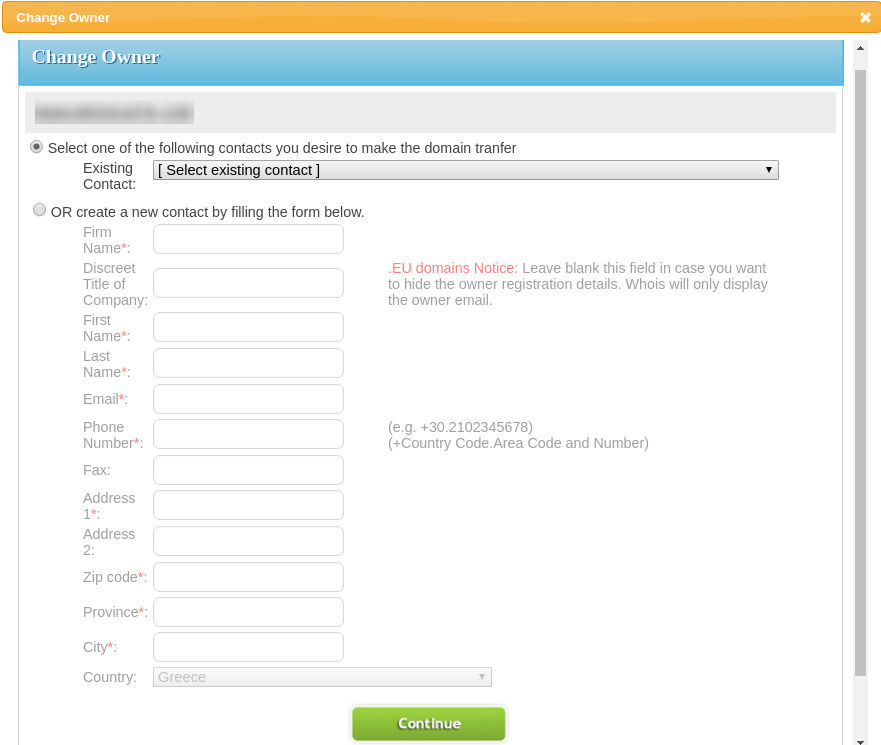
- On the pop up window you should insert the new owner's details and click Continue.
You are able to select an already existing contact or add a new one by filling the form.
- After this you will be asked to complete the order.
- From the new pop up you will get instructions, which will also be sent to your email.
You will get a .pdf document, which will be needed to be signed by both the current and new owner.
In case the owner is a company (current or new) the document needs to be stamped too.
A copy of the personal ID card or passport from both the current and future owner will be need too. Alternatively, you may send us a formal declaration for each party.
In the case of a company, an official document, like the article of association, where we may find the company name and the legal representative's name
- Once you have all the documents, you should forward them to our Customer Care Department via ticket, so that the owner's change would be complete.
You haven't found what you are looking for?
Contact our experts, they will be happy to help!
Contact us