
Customer Support
How to create CSR in cPanel 11?
To generate a CSR (Certificate Signing Request) in cPanel 11, follow the steps below:
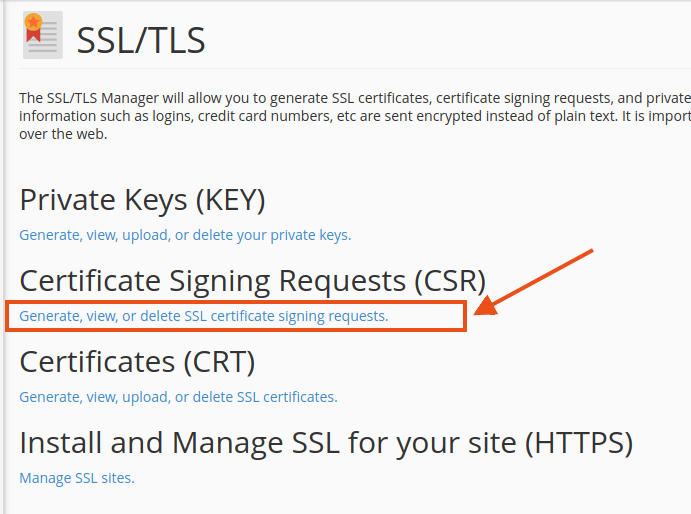
- Click SSL/TLS Manager.

- Then select Certificate Signing Request (CSR) click Generate, view, or delete SSL certificate requests.
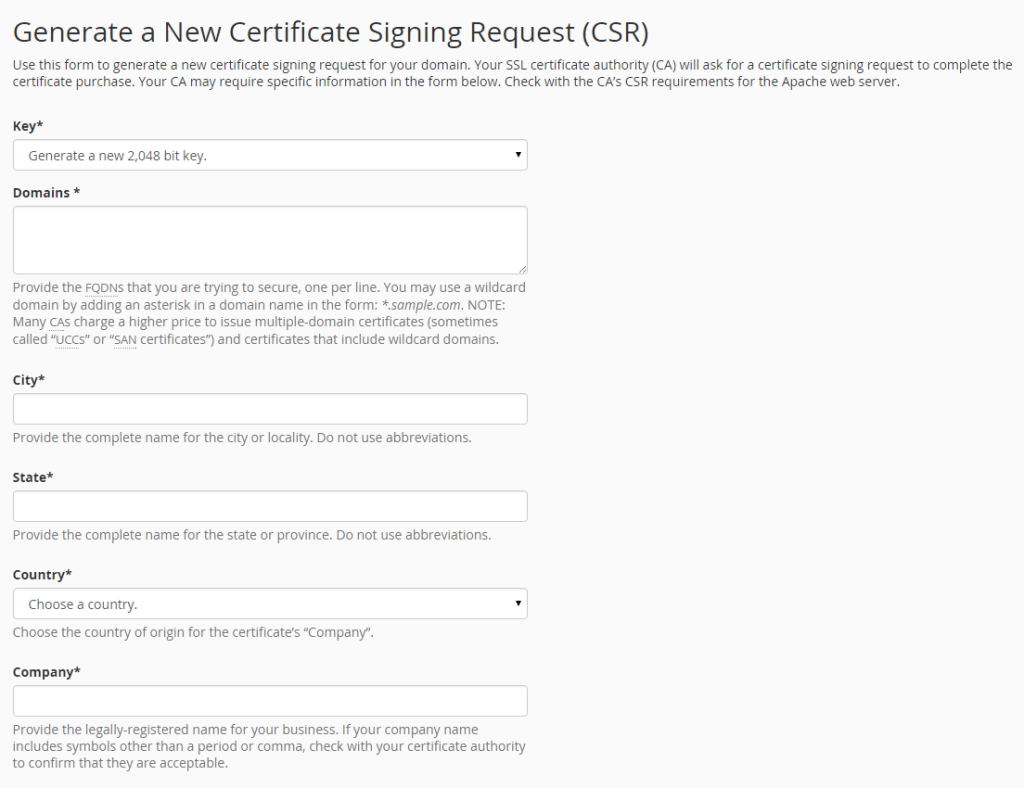
- Using the CSR guide, complete the New Certificate Signing Request form. Click Generate to create the new CSR.
- cPanel will display your CSR. In the image below, the red box highlights an example of how your CSR will appear. (This is only a sample and cannot be used to issue an SSL certificate.)
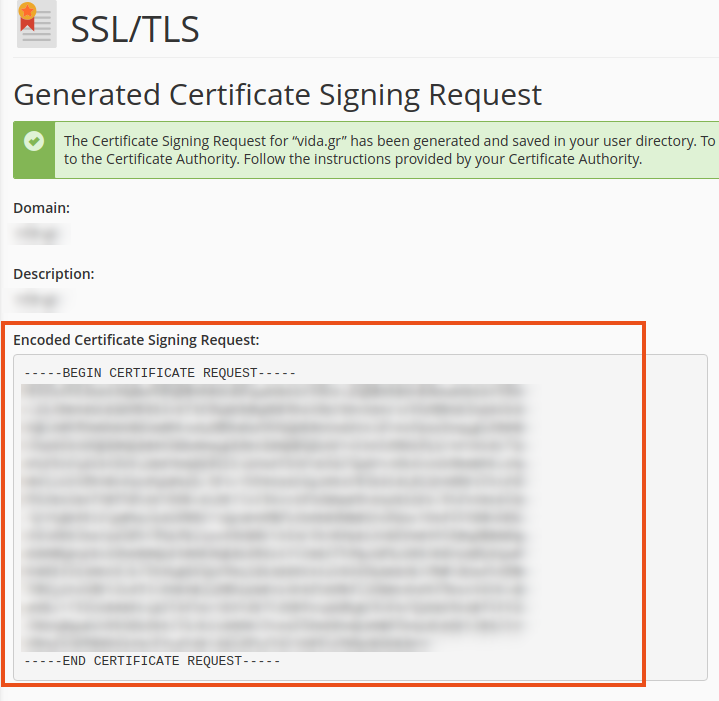
- Save a copy of your CSR. You will need it during the SSL certificate ordering process, as you will be asked to copy and paste it into the designated CSR field.
Note: Make sure to also save the corresponding Private Key generated during the process, as it will be required when installing the SSL certificate.
You haven't found what you are looking for?
Contact our experts, they will be happy to help!
Contact us