
Customer Support
SSL – How can I change the SSL validation method?
If you have already started the activation process of your SSL certificate but wish to change the validation method, follow the steps below.
Which validation methods are supported?
There are two main validation methods:
- Email validation: Select from a list of predefined email addresses (e.g., admin@domain.tld).
- DNS record validation: Add a special DNS record to the active DNS zone of your domain.
If neither of these options is possible, Papaki also allows you to complete the validation by uploading a .txt file to your hosting.
IMPORTANT: You can only change the validation method if the SSL status is “PENDING”.
Steps to change the validation method

- From the right-hand menu, under SSL Certificates, click on the certificate you want to activate.
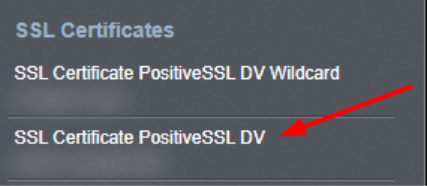
- You will be redirected to the SSL management dashboard. Click on the domain name.

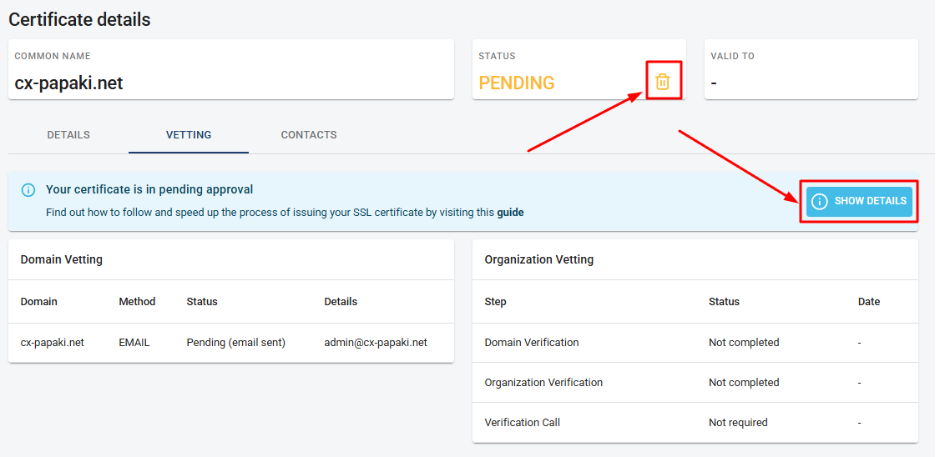
- From this menu you can:
- Delete the SSL (by selecting the trash icon) and restart the process from scratch (only if it is not a reissue).
- Click View Details to change the validation method.
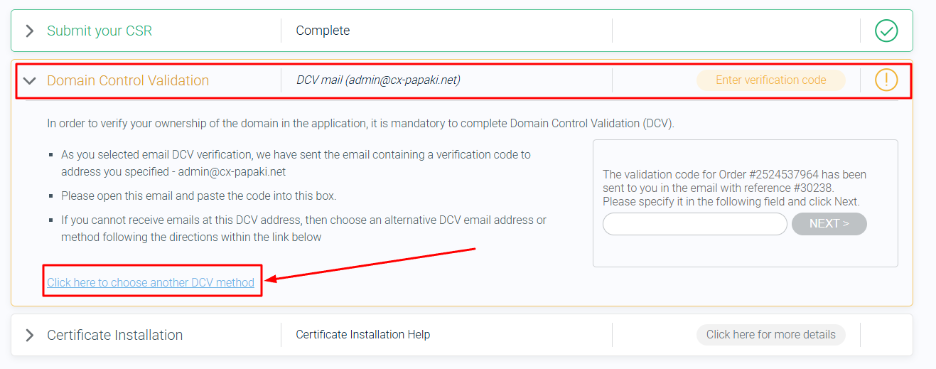
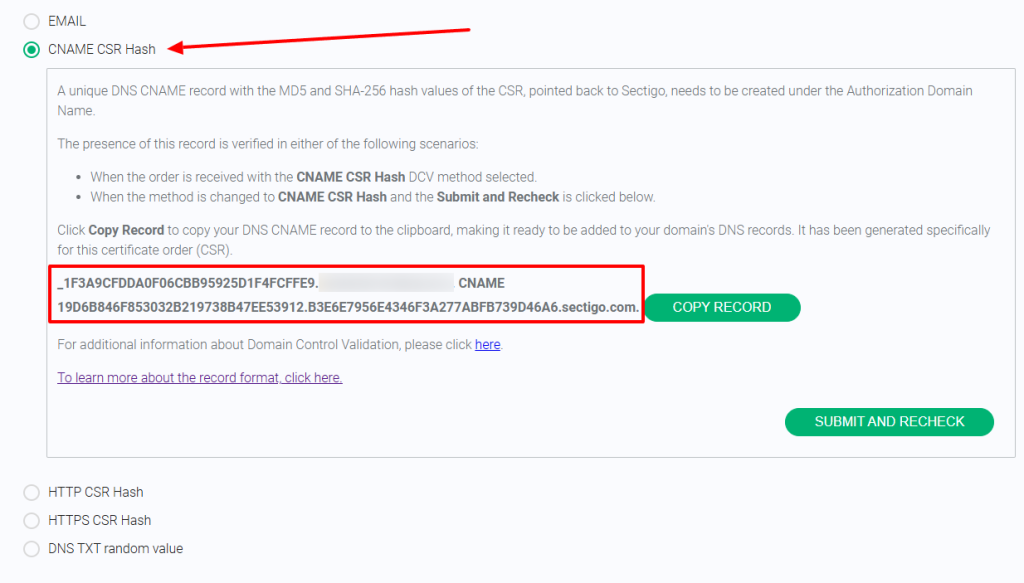
- In the View Details menu. Go to Domain Control Validation → Click here to choose another DCV method.
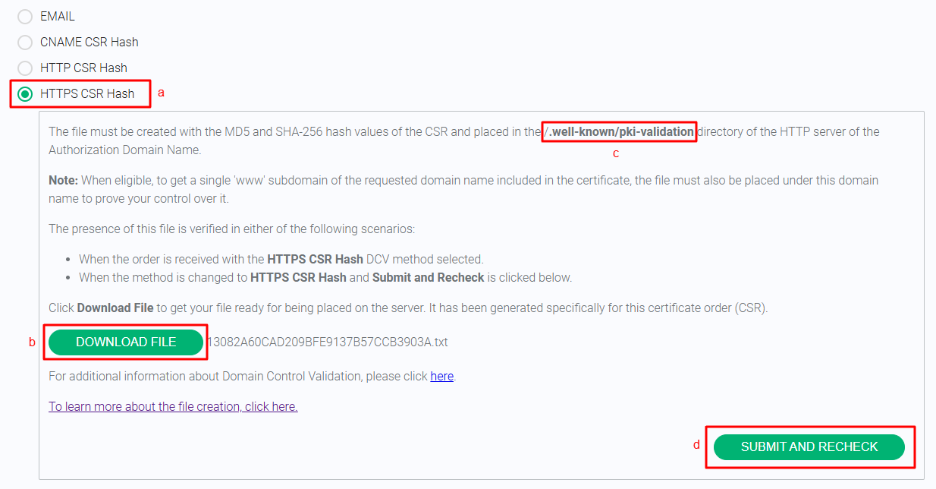
a. Select HTTPS CSR Hash.
b. Download the .txt file.
c. Upload it to the folder /.well-known/pki-validation in your hosting (make sure the folder is publicly accessible).
d. Click Submit and Recheck.
- The validation method is now complete. If the .txt file has been uploaded correctly, the Certificate Authority will validate the information and issue your SSL certificate.
You can also change the selected validation method in the same way, even if you initially chose Email and later wish to switch to DNS record verification. In this case, you should select the second option, “CNAME CSR Hash,” and enter the provided details into your domain’s active DNS zone.
FAQ – Frequently Asked Questions
What if the email validation method doesn’t work?
You can choose either DNS record validation or the alternative .txt file method.
Where should I upload the .txt file?
Place it in the /.well-known/pki-validation folder at your hosting’s root directory.
How long does the validation process take?
Usually just a few minutes, but it can take up to 24 hours depending on the Certificate Authority.
You haven't found what you are looking for?
Contact our experts, they will be happy to help!
Contact us