
Customer Support
iubenda – How to activate your GDPR plan
Once you’ve completed your iubenda purchase, follow the steps below to activate the tool from your management panel.

- From the right-hand menu, under “Your Products” and the section “TO BE ACTIVATED”, you’ll see the iubenda product you purchased
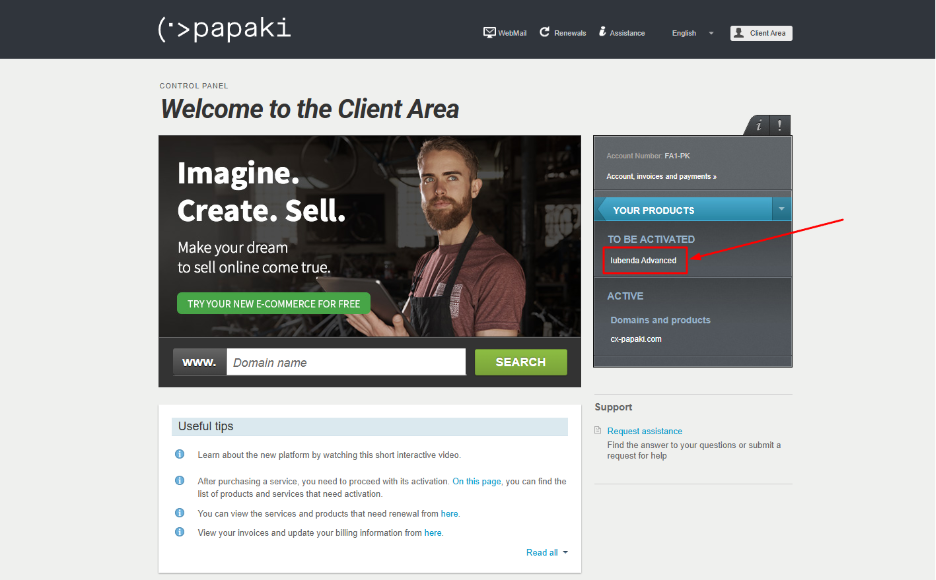
Note: If the product doesn’t appear immediately, please wait approximately 15 minutes for it to be loaded into your dashboard.
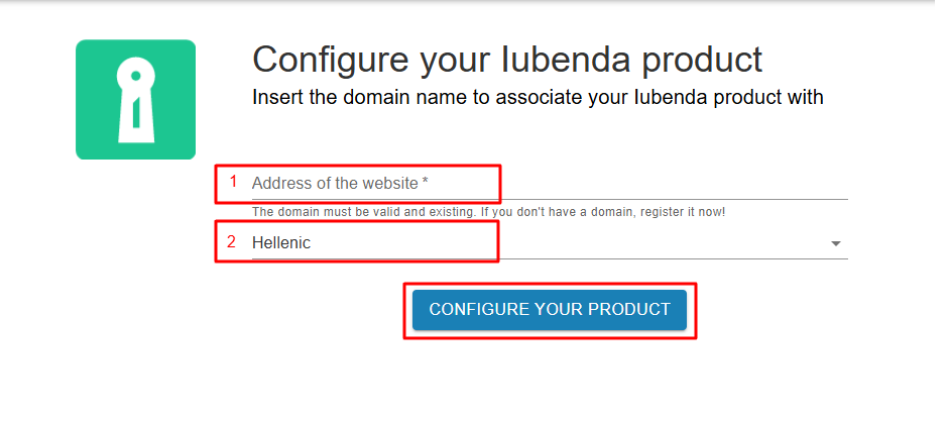
- Click on the product to begin the activation. You’ll be asked to associate your iubenda package with the domain where you want to apply GDPR and privacy compliance.
- Enter your domain name in the corresponding field.
- Select your preferred language from the available options.
Click “CONFIGURE YOUR PRODUCT” to complete the association.
- Once you have linked the iubenda package to your website, click on “Online Compliance” from the left sidebar of your account dashboard.
This will redirect you to the iubenda management panel.
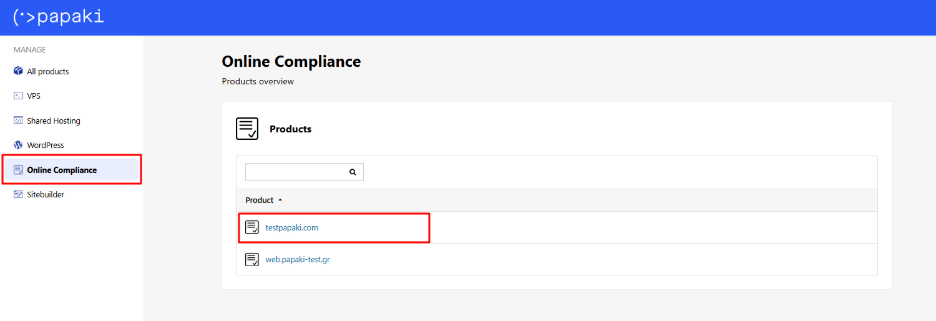
- From the iubenda dashboard, click on the domain name you've associated to view:
- The plan you’ve purchased
- Any available upgrades, in case you wish to switch to a more advanced version
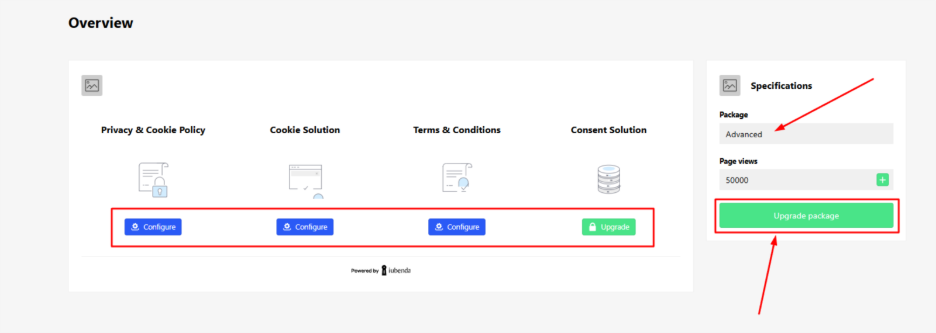
- Start configuration
- Blue buttons: Indicate features that are available for configuration.
- Green buttons: Indicate available upgrades you can purchase.
From the iubenda panel, you can immediately begin creating your privacy policies and manage as many websites as you wish.
You can manage everything directly from the iubenda interface through your Papaki account.
You haven't found what you are looking for?
Contact our experts, they will be happy to help!
Contact us