
Customer Support
(Shared Hosting) – How can I change the PHP version of my hosting plan?
You can easily change the PHP version on your hosting plan through the Papaki control panel. The process is simple and only takes a few minutes. See below when and how to do it.
Why Should You Change the PHP Version?
Changing your PHP version can help:
- Improve the performance of your website
- Ensure compatibility with plugins or CMS (e.g. WordPress, Joomla)
- Update to a more secure version of PHP
- Fix errors caused by outdated PHP versions
Attention!
If you have an email hosting package hosted on a Plesk infrastructure, please refer to the guide available here.
Step-by-Step: How to Change the PHP Version
Steps:

- From the dashboard, locate the product you want to manage. Click the name of the plan.
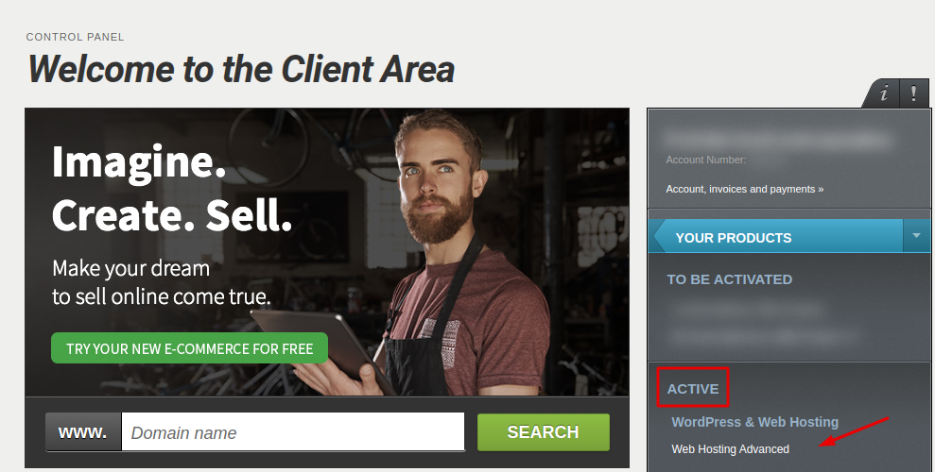
You will be redirected to the hosting management area. Here you can view, by category, all services linked to your Papaki account.
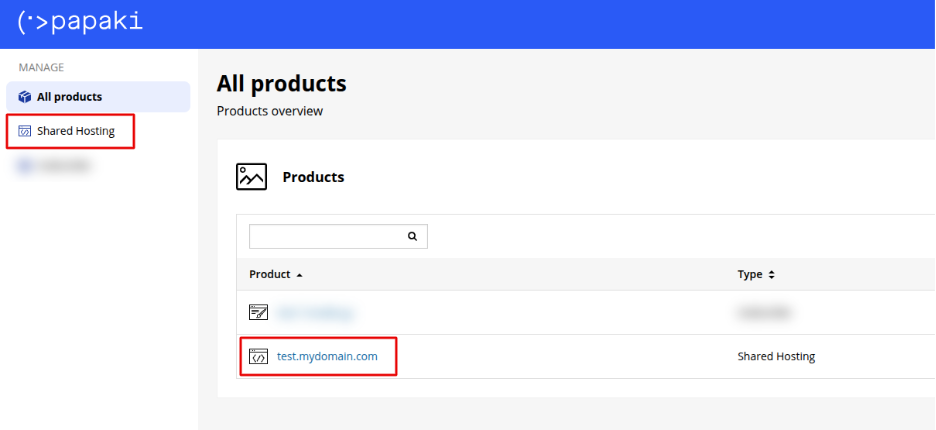
- Click the hosting plan name you want to manage.
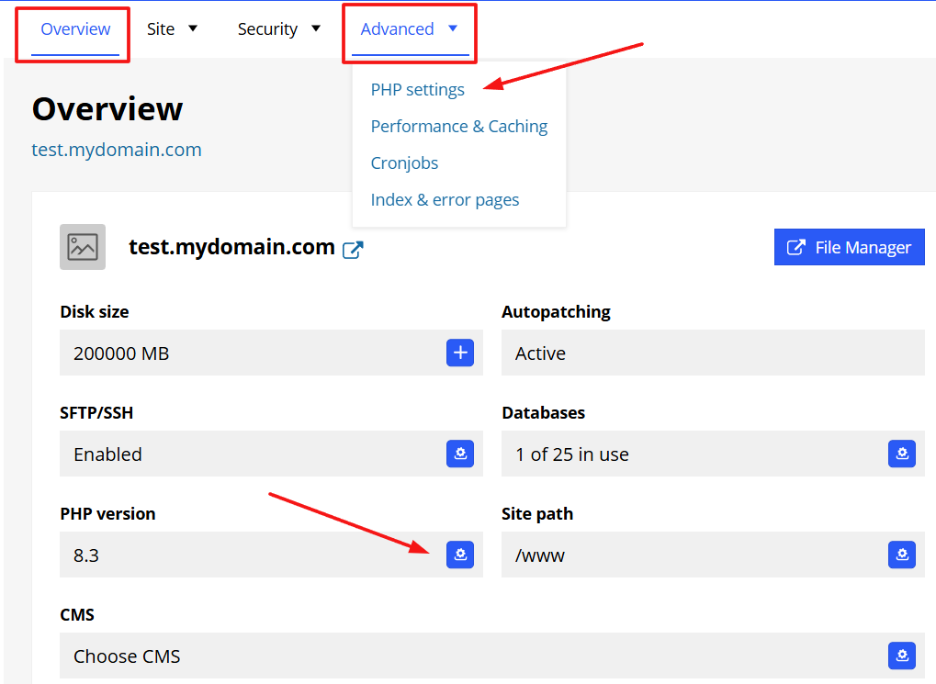
- You can change the PHP version in two ways, either from the Overview tab, click PHP Version, or from the Advanced tab, choose PHP Settings
- Select the PHP version you wish to use (e.g. 8.0, 8.1, 8.2, etc.) and click Save
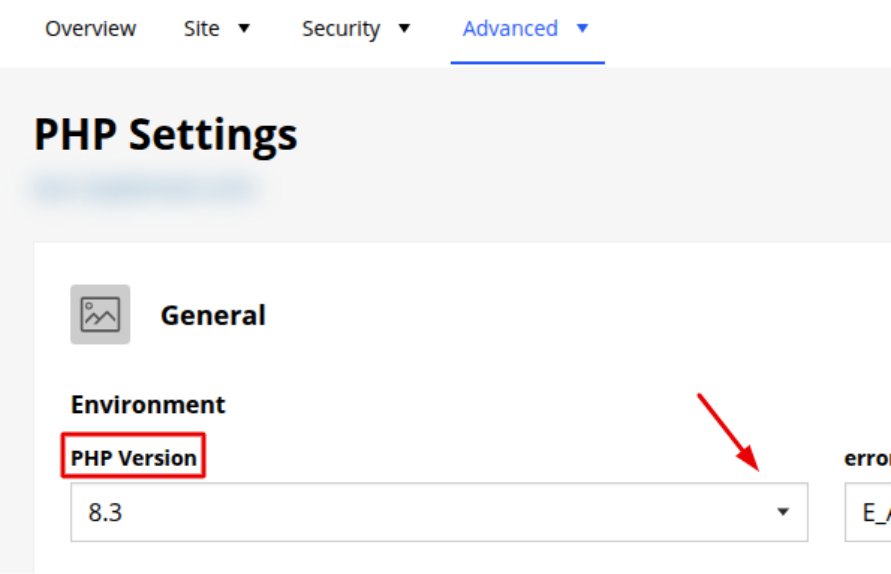
Optionally, upon your needs you can also modify important PHP parameters, such as:
- memory_limit
- upload_max_filesize
- max_execution_time
Attention!
- Changes may take a few minutes to apply
- If you’re upgrading to a newer PHP version, we recommend doing it gradually (e.g. from 7.4 → 8.0 → 8.1), so you an identify the most compatible version with your website
- If something breaks (e.g. plugin errors, white screen), you can easily revert to the previous working version from the same panel
You haven't found what you are looking for?
Contact our experts, they will be happy to help!
Contact us