
Customer Support
How do I create an account at Papaki?
To access Papaki’s products, services, and account management tools, you'll need to create a user account.
With a Papaki account, you can:
- Purchase and manage domain names
- Access hosting and other services
- Monitor your subscriptions
- Update your personal information and settings
Creating a New Papaki Account
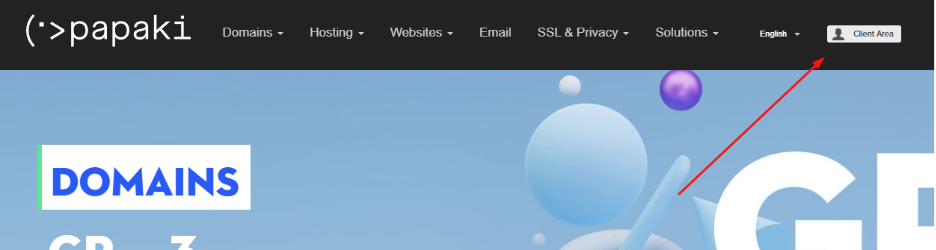
- Visit the Papaki homepage. Click the Client Area button in the top-right corner. Alternatively, go directly to the login page
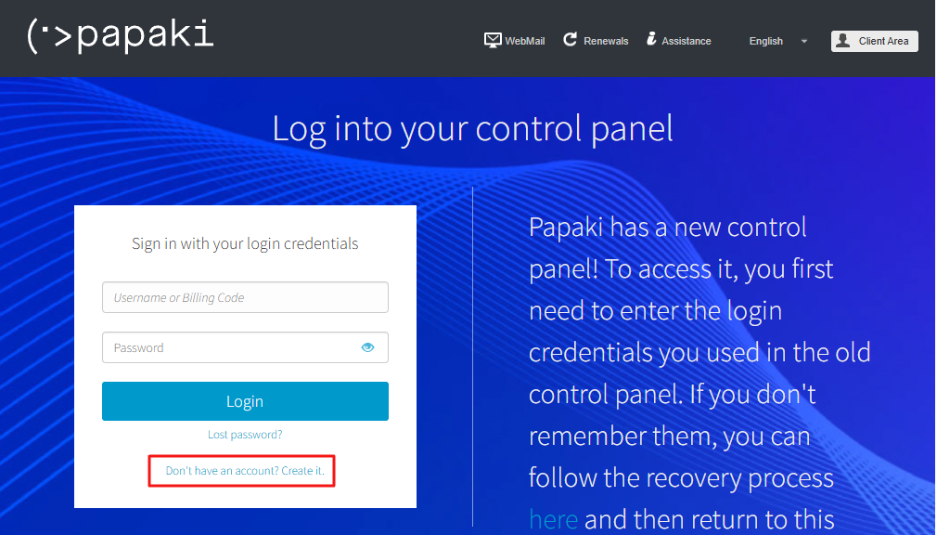
- Below the login form, click Don’t have an account? Create one!
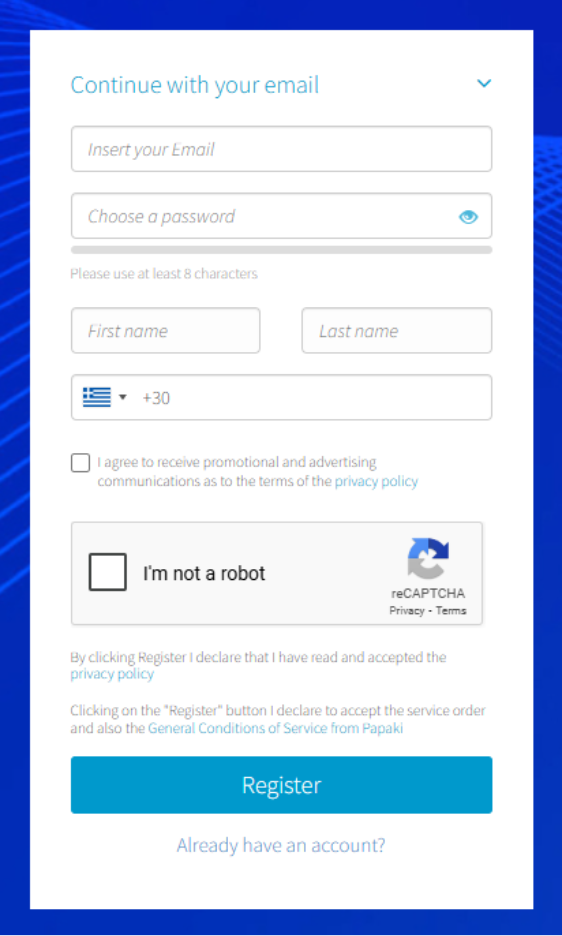
- On the registration page, fill in the following fields:
- A valid email address for communication
- A password between 8–15 characters (you may include symbols like ! @ # $ % ^ & * = + , . ; : )
- Your first name
- Your last name
- A phone number (including country code, e.g., +30 210 123 4567)
After completing the form, click Register.
- After registration, you'll be redirected to a page where you'll be asked to verify your email address.
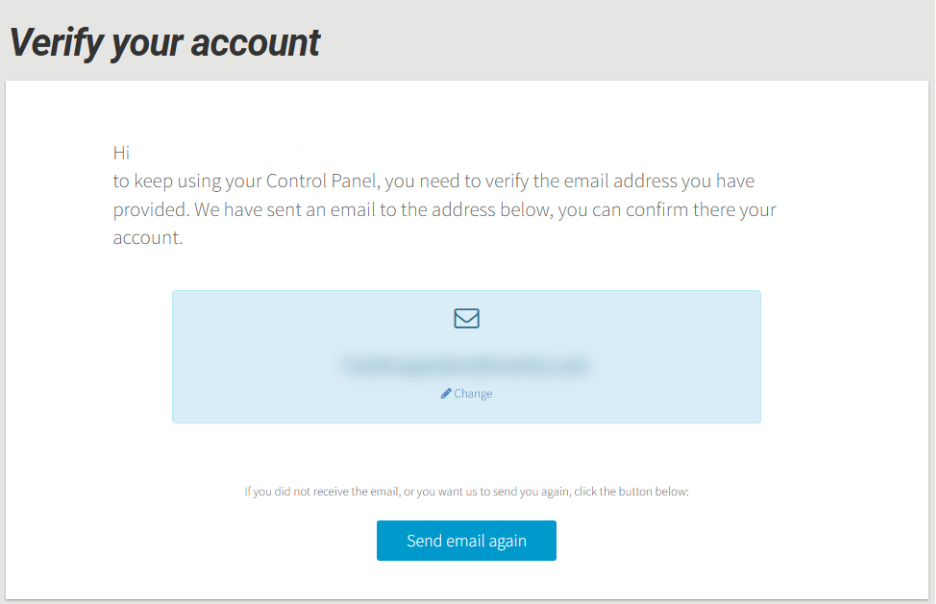
A confirmation email will be sent automatically
- If you don’t receive it within a few minutes, click Resend email
- If you need to use a different email address, click Change, then Resend email again
Important: Updating your email here will change the email linked to your account.
Notes
- You can create multiple Papaki accounts using the same email, but each account must have a unique username
- If you used your email as your username during registration, you could change it later in your account settings
You haven't found what you are looking for?
Contact our experts, they will be happy to help!
Contact us