
Customer Support
How can I add a new credit card to my account in Papaki?
If you want to add a new credit card to your Papaki account or manage your saved cards, the process is simple and fast.
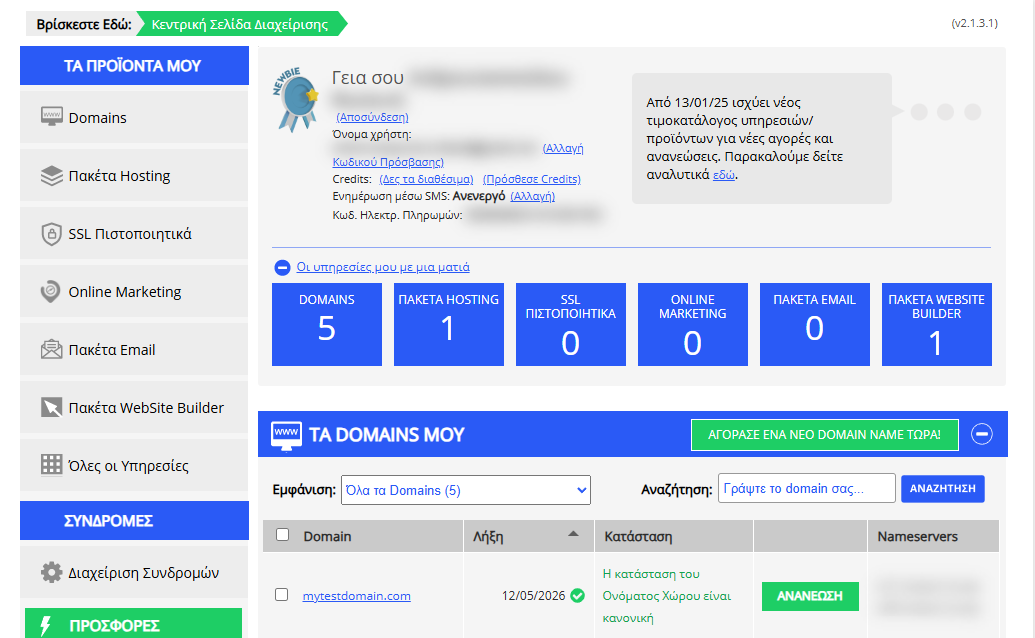
[Papaki 2.0]
Step-by-step:

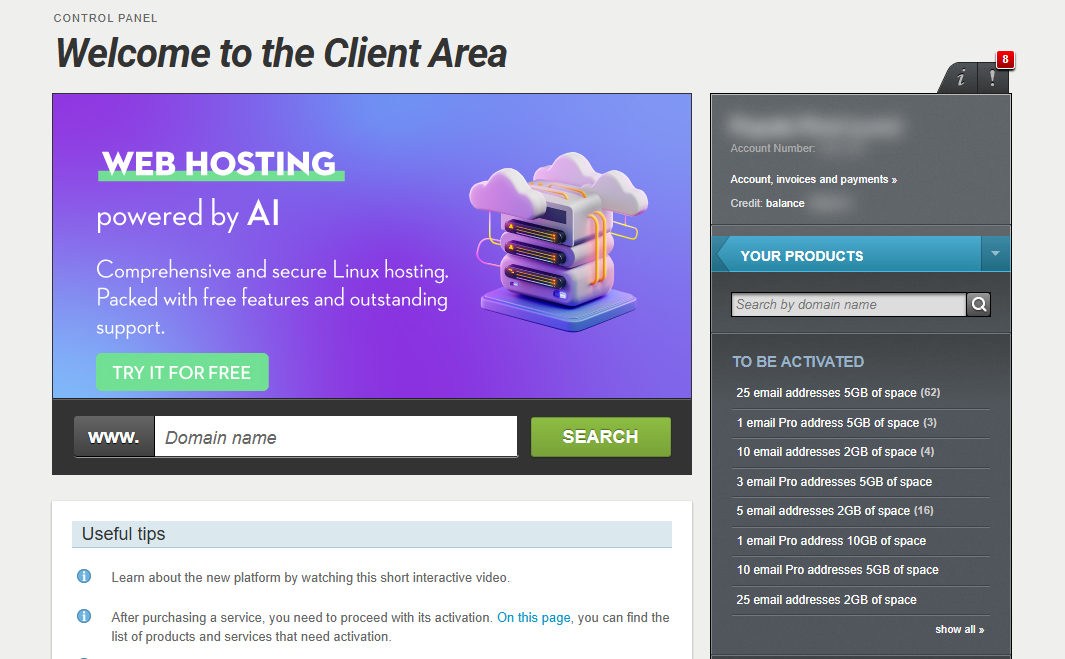
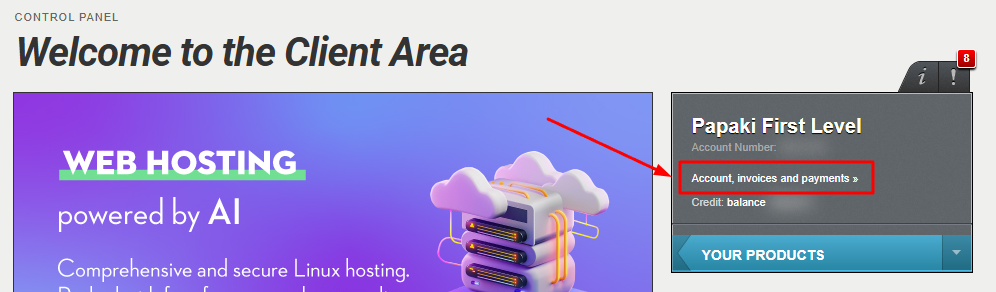
- From the right-hand menu, select Account, Invoices and Payments.
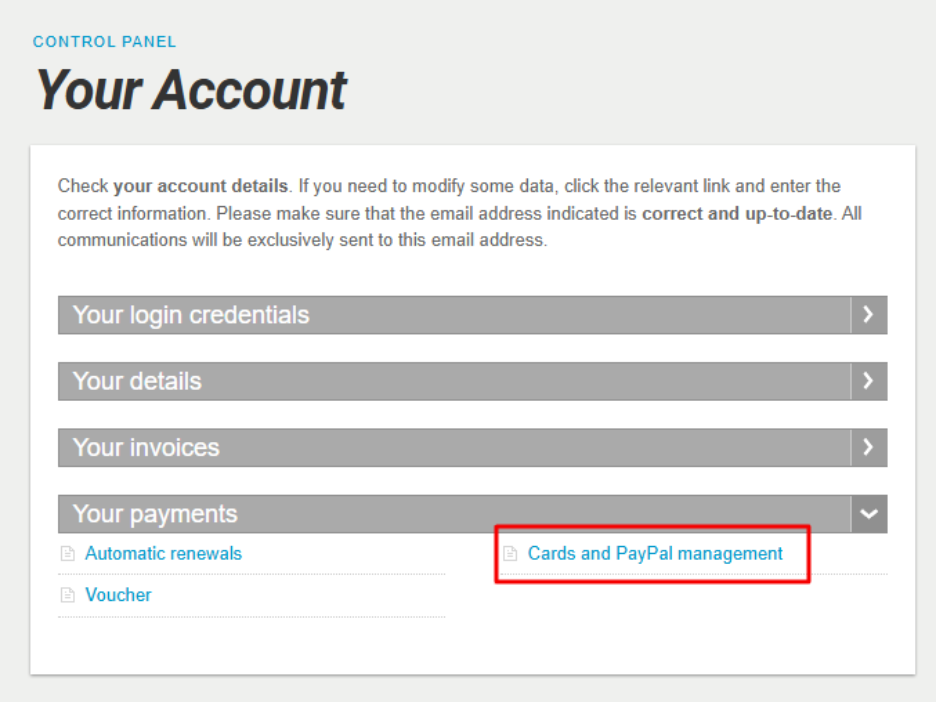
- Under Your Payments, click on Cards and PayPal management.
- To add a new card, click Add credit card and complete the required fields:
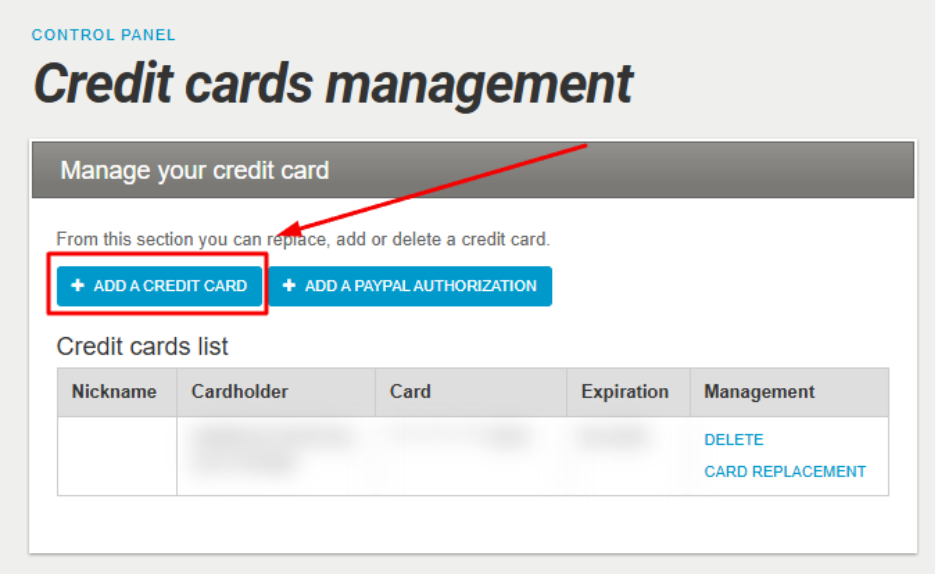
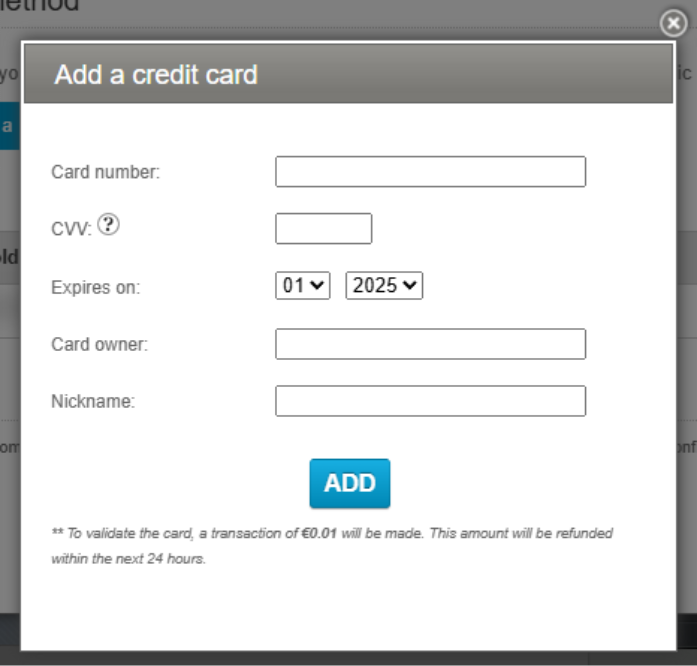
After filling in all fields, click Add.
This will trigger a €0.01 verification charge to confirm the card’s validity. The a mount is refunded within 24 hours.
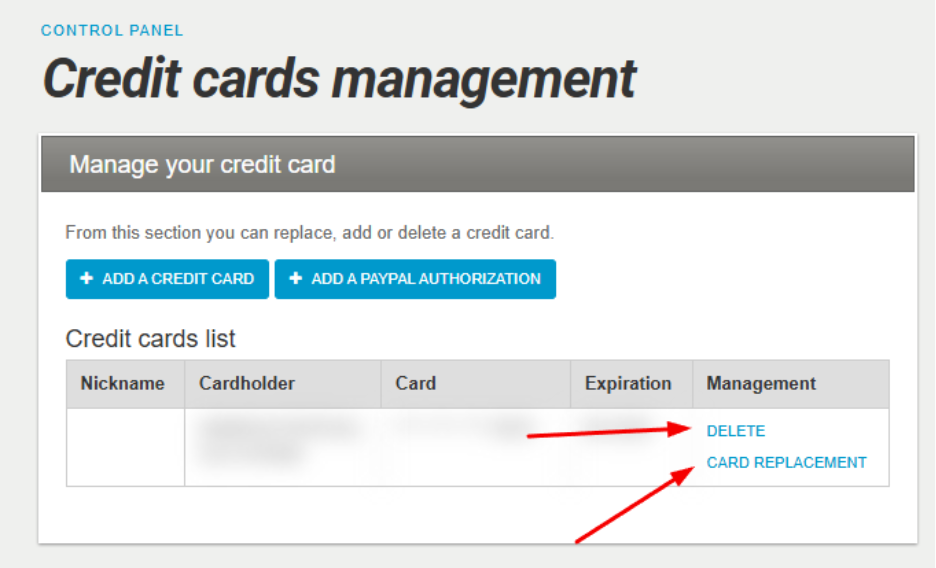
- From the same window, you can manage your existing cards:
- Delete: Removes the card from your account and disconnects it from any linked services.
- Card Replacement: Replaces the current card with a new one for all relevant transactions.
Important note
Your card is automatically saved to your account every time you use it for a purchase or renewal. You can remove it at any time following Step 4 above.
Frequently Asked Questions
Why should I save my card?
Saving your card helps you:
- Avoid entering card details every time you place an order.
- Ensure uninterrupted service if automatic renewal is enabled.
If you prefer not to save a card, you can pay via bank transfer, IRIS, or another method.
See all available payment methods here
Is it secure?
Yes. Papaki does not store any sensitive card details. All data is processed by a licensed, PCI DSS-compliant payment provider.
Can I add more than one card?
Yes, you can store multiple cards and choose which one to use for each service.
What happens if my card expires?
You’ll need to replace it with a valid card through the “Card Replacement” option in your account.
[Papaki 1.0]
- Log in to your Papaki account.
Forgot your password? See here how to recover it. If it's your first login attempt to the new Papaki panel, please read more here.
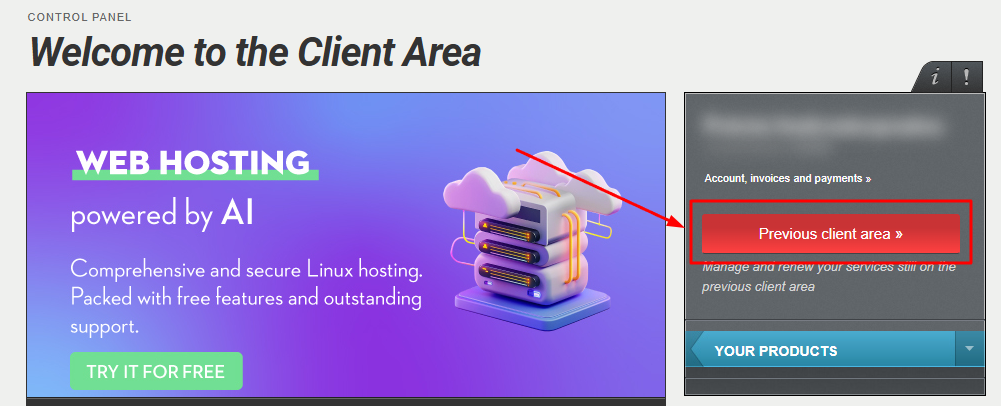
- Click the red button Previous client area » on the right side of the control panel to access the old Papaki panel.
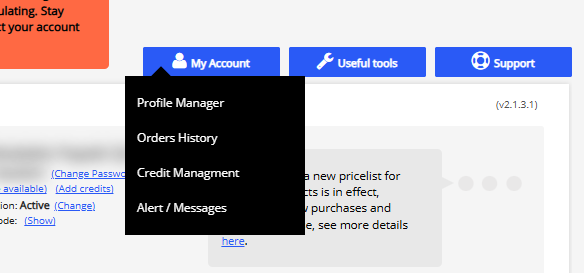
3. Select My Account and then Profile Management.

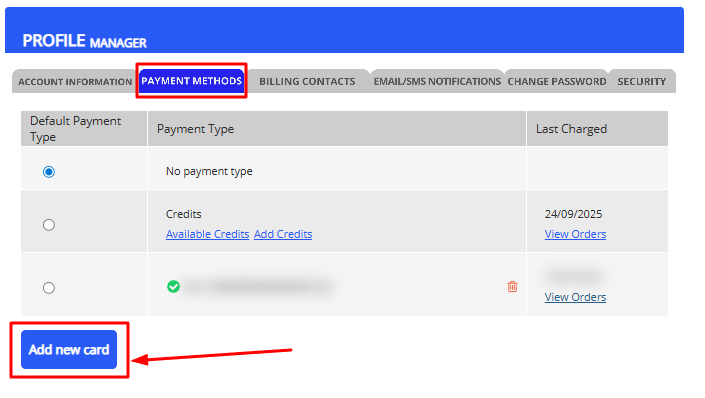
4. Choose PAYMENT METHODS and then Add new card.
5. In the new dialog window, enter your card details and save.
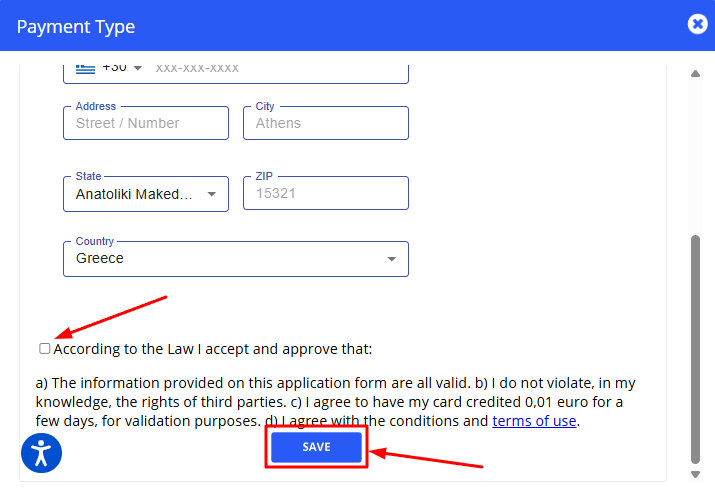
Note: When adding a new card, an amount of €0.01 will be temporarily reserved for a few days in order to verify the credit card.
You haven't found what you are looking for?
Contact our experts, they will be happy to help!
Contact us