
Customer Support
How can I update the contact details on my domain?
If you'd like to review and update the owner or admin contact details for your domain, you can do so easily and quickly through your Papaki account.
What you need to know before making changes
- You can only update the address and contact information (email, address, phone number).
- You cannot change the owner's name or company name through this process. This is a paid service. Learn more here.
- If your domain is locked, you’ll need to unlock it first to make changes and then lock it again once you're done. See how here.
- After changing the owner’s email address, registrar transfers are restricted for 60 days.
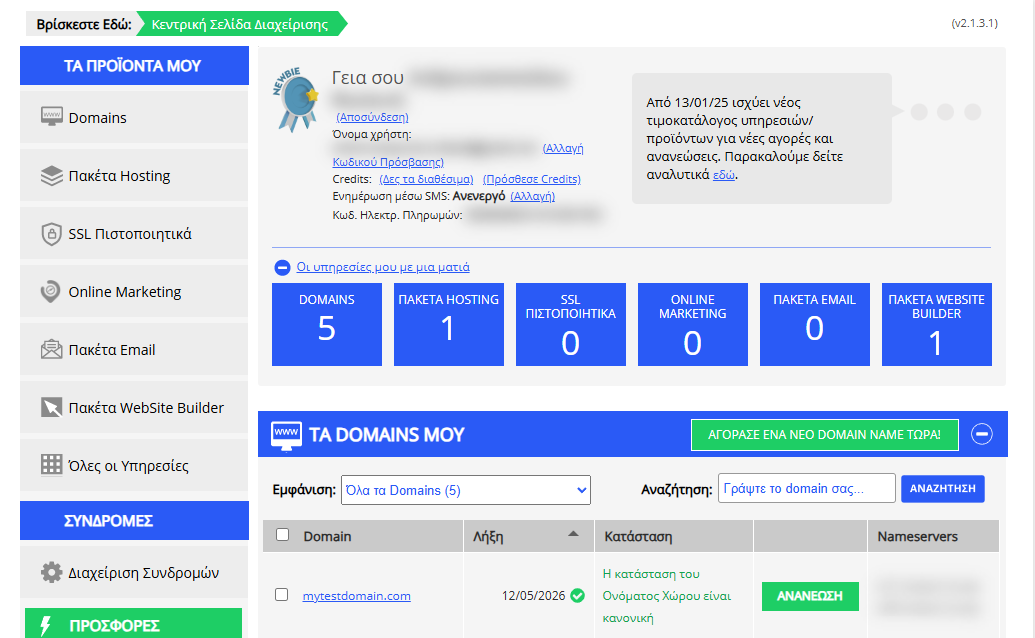
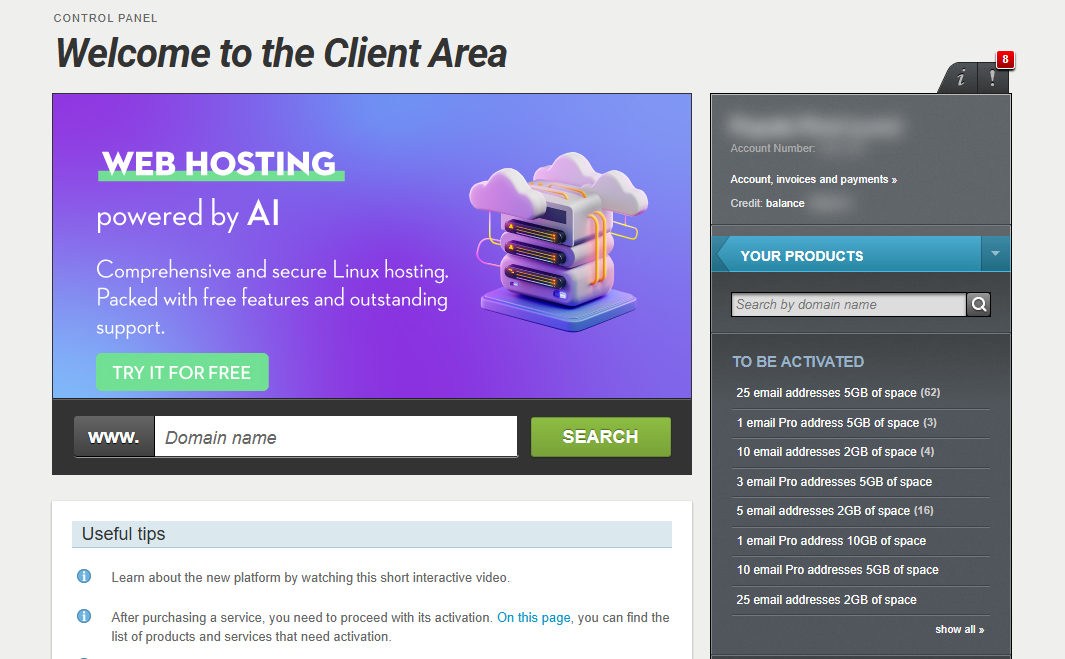
[Papaki 2.0]
Steps to update your domain information

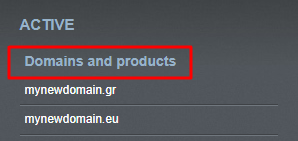
- From the right-hand side menu, under Domains & Products, select the domain you'd like to manage.
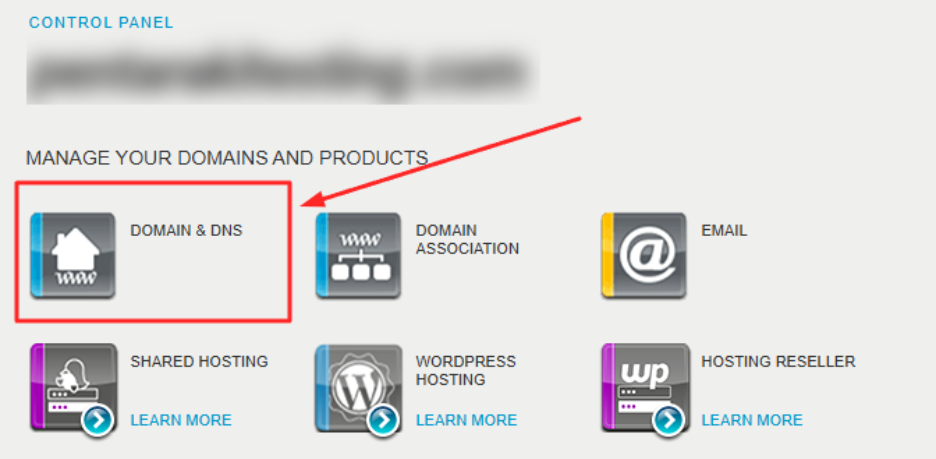
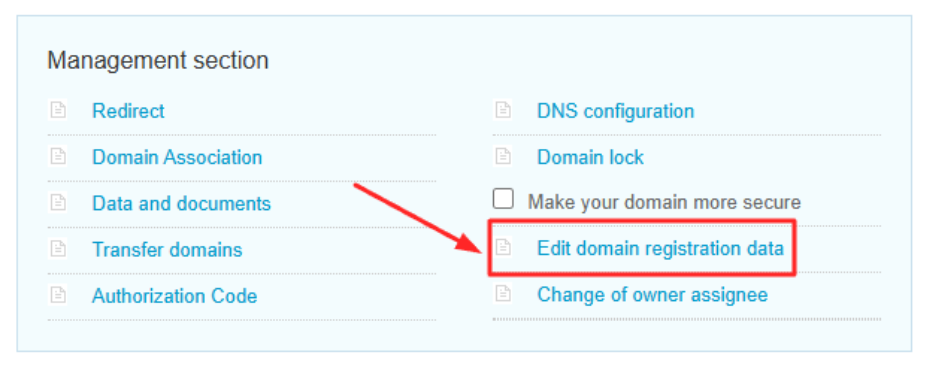
- Click on Domain & DNS, then select Edit domain registration details.
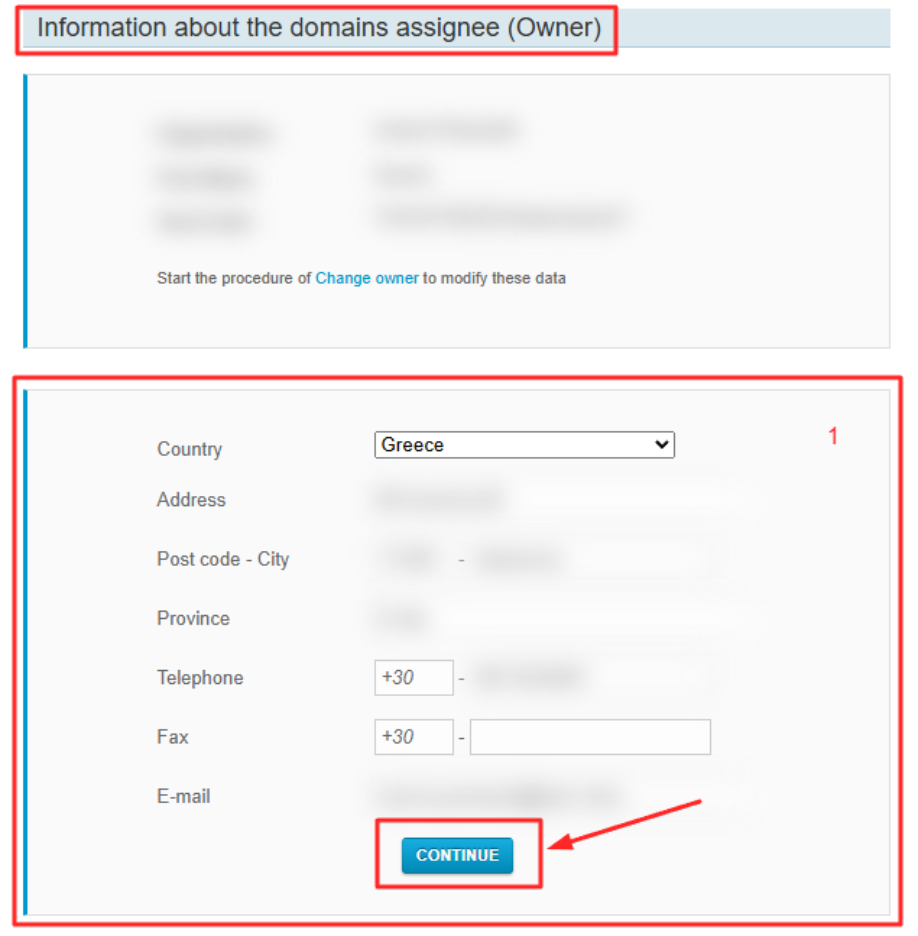
- Fill in or update the owner's contact details (email, address, phone), then click "Continue".
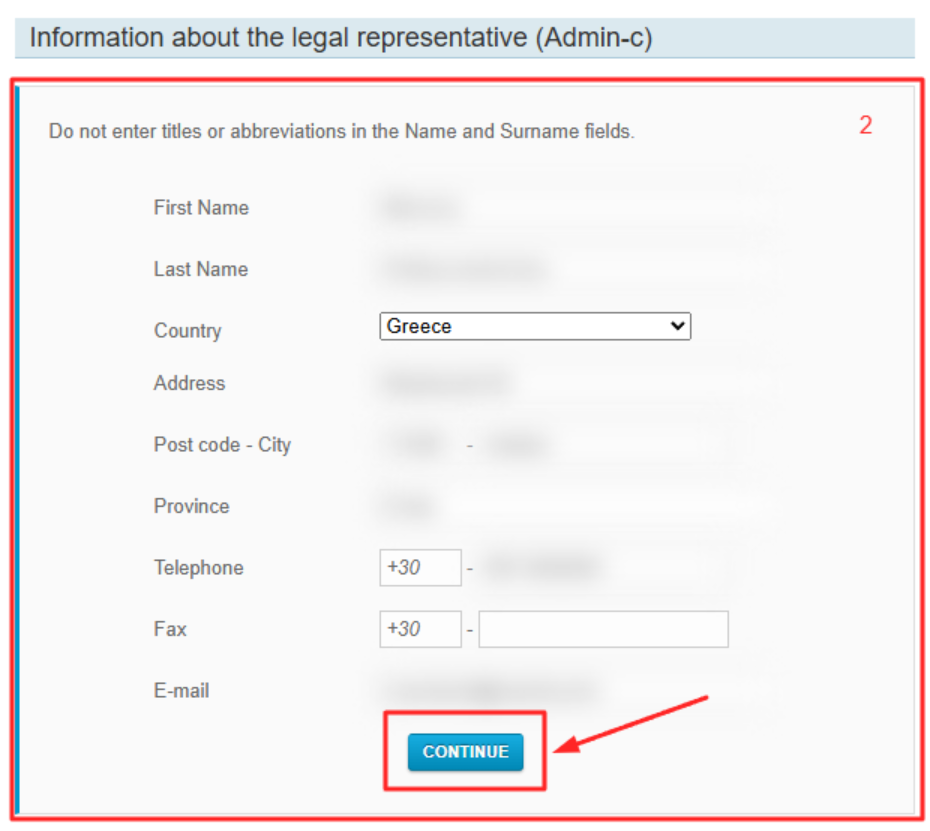
- Update the admin contact details (full name, email, address, phone) and click "Continue" again.
Your changes will be applied automatically and are usually completed within 24 hours.
[Papaki 1.0]
If you want to modify or review the ownership details and other contacts of your domain, you can follow the steps below.
- Log in to your Papaki account.
Forgot your password? See here how to recover it. If it's your first login attempt to the new Papaki panel, please read more here.
- Click the red button Previous client area » on the right side of the control panel to access the old Papaki panel.

3. From the My Products list, select Domains and click your domain.
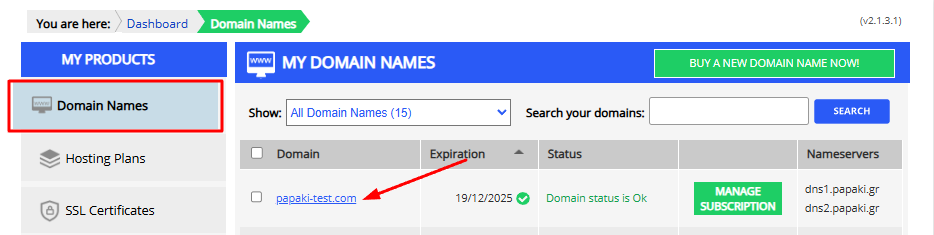
- Scroll down to Domain Name Management to view your contacts.
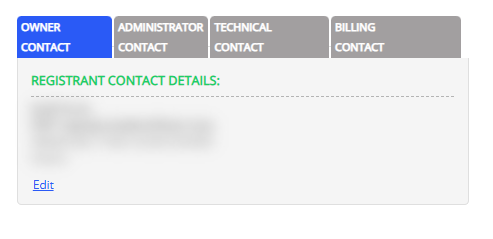
If you want to change ownership, you can click Edit for most domains. For .gr, .ελ, and .fr, the process differs—see the guide here.
You haven't found what you are looking for?
Contact our experts, they will be happy to help!
Contact us