
Customer Support
(Shared hosting) – How do I activate and connect my hosting plan with my domain?
To start using your hosting plan, you first need to activate it from your Papaki account, set your primary domain, and configure the correct DNS records.
Attention!
If you are managing your hosting plans from the old Papaki Control Panel, the hosting plans do not require activation. However, you may need to take additional steps to connect them to your domain. The steps vary depending on where the active DNS zone of your domain is located.
See detailed guide: What is DNS and What are A, CNAME & MX Records?
Activate your hosting plan

- Locate the plan that needs activation. From the right-hand menu, under To be activated select the hosting plan you want to activate.
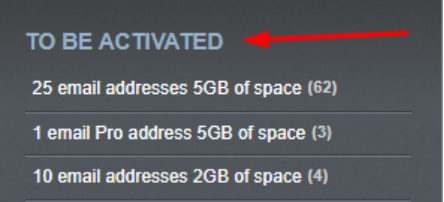
- Click Activate on the right side of the plan.

- Enter the domain you want to use as the primary domain for the plan and click Install Hosting.
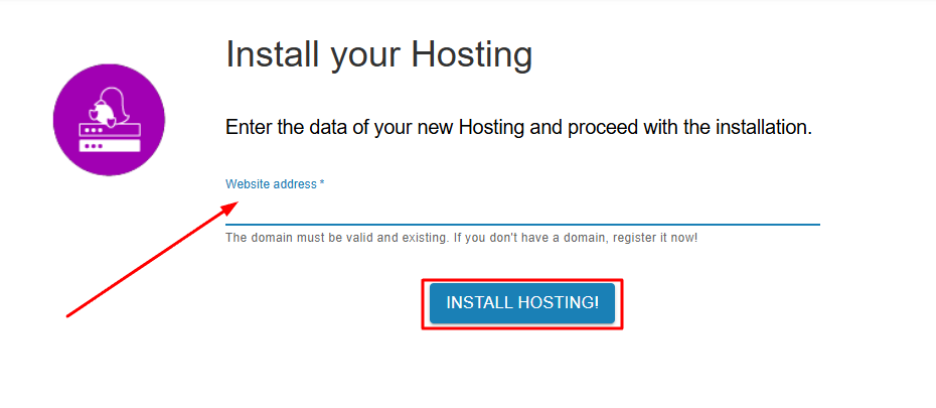
The activation will complete within a few minutes. You will automatically be redirected to the management interface of your newly activated hosting plan.
Connect hosting with your domain
A. If you manage your domain through the new Papaki Control Panel
Once you activate your hosting plan, the connection with your domain is done easily through your account:
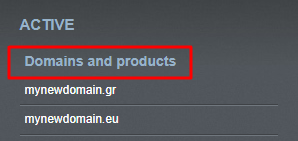
- From the right-hand menu, under Domains & Products, click on your domain.
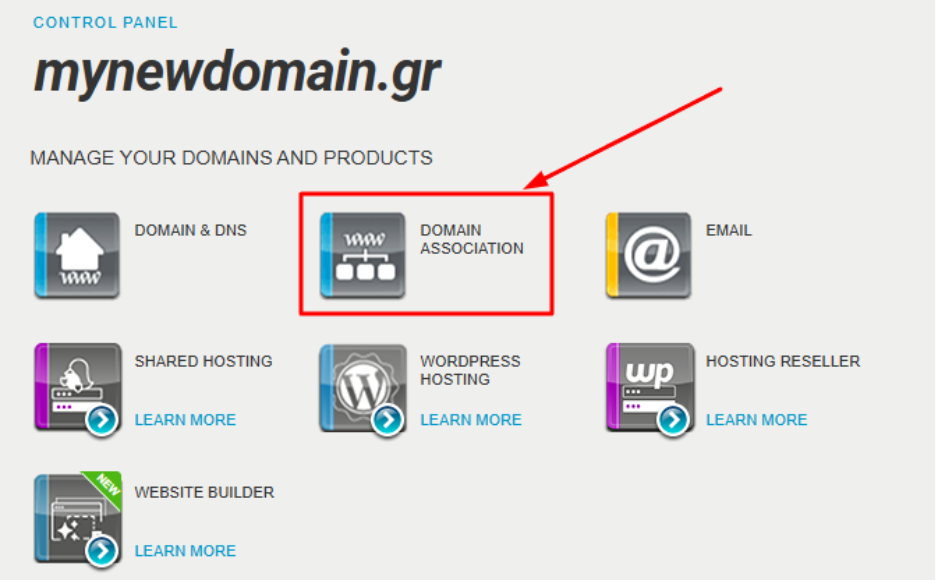
- Select Domain Association.
- In the Associations tab, locate the Hosting record and click Associate a domain name.
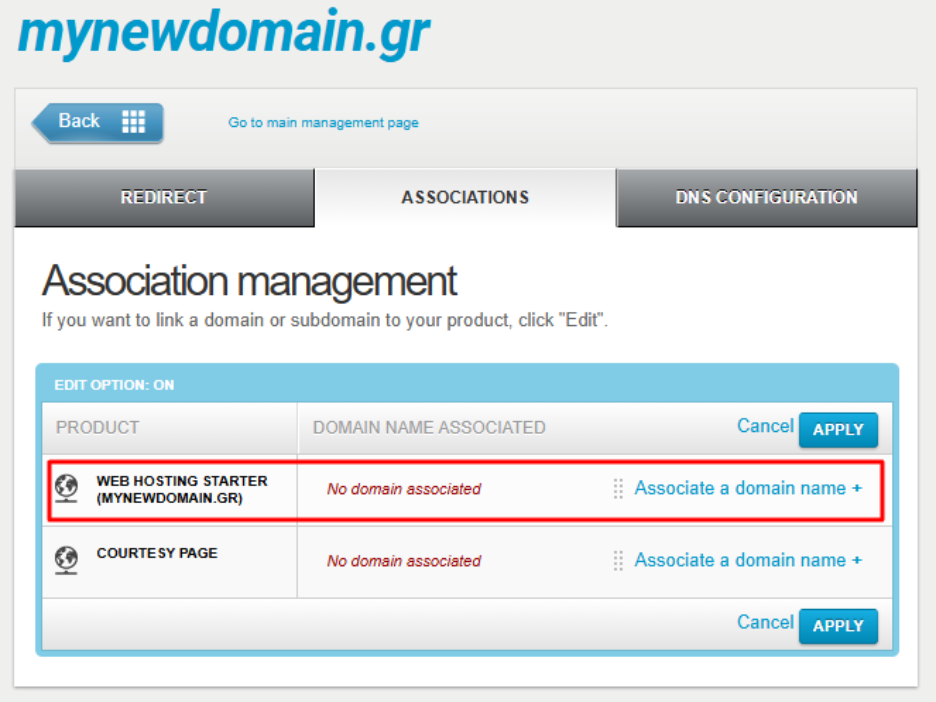
- Click Apply, then click Apply again at the bottom of the page.
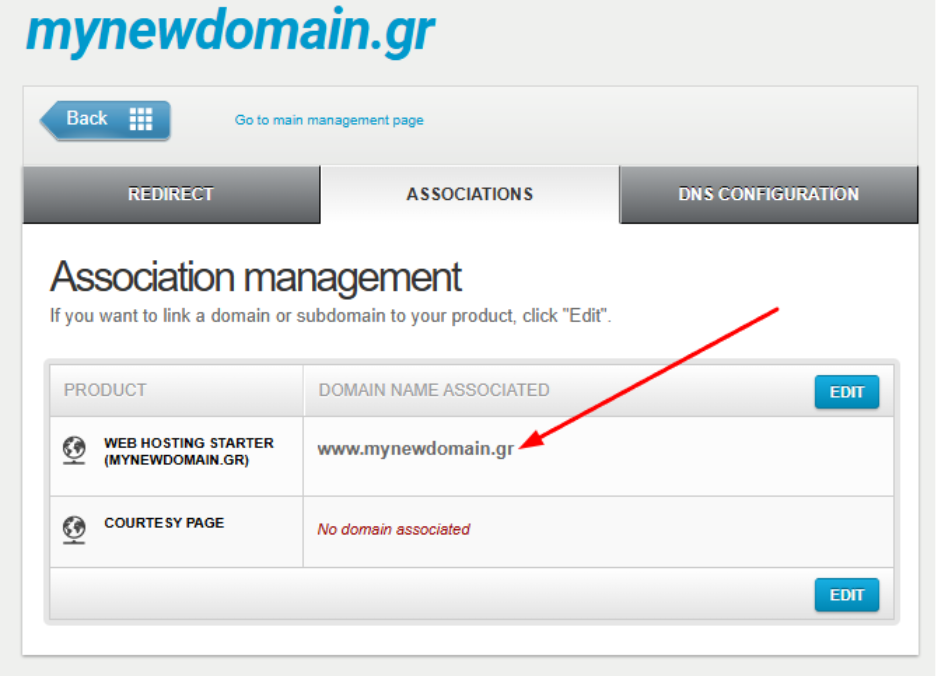
Within about one hour (DNS propagation time), your website will be live. Please note that propagation time may vary depending on your Internet provider.
Important: If you are using an external DNS service (e.g., Cloudflare) instead of Papaki’s free DNS service, you will need to make manual adjustments (see below).
B. If you manage your domain via the old Papaki Control Panel, use an external DNS service, or your domain is registered with another registrar
In this case, the connection is not automatic. You will need to update the DNS zone of your domain manually.
- After hosting activation, you will receive the necessary DNS settings (IP addresses) via email.
- Create or edit two A Records in your active DNS zone, assigning the provided IP addresses.
- If A Records already exist, replace them with the new IPs.
See detailed guide: What is DNS and What are A, CNAME & MX Records?
As with all DNS changes, it may take about one hour for propagation, although in some cases it may take longer depending on your ISP.
Frequently Asked Questions (FAQs)
Can I activate a hosting plan without assigning a domain?
No. To proceed with activation, you must assign a domain that will be connected as the main name of the plan.
My domain is not registered with Papaki. Can I still use the hosting plan?
Yes. Your domain does not need to be registered with Papaki, as long as you configure the correct DNS records via your DNS provider.
Do I need to change the nameservers of my domain?
Not necessarily. If you are using Papaki’s free DNS service, you don’t need to change nameservers. If you use an external DNS service, make the changes there.
How long does it take for my domain to connect to the hosting?
Usually, it happens instantly. However, DNS propagation may take up to 24 hours.
Can I change the primary domain of my hosting plan?
Yes, but this requires a full reset of the hosting plan, including deletion of all existing content. Please contact us for assistance with this process.
Can I use a subdomain as the primary domain for my hosting plan?
Yes. You can assign a subdomain as the primary domain, but you must set the correct DNS A Records in the active DNS zone. This is not automatic, even if the main domain is at Papaki. You will need to follow the manual steps described in section B.
Will I also be able to use the included email package?
Yes, but only if the domain is registered under your Papaki account. Only then can the related email package be activated. In cases where the domain is not under the same account (even if Papaki is the registrar but the domain is managed through another account), the use of Papaki email services is not supported.
You haven't found what you are looking for?
Contact our experts, they will be happy to help!
Contact us