
Customer Support
How can I add and manage products in Website Builder?
The Website Builder gives you the tools to easily create and manage your online store. Below you will find step-by-step instructions for adding, editing, and bulk-managing products.
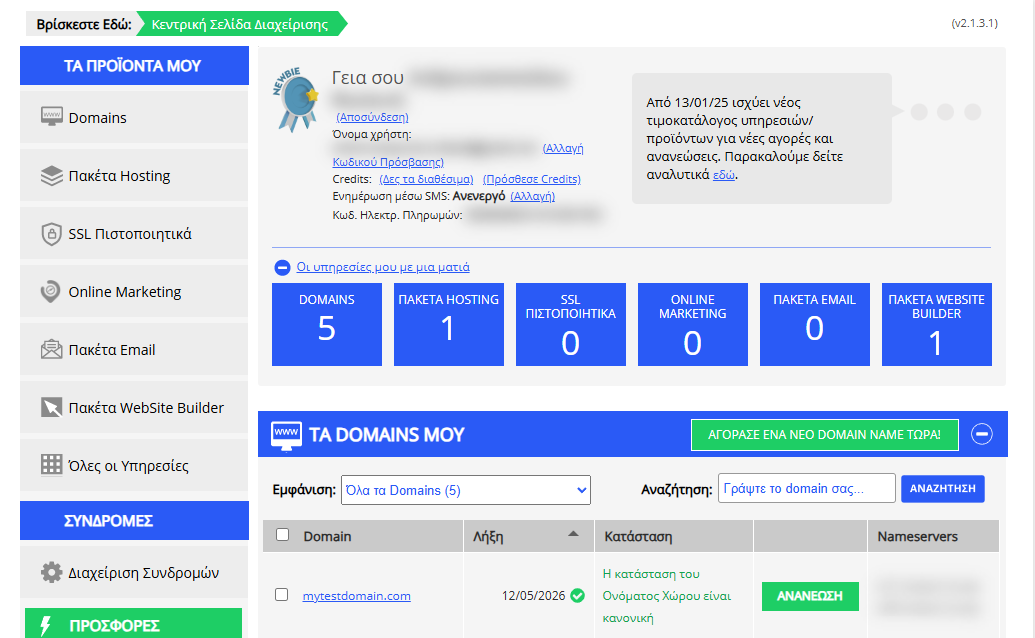
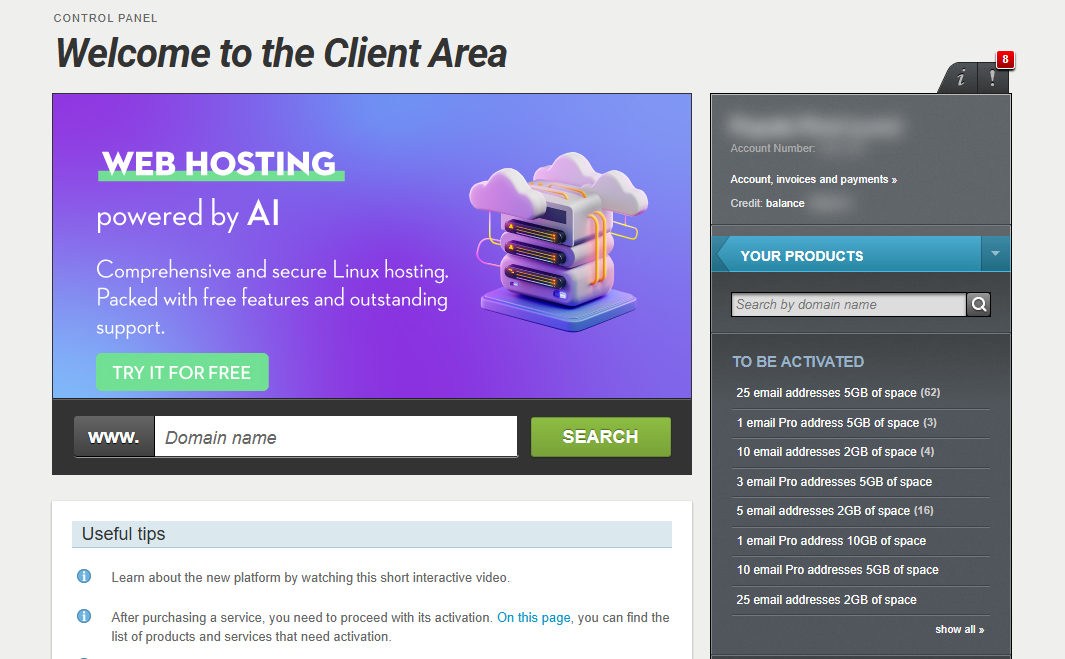
[Papaki 2.0]
Accessing the Management Dashboard

- From the right side menu, click on Other services > SiteBuilder

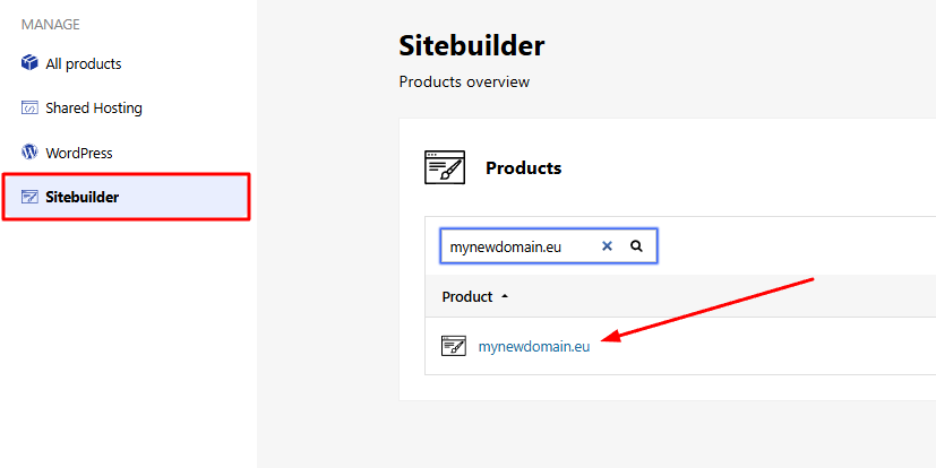
- Locate the hosting pack you want to edit and click on the domain
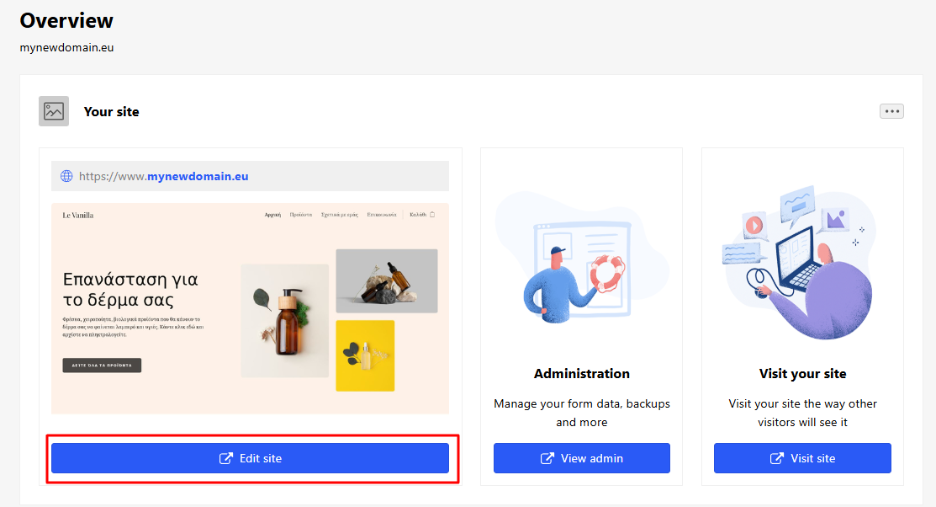
- Click Edit Website to enter your site’s management environment.
Adding a New Product
- From the menu, select Products > Add product.
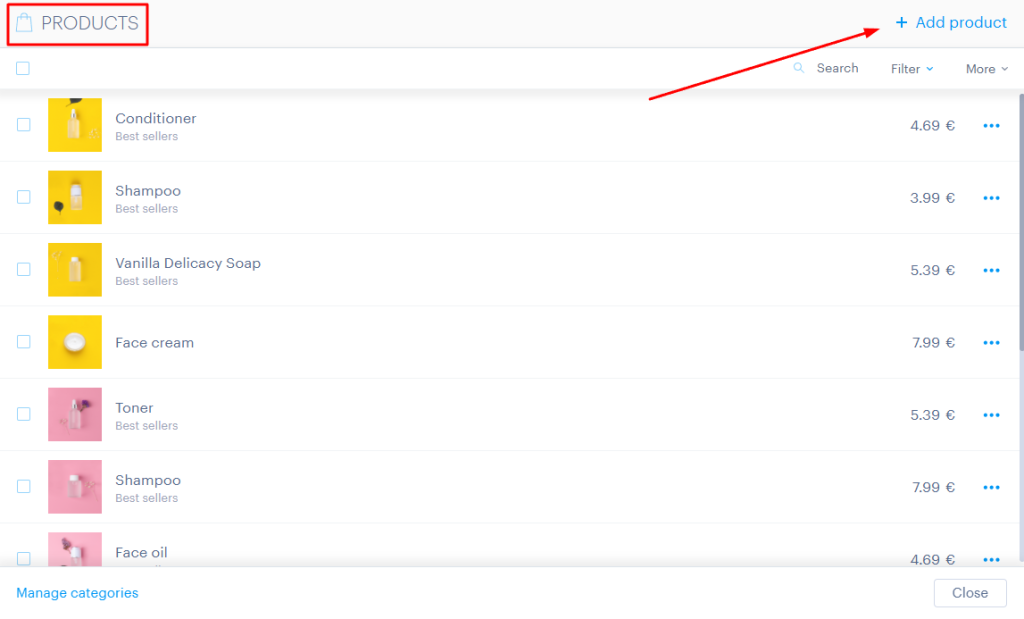
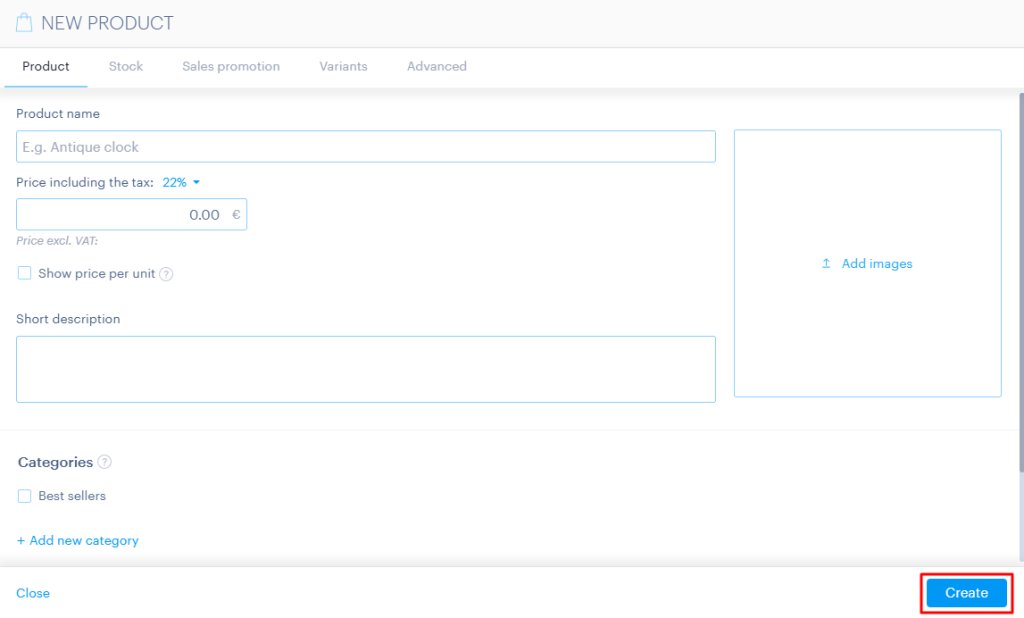
- Fill in the details in the following tabs:
- Product: Product name, image, unit price, VAT percentage, description, and the categories in which it should appear.
- Stock: Stock quantity, availability, and weight (weight may affect shipping costs depending on your settings).
- Sales promotions: Set your preferred discount or promotion policy for the product.
- Variants: Product variations such as color and size.
- Advanced: SEO settings for the product page.
Bulk Product Upload
To upload multiple products at once:
- Select More in the top-right corner of the Products window.
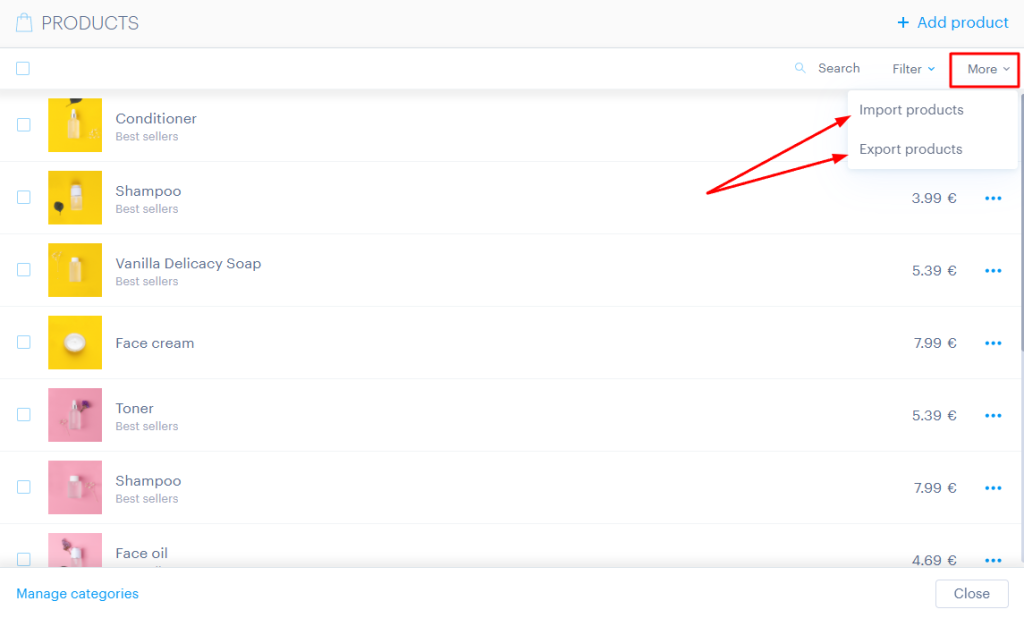
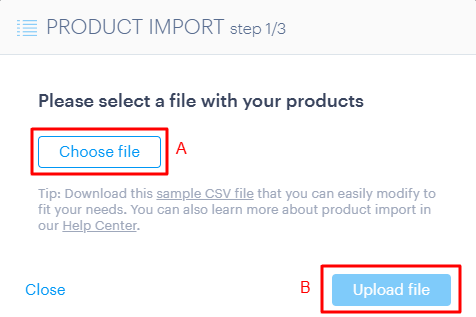
- Download the template file from sample csv file.
- Fill in your products in the .csv file and upload it back to the system.
Managing a Product
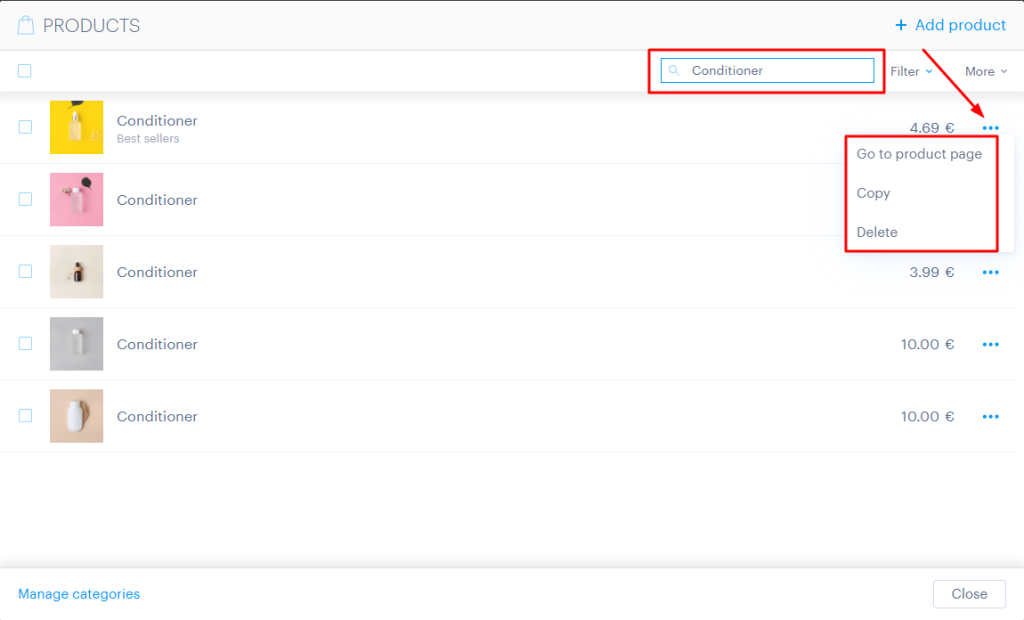
- To edit an existing product, go to Products and search for it using the search bar.
- From the three dots option, you can:
- view the product page,
- duplicate the entry,
- or delete it.
- To access the product’s edit screen, click directly on the product name.
Bulk Editing
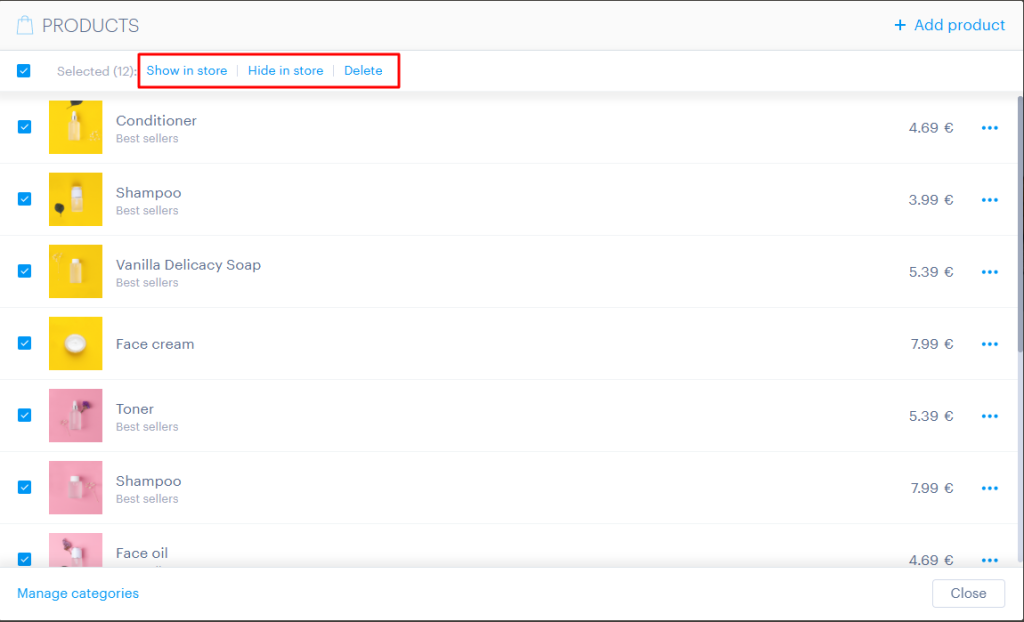
- Select multiple products at once.
- You can set them as visible or hidden online, or delete them in bulk.
[Papaki 1.0]
To add new products to your store or manage existing ones, follow the steps below:
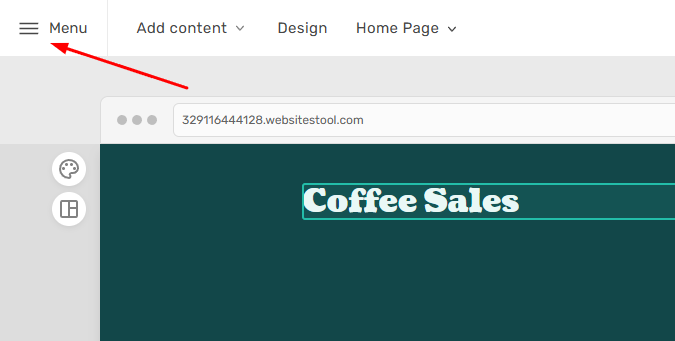
- From the Website Builder dashboard, click the Menu button located at the top left corner.
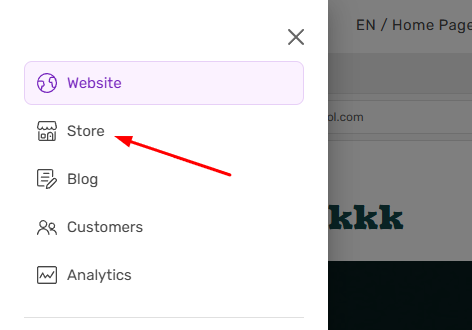
- Select Store.
- In the Products section, you can manage existing items by clicking Edit or add a new one by selecting Add Product.

From the main management page, you can use the available filters to search for products based on their status, visibility (online/offline), or the order in which they were added.
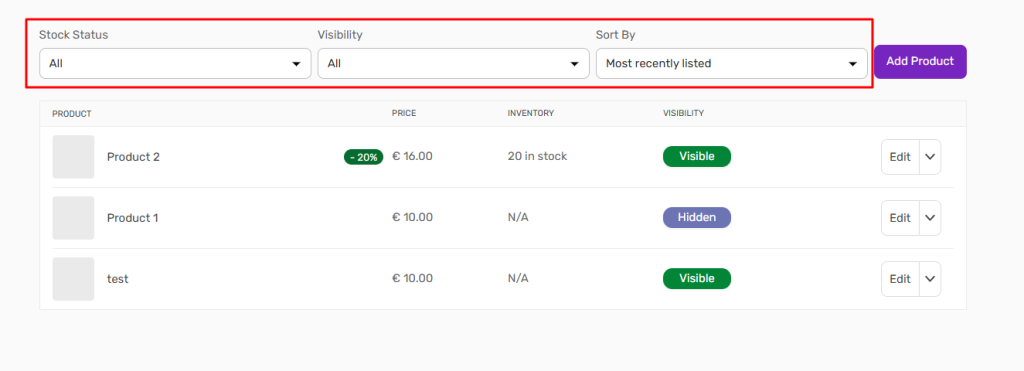
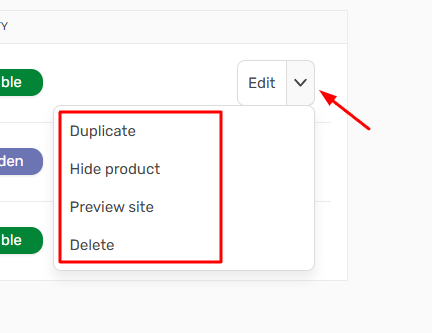
You can also perform quick actions directly from the main page without opening each product’s details page.
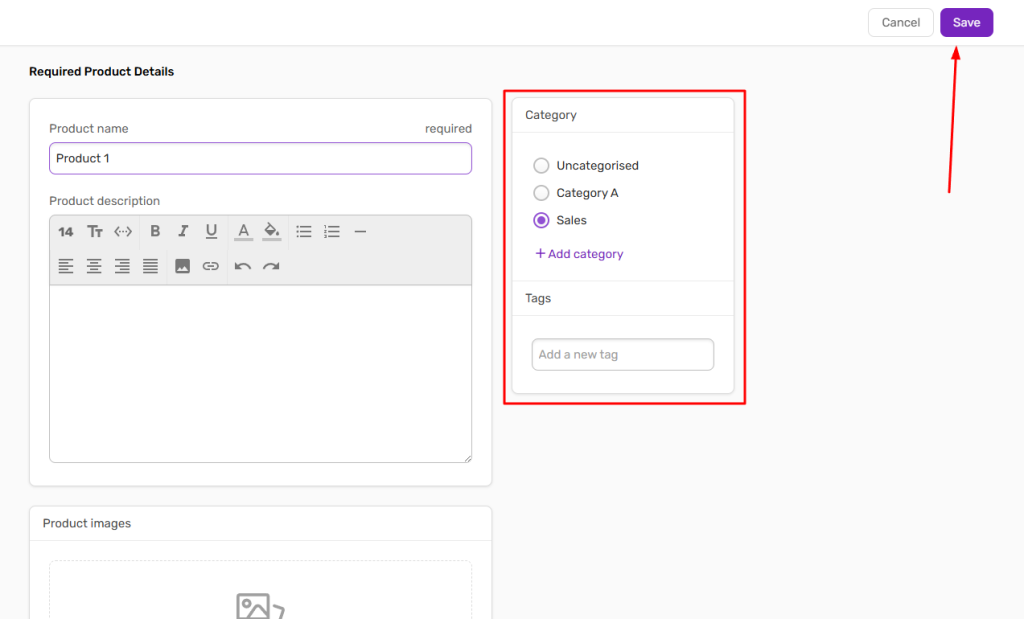
- To add a new product, fill in the required fields such as product name, category, and price. If the appropriate category doesn’t exist, you can create a new one. Once you’re done, click Save in the top right corner.
Bulk product import
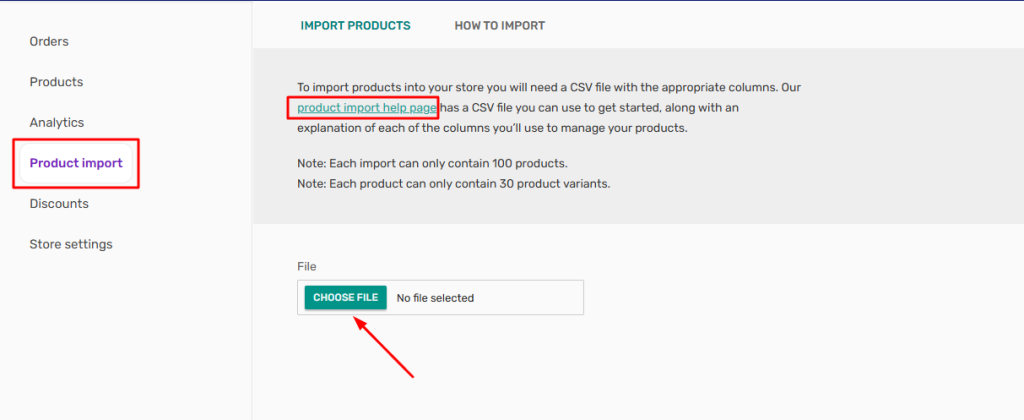
In case you want to import your products massively, click Product Import and download the CSV file provided. Fill the CSV file accordingly, and then upload it. Your products will appear in your store.
You haven't found what you are looking for?
Contact our experts, they will be happy to help!
Contact us