
Customer Support
How to add a new page in Website Builder
When activating one of the available Sitebuilder templates, some basic pages—such as Home, Contact, etc.—are automatically included in the menu.
If you’d like to add an additional page to your website, follow the steps below:
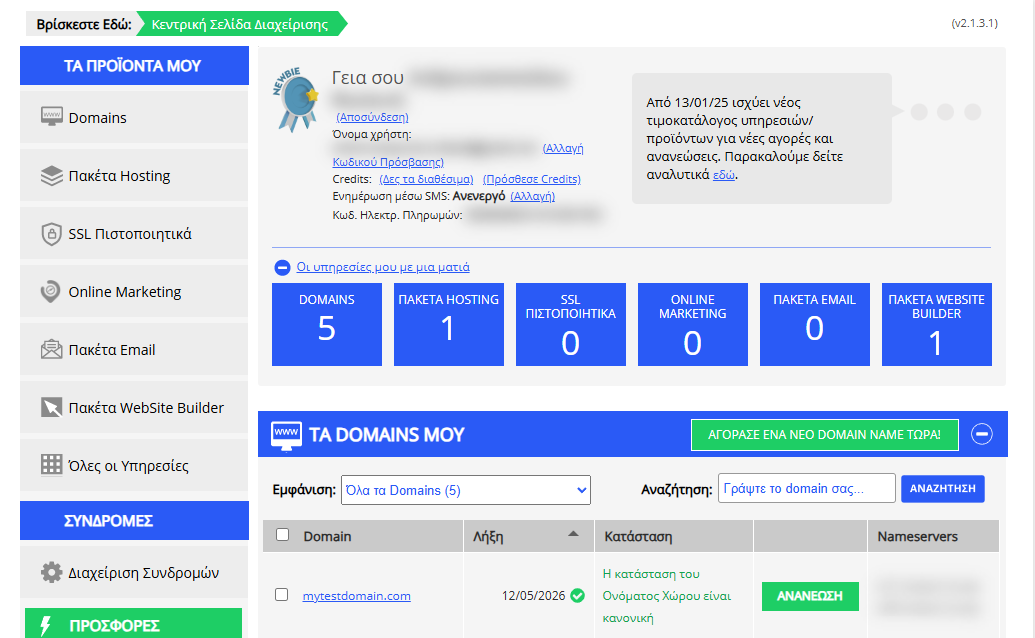
[Papaki 2.0]
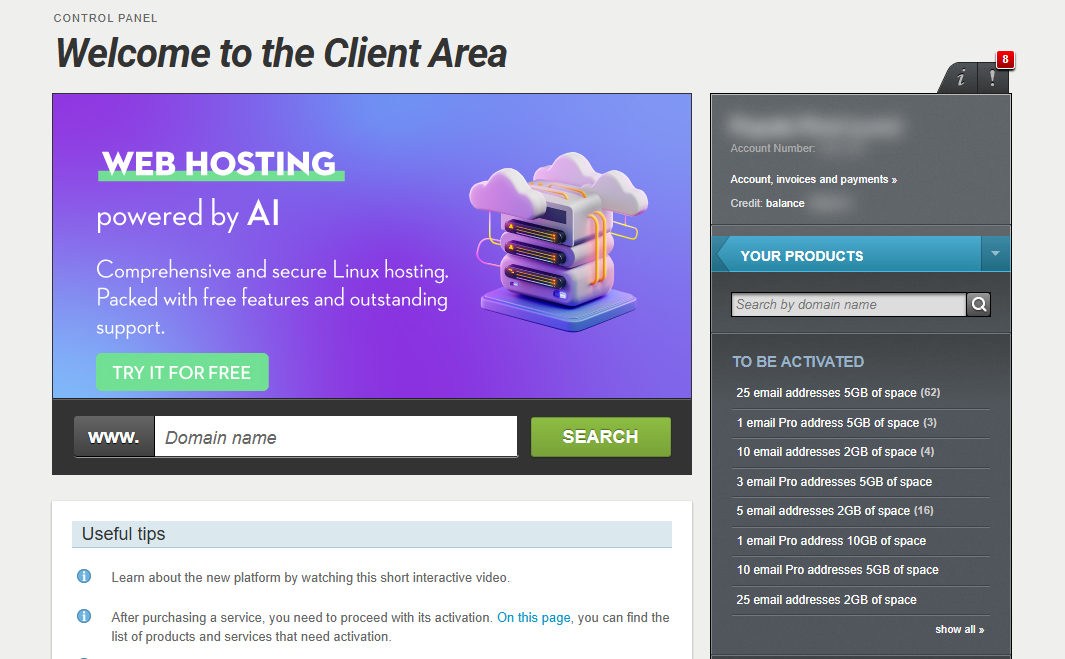
Access the Website Builder

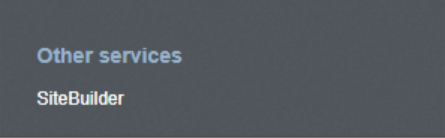
- From the right side menu, click on Other services > SiteBuilder
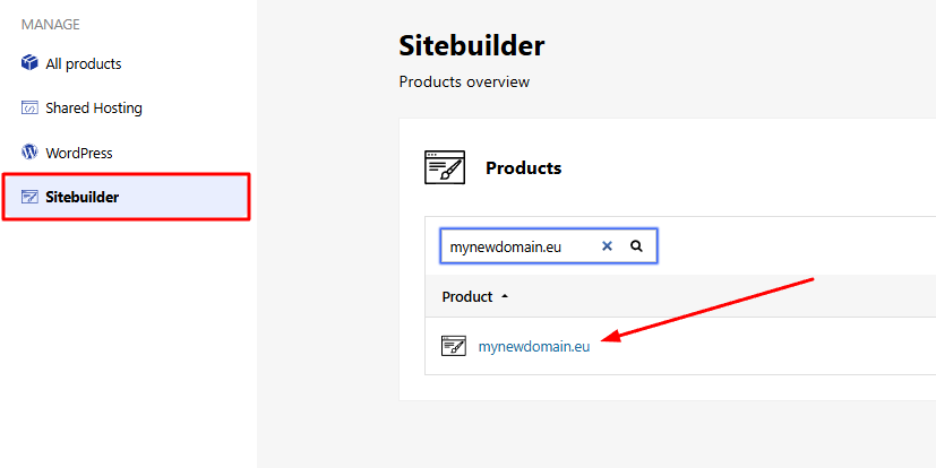
- Locate the hosting pack you want to edit and click on the domain
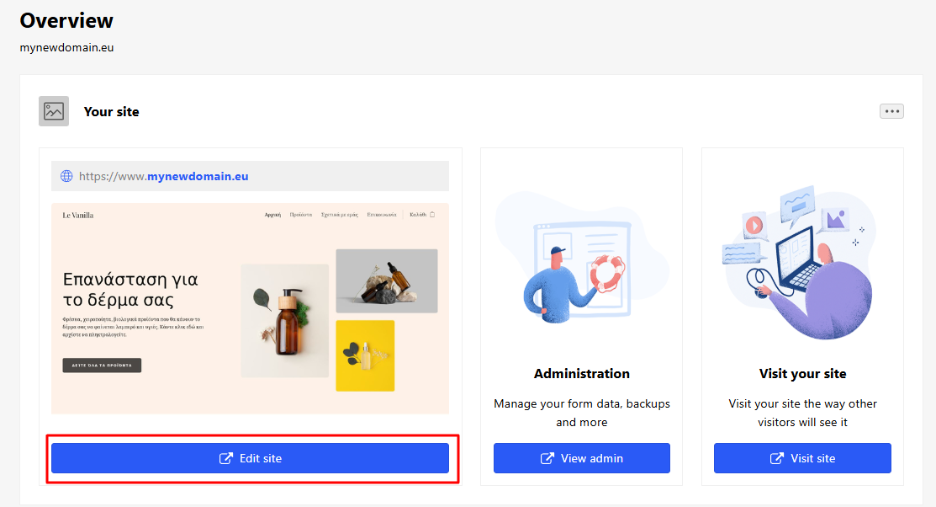
- Click Edit site to enter the website management environment.
Add a New Page
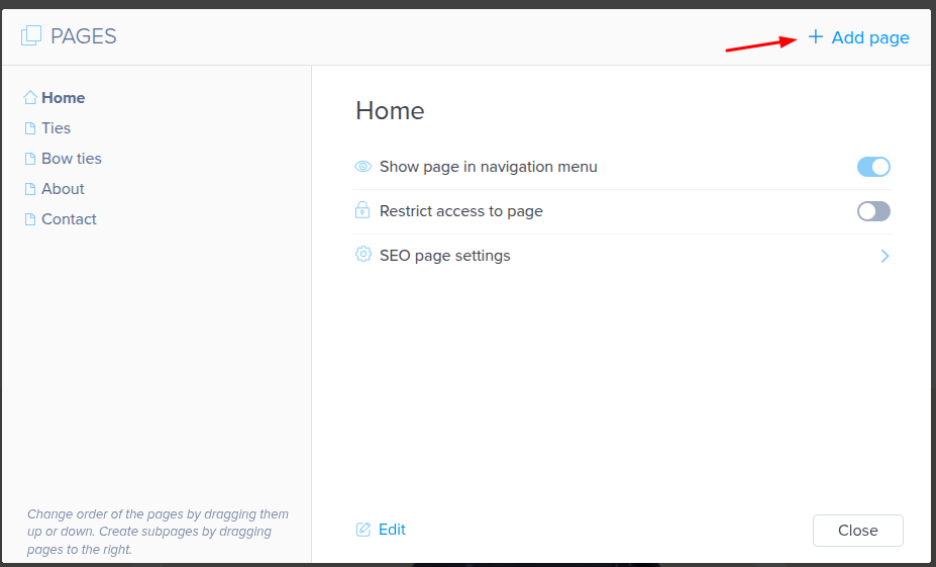
- From the top menu, click Pages.
- Then click Add Page to create a new one.
You can configure various page settings, such as:
- Whether the page should appear in the navigation menu
- Whether it should be visible to visitors
- Whether it should be public or private
Subpages / Page Hierarchy
You can also set the new page as a subcategory (child page) of an existing one. To do this, simply drag and drop the new page below the category where you want it to belong.
[Papaki 1.0]
- Log in to your Papaki account.
Forgot your password? See here how to recover it. If it's your first login attempt to the new Papaki panel, please read more here.
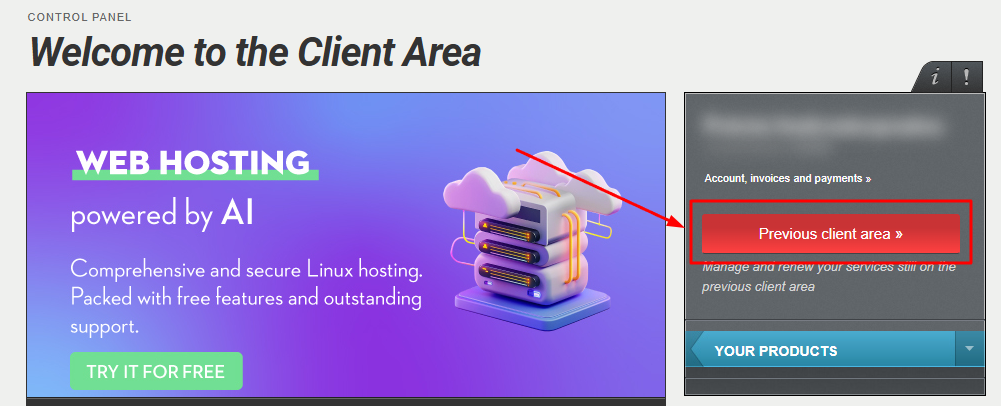
- Click the red button Previous client area » on the right side of the control panel to access the old Papaki panel.
- Locate the Website Builder package you want to manage and enter the management environment.
- Select the arrow next to the Home Page and then click on the red circle with the white cross.
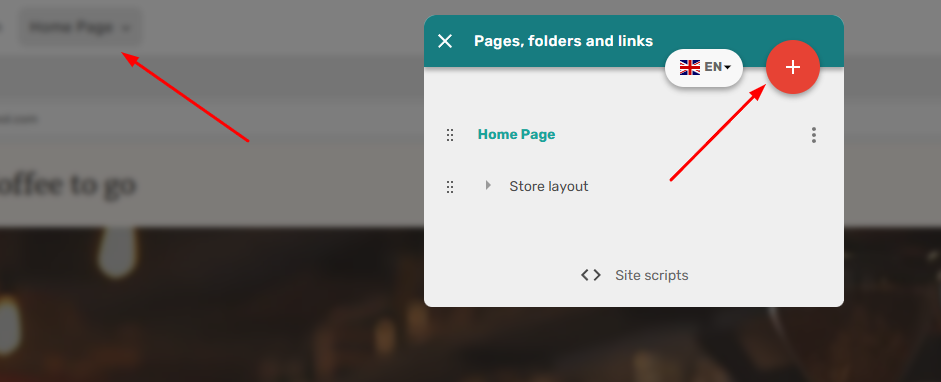
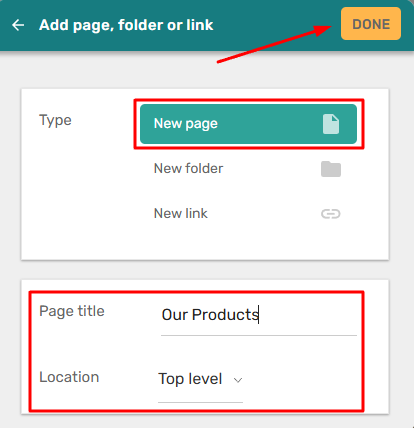
- If you want to add a new page, select New Page, enter the Page Title of your page and choose Location. If you want your page to appear in the main menu, select Top Level; if you want it to appear in a submenu, select the folder name. Then click Done.
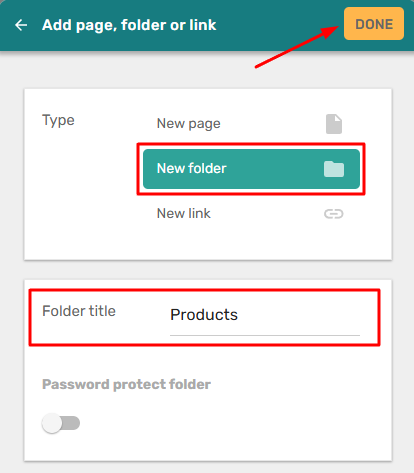
- If you want to add a new folder, select New Folder, enter the Folder Title of the new folder, and click Done. You can then add new pages inside this folder following the previous step (2a), selecting the folder name as the location.
You haven't found what you are looking for?
Contact our experts, they will be happy to help!
Contact us