
Customer Support
How do I add an additional language to Website Builder?
Adding multiple languages in the Website Builder is a great way to make your website accessible to a wider audience.
The tool allows you to build multilingual websites, making it easy to manage content in several languages.
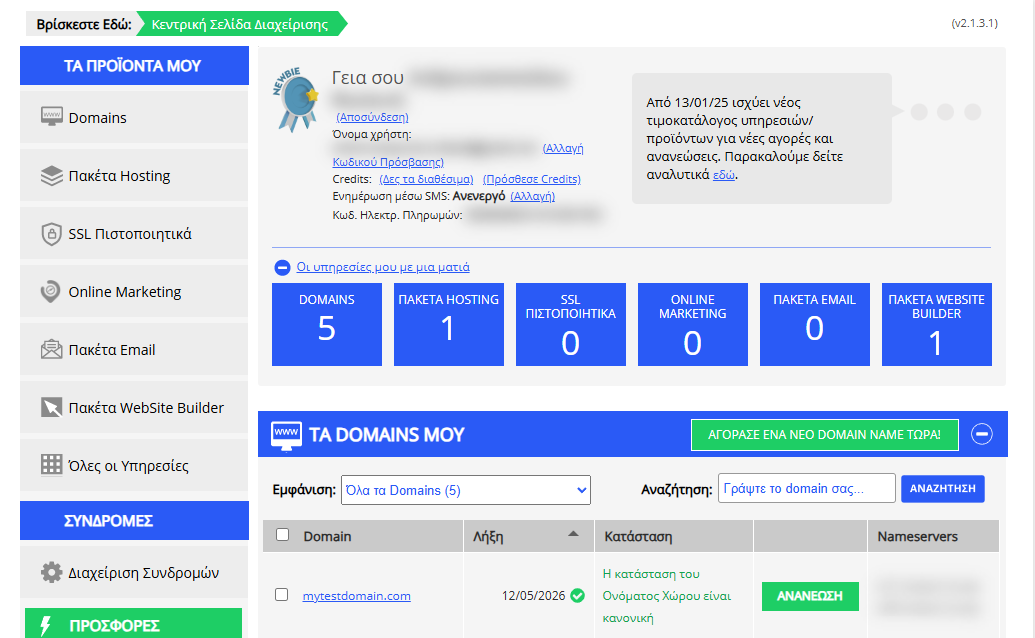
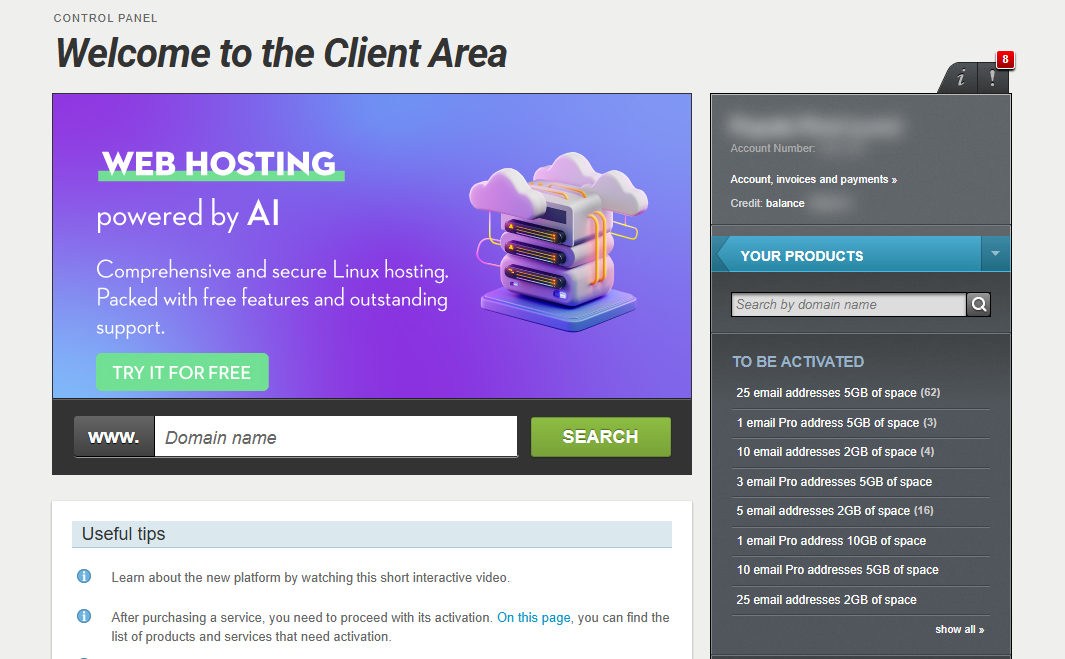
[Papaki 2.0]
Step 1: Access the Management Dashboard
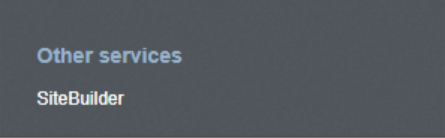
- From the right side menu, click on Other services > SiteBuilder
- Locate the hosting pack you want to edit and click on the domain
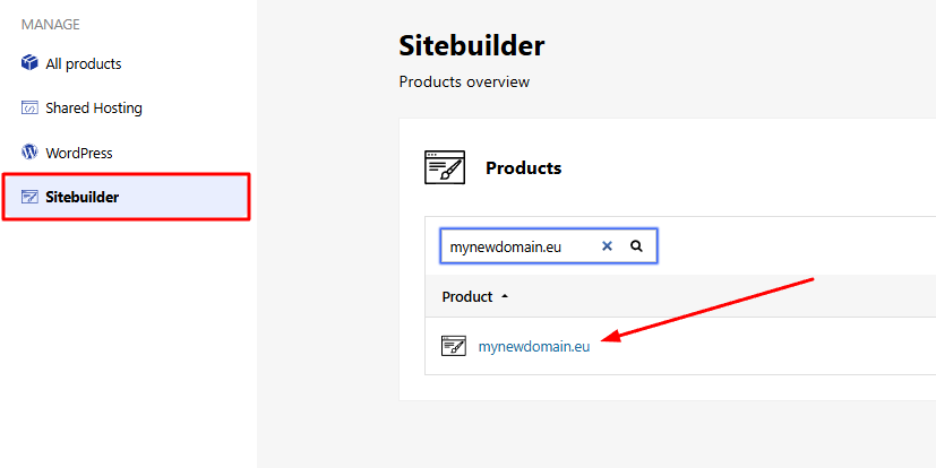
- Click Edit Website to enter your site’s management environment.
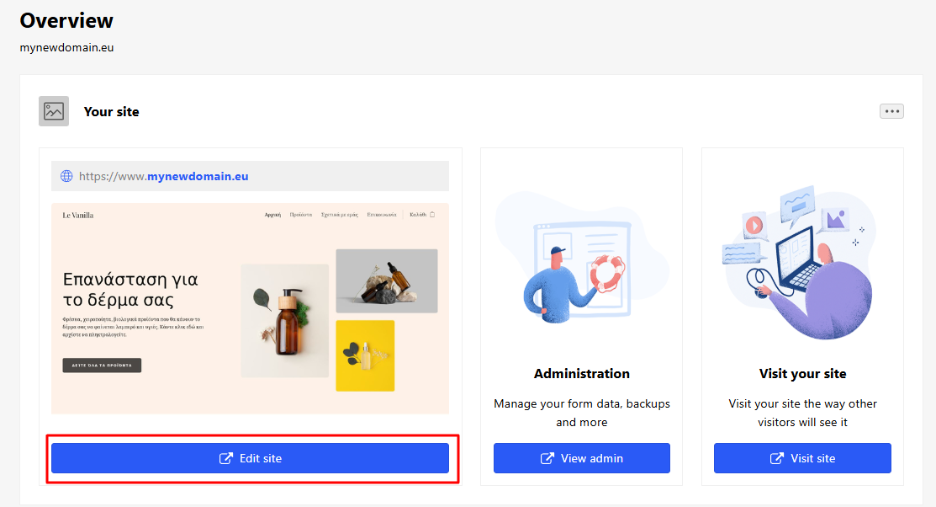
Step 2: Add a New Language
- From the Website Builder editor, go to the top-right corner and click Settings.
- Then select Languages.
- Click Add New Language and choose the language you want to add from the list.
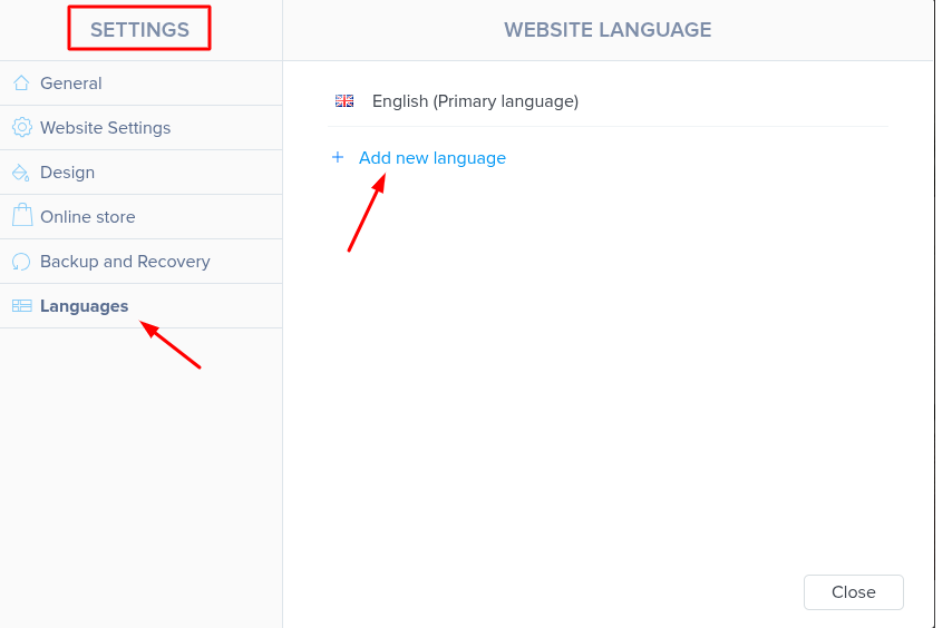
The Website Builder will automatically create a new version of your site in the selected language.
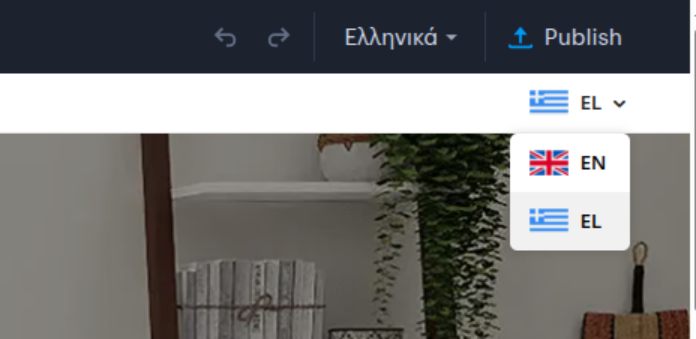
Step 3: Translate Your Content
Once the new language has been added:
- You’ll be able to switch between language versions of your site.
- You’ll need to manually translate the content of each page.
This includes:
- Text
- Buttons
- Links
- Other static or dynamic content
Each page will have a new version where you can insert your translations.
Don’t forget to click “Publish” so that your changes go live.
Important Note
The multilingual feature is not available in all plans. If you need access to this functionality, you may need to upgrade to a higher plan.
[Papaki 1.0]
To add a new language to your Website Builder site, follow the steps below:
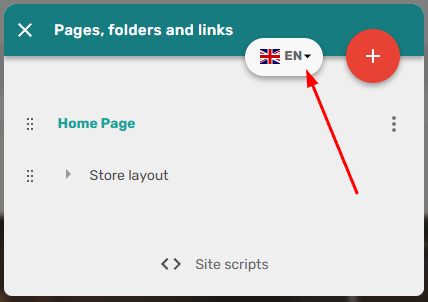
- From the main menu at the top, click on Home Page and then click the arrow next to the flag.
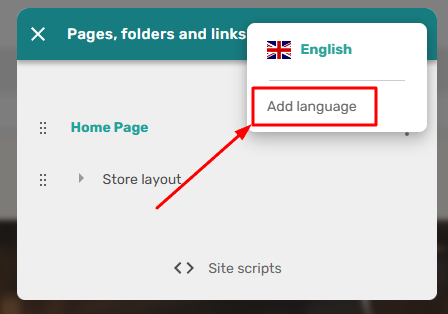
- Click on Add Language.
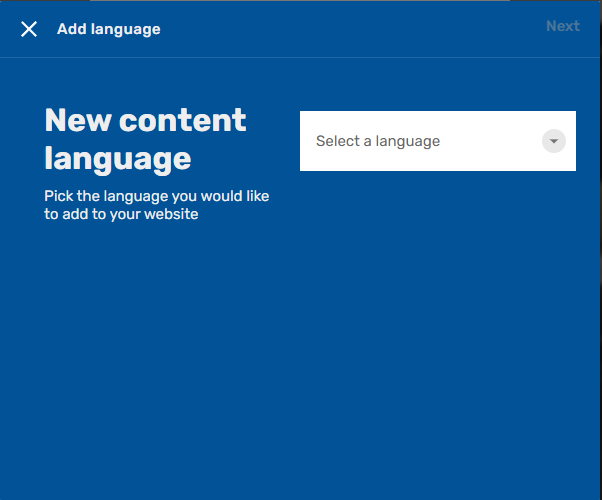
- Follow the setup wizard to define the new language.
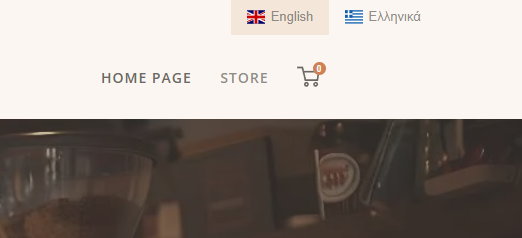
- Set the page names in the new language. Once the setup is complete, an additional language option will appear under the flag, and visitors will be able to browse your site in their preferred language.
Important!
If your hosting plan includes a limited number of pages, each translated version counts toward that limit. For example, if your Greek website has 4 pages (Home, Contact Us, etc.), translating it into English will make it 8 pages. However, if your hosting plan only allows 5 pages, your website will not be able to be published, and you’ll need to either remove pages or upgrade to a higher plan.
You haven't found what you are looking for?
Contact our experts, they will be happy to help!
Contact us