
Customer Support
How can I change the password for my email account?
Changing your email password is a fundamental security practice. The process is simple and doesn't require any technical knowledge.
When should you change your password?
- Suspicious account activity
Signs of unauthorized access or unusual behavior.
- Possible data breach
You suspect your login credentials may have leaked.
- Forgotten or weak password
You can’t remember it or want to strengthen your account security.
- Previously shared password
The password was shared with someone else, and you no longer trust its confidentiality.
Attention!
If you have an email hosting package hosted on a Plesk infrastructure, please refer to the guide available here.
How to change your email password
There are two available methods to change your email password:
Method 1: Through Mail Manager (via your Papaki account)
Use this method if you manage your email accounts directly through Papaki.
Steps:

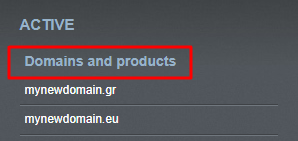
- From the right-side menu, select the domain associated with the email account you want to update.
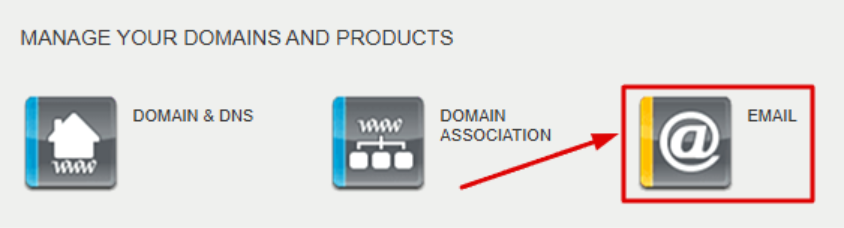
- Click "Email" to open the Mail Manager for that domain.
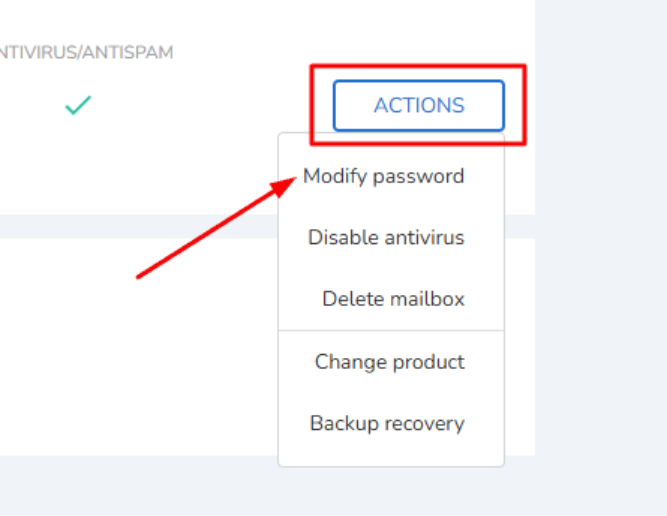
- Locate the email account and click "Actions" → "Modify password".
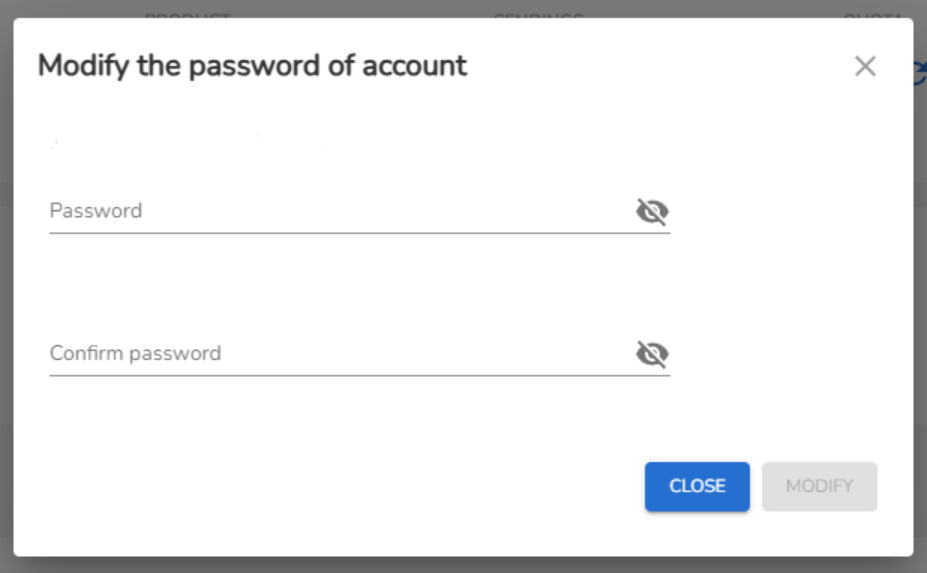
- In the popup window, enter your new password, confirm it, and click "Modify".
Method 2: Through Webmail (if you know the current password)
If you know your current password and just want to update it, you can do so via the webmail interface.
Steps:
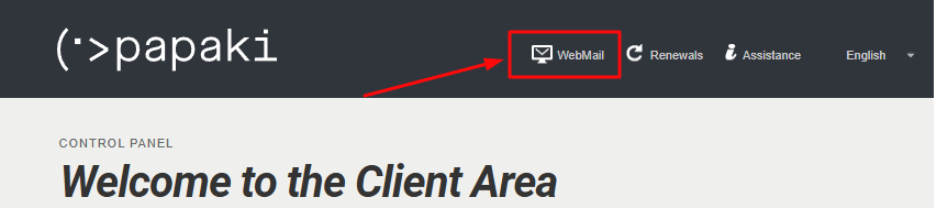
- Go to https://webmail.papaki.com/ or click the Webmail link at the top of your Papaki dashboard.
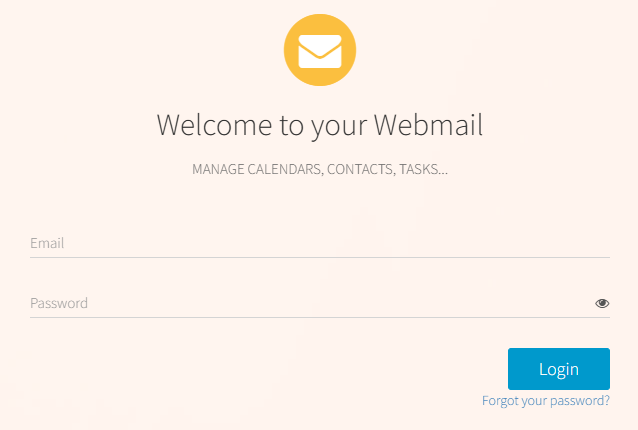
- Enter your current login credentials.
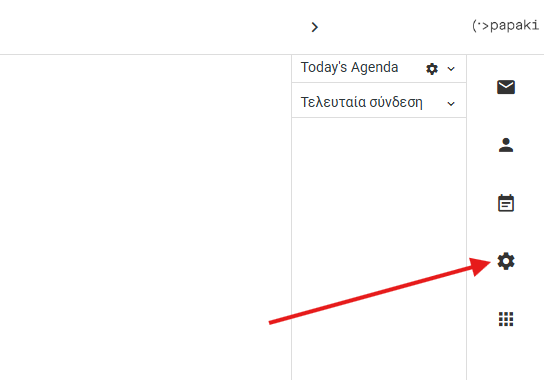
- In the upper right corner, click the gear icon, "Settings".
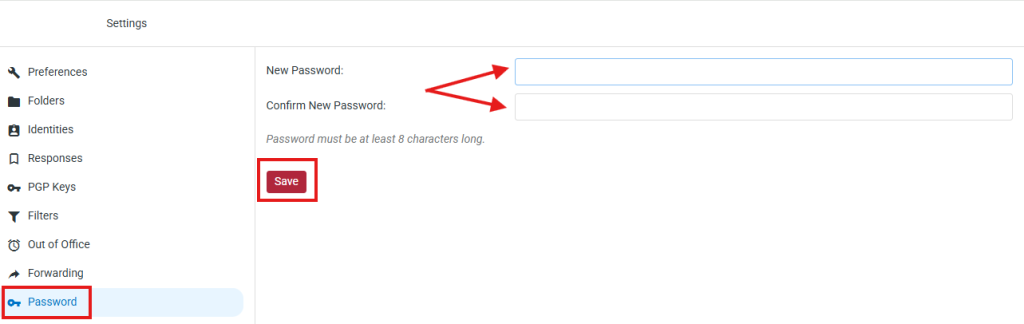
- From the left menu, navigate to:
Password → Add the new password, confirm it, and then click Save
Good to know
- It's best to update your passwords regularly.
- Your password should be strong, containing letters, numbers, and special characters such as:
! @ # $ % ^ & * + . , _ -
- Your password is personal — avoid sharing it with others.
- If your email is connected to a mail client (e.g., Outlook), don't forget to update the password there as well, or the email service will stop working.
You haven't found what you are looking for?
Contact our experts, they will be happy to help!
Contact us