
Customer Support
Restore the database of your Shared Hosting website to a previous date
This guide applies to databases managed through Plesk from the old Papaki Control Panel. If your database is hosted on the new hosting packages of the new Papaki Control Panel, please read more here.
If you want to restore the database of your website to a previous date, follow the steps below. This will restore the records and contents of the database as they were stored on a previous date.
- Log in to your Papaki account.
Forgot your password? See here how to recover it. If it's your first login attempt to the new Papaki panel, please read more here.

- Click the red button Previous client area » on the right side of the control panel to access the old Papaki panel.

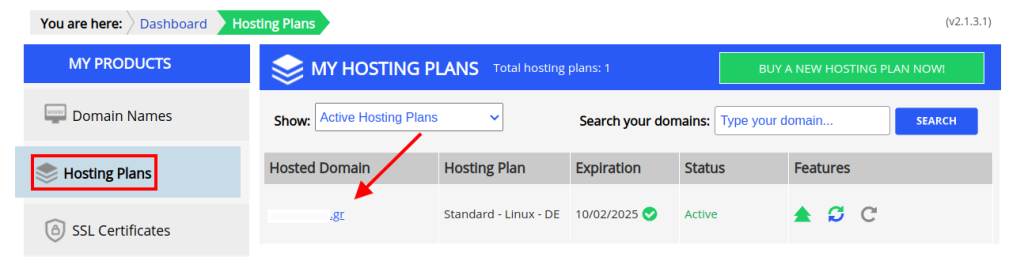
- Go to Hosting plans and click on the hosting plan you wish to restore.
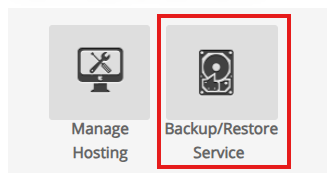
- At the top of your Control Panel, find the Backup/Restore service and click on its icon.
1st case (The database is in the “Database Backup” tab)
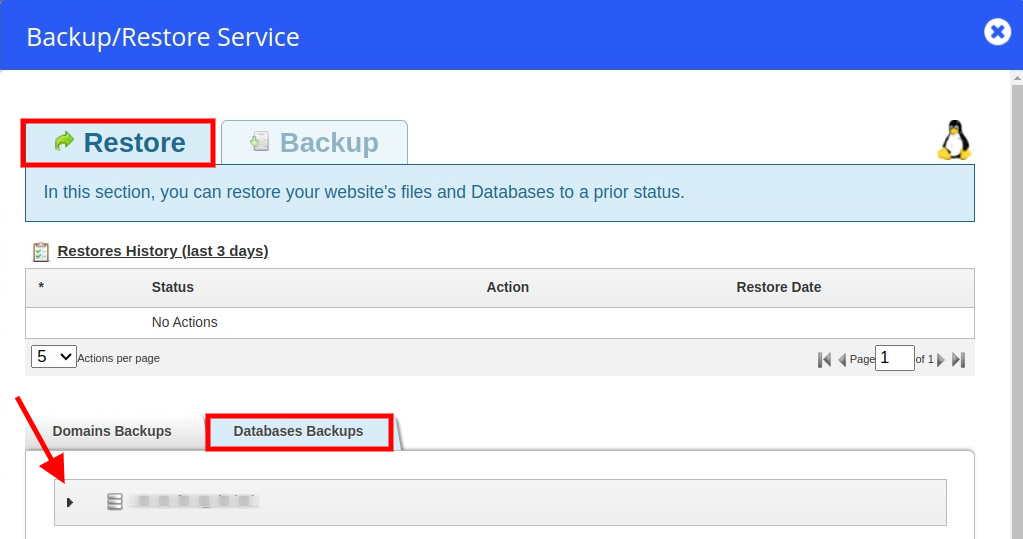
- Follow the path: Restore -> Database backups and select the name of the database that you wish to restore. Click on the arrow (see image below) for the available backups of that specific database to appear.
(If you don’t know which one is the database of your website, you can identify it in Plesk File Manager and, more specifically, in the configuration file where the connection between your website and the database is stated).
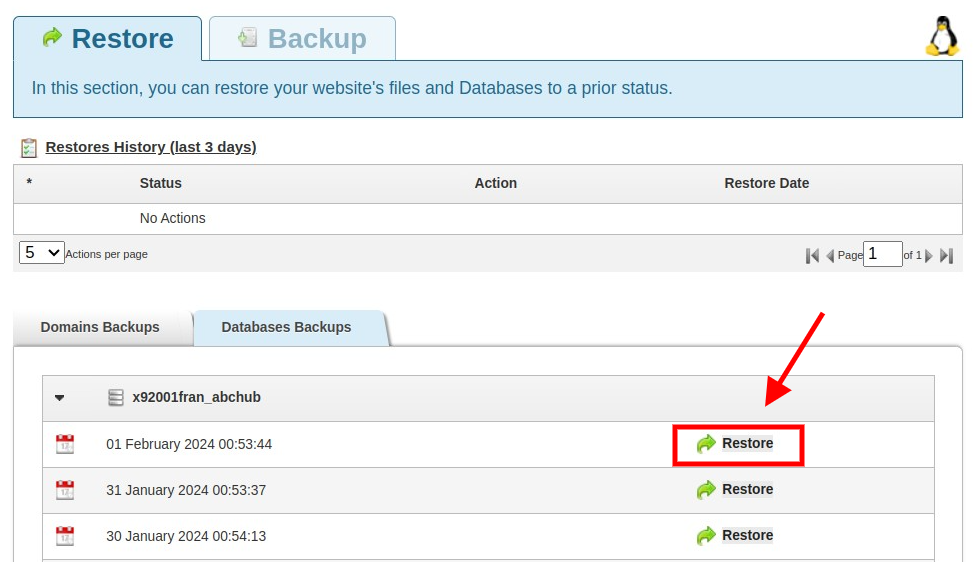
- A list with the daily database backups will appear. Find the date of the backup you wish to restore to and click “Restore”. Make sure you have chosen the right date, because, once the restore is completed, all current database records will be deleted.
- On the window that will pop up click “OK”.
- The restore process is underway.
- Once the restore process is completed, the “Status” column will change to “Completed”.
2nd Case (The database is on the "Domain Backup" tab).
- Go to the “Domains Backup” tab and click on the second icon, the one with the magnifying glass, on the date you wish to restore to.
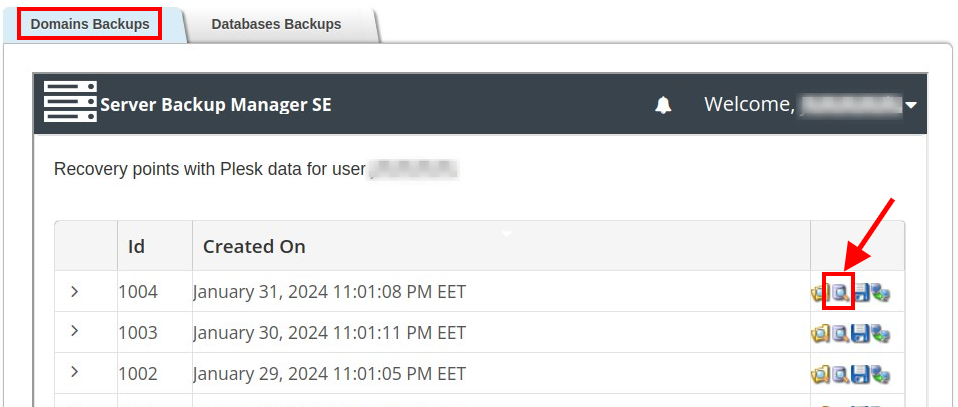
- Click on the arrow to open all the databases that are available for restoring, select the one you want, and click Restore Selected.
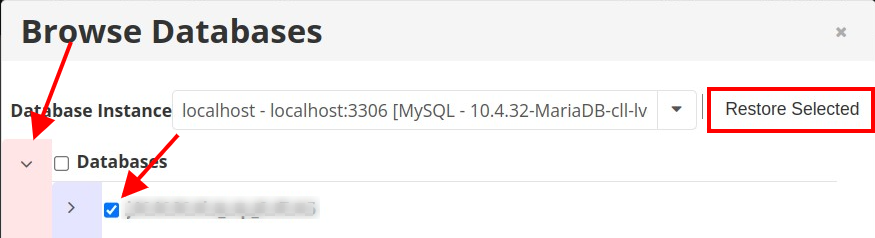
- Click Restore .
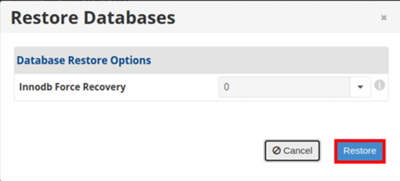
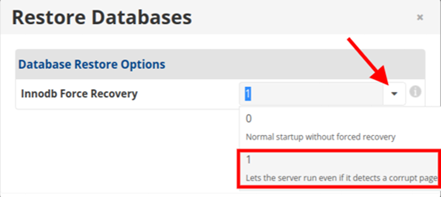
If errors pop up during the process, repeat it using the second option, with the number 1, from the drop-down menu. Click Restore to continue.
- A window will appear showing that the task is running.
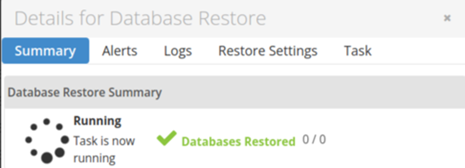
- Wait until it’s completed. How long it will take depends on the size of the database.
You haven't found what you are looking for?
Contact our experts, they will be happy to help!
Contact us