
Customer Support
How do I create my own private (custom) Nameservers?
Private Nameservers (also called Custom Nameservers) are personalized nameservers based on your own domain, used to hide your hosting provider’s details or strengthen your brand identity. Instead of showing nameservers like ns1.hostingprovider.com, you can use your own, such as ns1.mydomain.gr and ns2.mydomain.gr.
What are Private Nameservers
Private Nameservers are NS and Host (glue) records linked to your domain that direct DNS requests to your server. They’re commonly used by companies or resellers who want to maintain a consistent corporate identity or offer white-label hosting.
- Provide a professional appearance, as they look like your own nameservers.
- Offer anonymity or independence from the hosting provider.
- Are widely used by hosting resellers for their clients.
Requirements
- A registered domain with Papaki.
- The server’s IP address (IPv4 and, if needed, IPv6) that will host the DNS records.
- Ability to create glue records in your domain management panel.
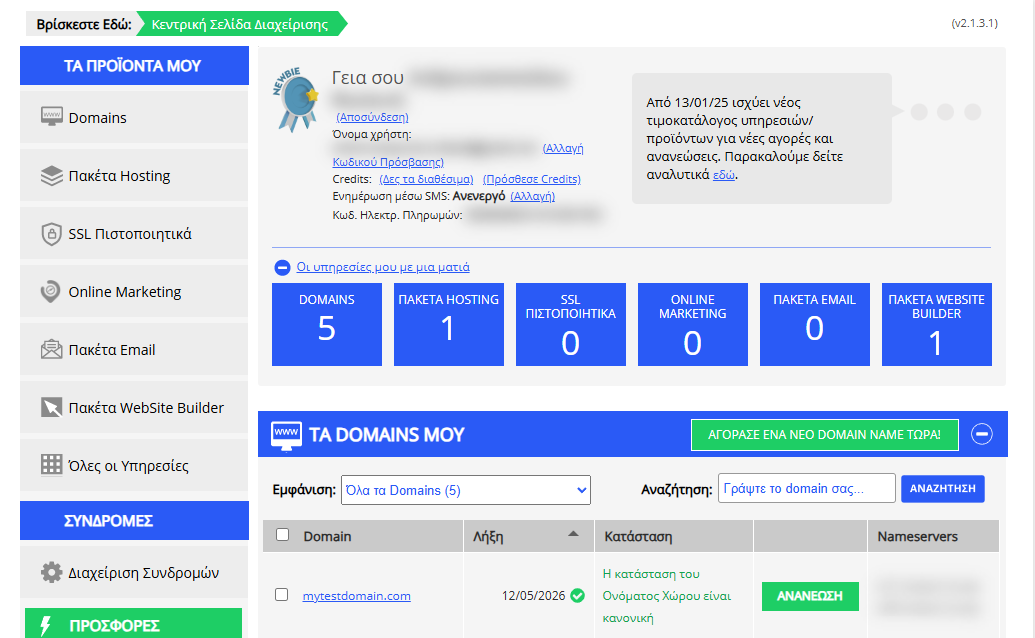
[Papaki 2.0]
To set up private nameservers, please contact our Customer Support Department so that the process can be completed for you, as it cannot be done directly through your Papaki account.
You can reach us through the following channels:
- Start a live chat with one of our representatives here.
- Or log in to your account and submit a support request through your control panel.
Frequently Asked Questions (FAQ)
1. How many Private Nameservers do I need?
You typically need at least two nameservers (ns1 and ns2) for DNS reliability and security purposes.
2. Can I use the same server for both nameservers?
Technically yes, but it’s recommended to use different IP addresses or even different servers to ensure better redundancy and uptime.
3. When do I need Private Nameservers?
- If you want to use branded nameservers under your own domain.
- If you’re a hosting reseller and prefer not to show your infrastructure provider.
- If you manage multiple websites and need full control over DNS.
4. What happens if I change my server’s IP address?
You’ll need to update the IP addresses of your Private Nameservers to point to the new address. The Customer Support team performs this process upon request.
5. Do Private Nameservers affect website speed or SEO performance?
No. Private Nameservers only affect the appearance and branding of DNS records—they do not impact website performance or search engine rankings.
[Papaki 1.0]
If you wish to create your own Custom or Private Nameservers, you can follow the guide below:
- Log in to your Papaki account.
Forgot your password? See here how to recover it. If it's your first login attempt to the new Papaki panel, please read more here.

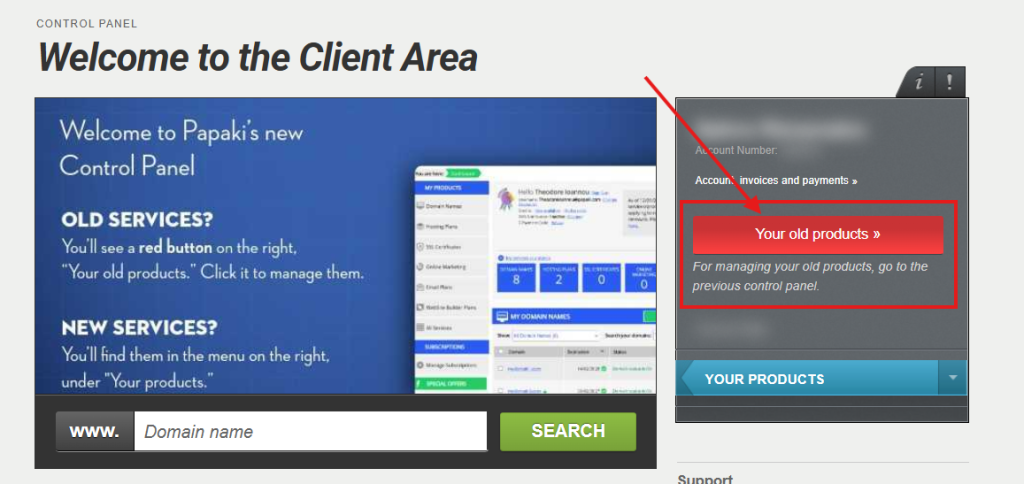
- Click the red button Your old products » on the right side of the control panel to access the old Papaki panel.
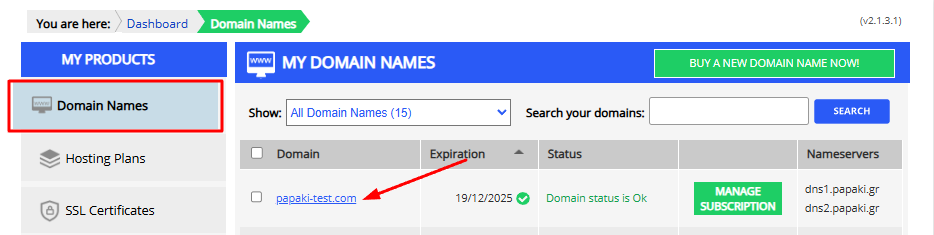
3. From the list of My Products, select Domains and click on your Domain.
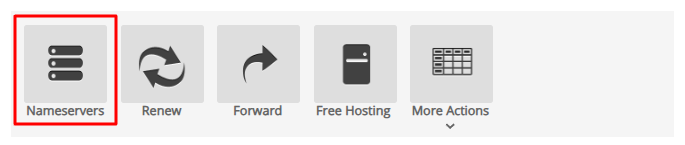
4. Click on Nameservers.
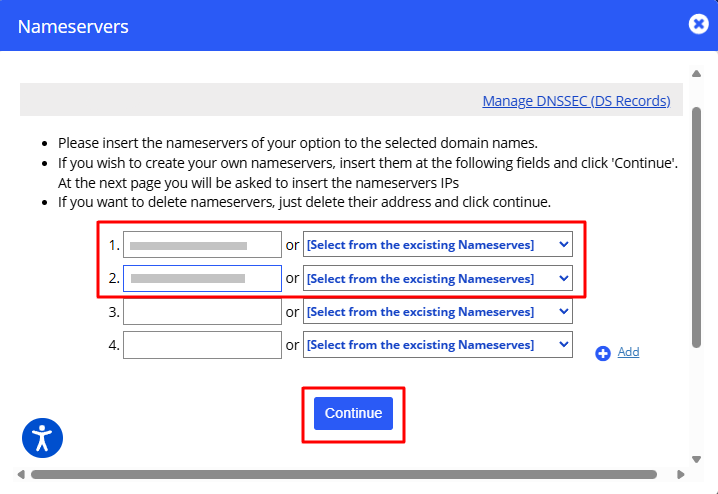
5. Under Nameservers Management, enter the custom Nameservers you want to use and click Continue.
(Replace todomainmou.gr with your own domain name.)
6. Enter the IP addresses of your Nameservers and click Update Nameservers.
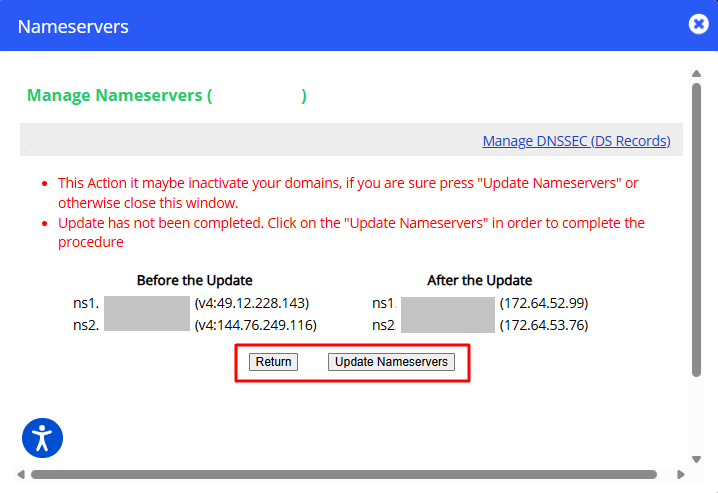
Note: The Nameservers are registered in the registry, and the change you made will become visible within the next 48 hours.
[Top.Host 1.0]
If you want to create your own custom nameservers for your domain (e.g., ns1.yourdomain.com and ns2.yourdomain.com), you can follow the steps below. Custom nameservers are useful if you want the domain’s name to be visible in the authoritative nameservers of other domains you manage.
Step 1: Add your private nameservers in Plesk
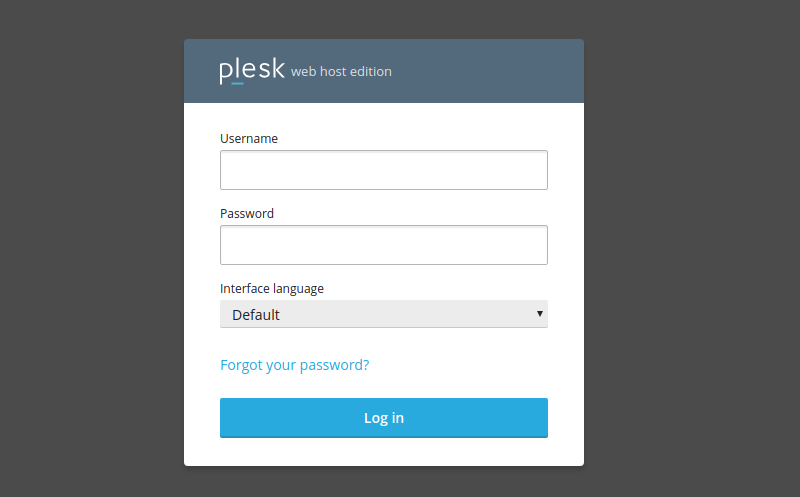
- Log in to your Plesk control panel.
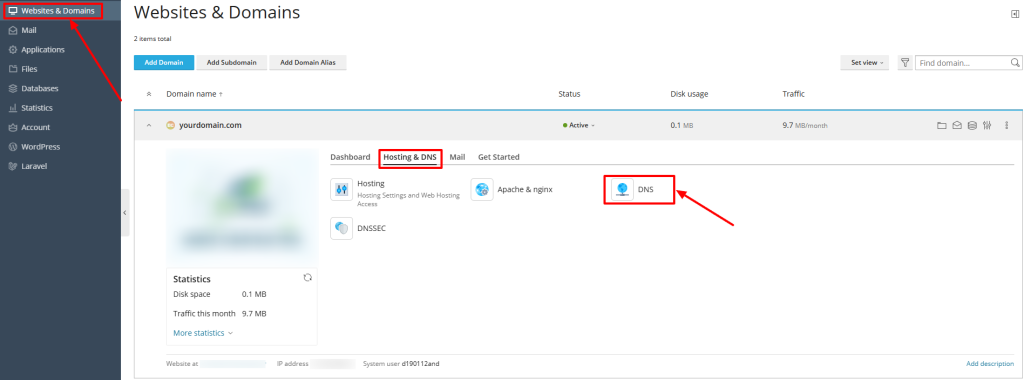
- Go to Websites & Domains > yourdomain.com > Hosting & DNS > DNS.
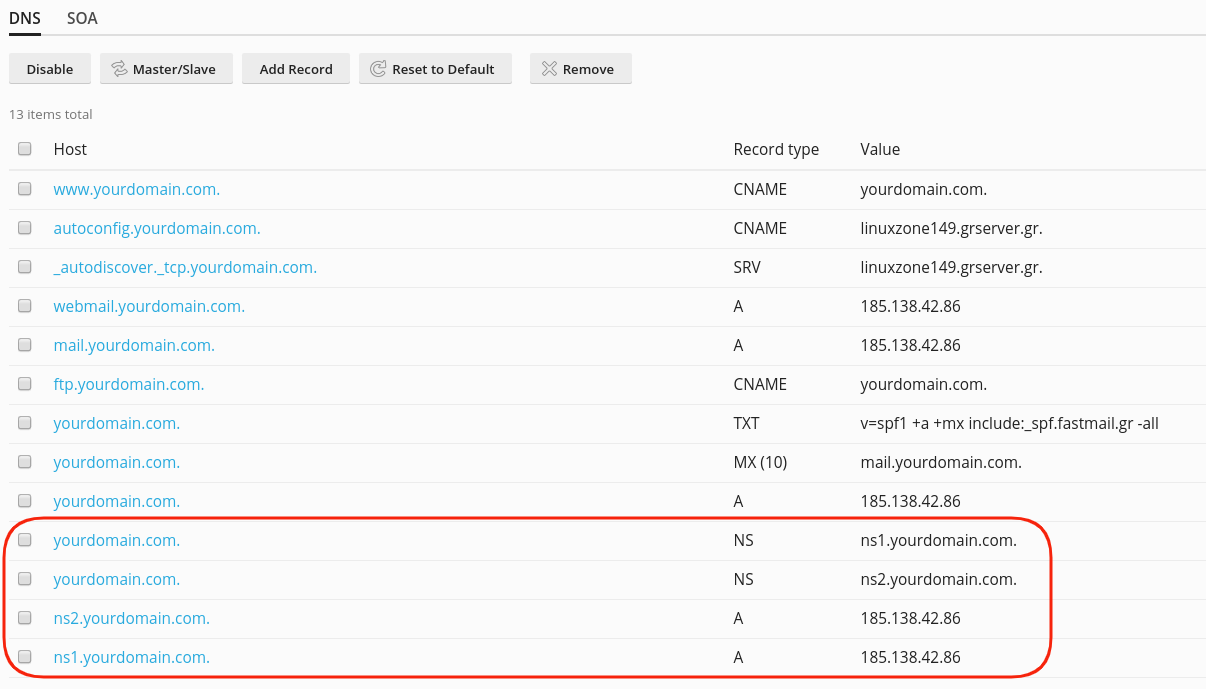
- Add the following DNS records:
- NS record:
yourdomain.com. NS ns1.yourdomain.com.yourdomain.com. NS ns2.yourdomain.com. - A record:
ns1.yourdomain.com. A [IP of first nameserver]ns2.yourdomain.com. A [IP of second nameserver]
- NS record:
These records inform DNS resolvers which IP addresses correspond to your custom nameservers.
Step 2: Register the nameservers with your domain registrar
You must register the custom nameservers (ns1 and ns2) in the domain registry. This may vary between registrars — in some cases, it occurs automatically when you save the nameserver values, while in others, it requires a separate action. Follow your registrar’s instructions.
Step 3: Create Custom Nameservers in the myTophost Panel
If your domain is registered with Top.Host:
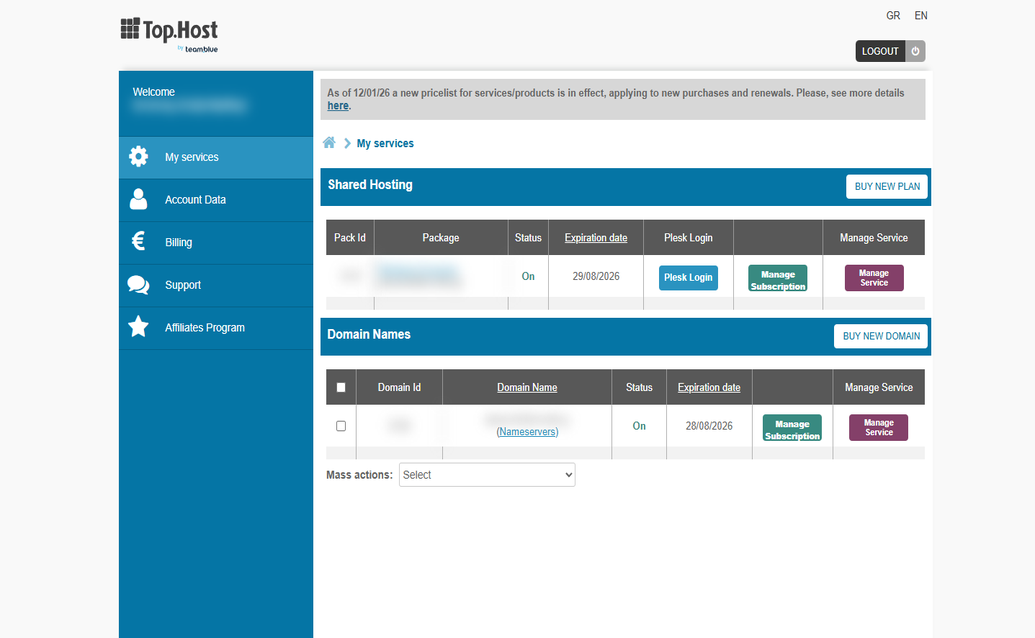
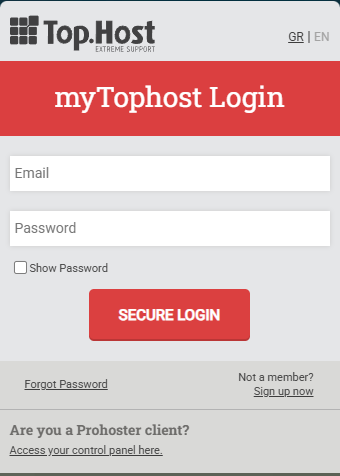
- Log in to your myTophost Panel using your administrator email and password.
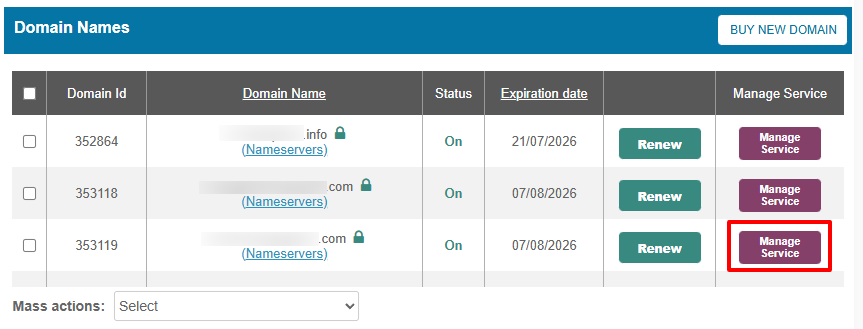
- Locate your domain in the list and click Manage Service (or the equivalent option next to the domain name).
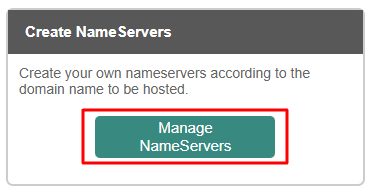
- Select Manage Nameservers.
- Enter your custom nameserver names (e.g., ns1.yourdomain.com and ns2.yourdomain.com) and their corresponding IP addresses.
- Save the changes.
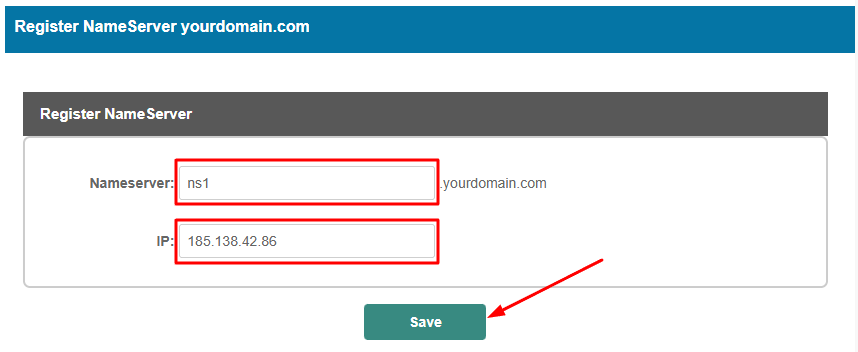
- Repeat the same process for the second nameserver.
Final Notes
- After completing all steps, your custom nameservers should be active and usable with other domains. Keep in mind that DNS propagation may take up to 48 hours.
- If you want to assign these custom nameservers to another domain (e.g., otherdomain.com), you will also need to update that domain’s NS records to point to your custom nameservers.
- Make sure that the IPs you assign are correct and point to the hosting infrastructure intended to respond to DNS requests.
You haven't found what you are looking for?
Contact our experts, they will be happy to help!
Contact us