
Customer Support
How can I obtain a domain ownership certificate?
If you need a domain ownership certificate (declaration of domain assignment), the process is straightforward and does not require technical knowledge. The steps differ depending on your domain’s TLD (extension).
Good to Know
- The domain ownership certificate can be used for any legal purpose.
- The registered owner is considered the individual or legal entity whose information is listed with the official domain registry.
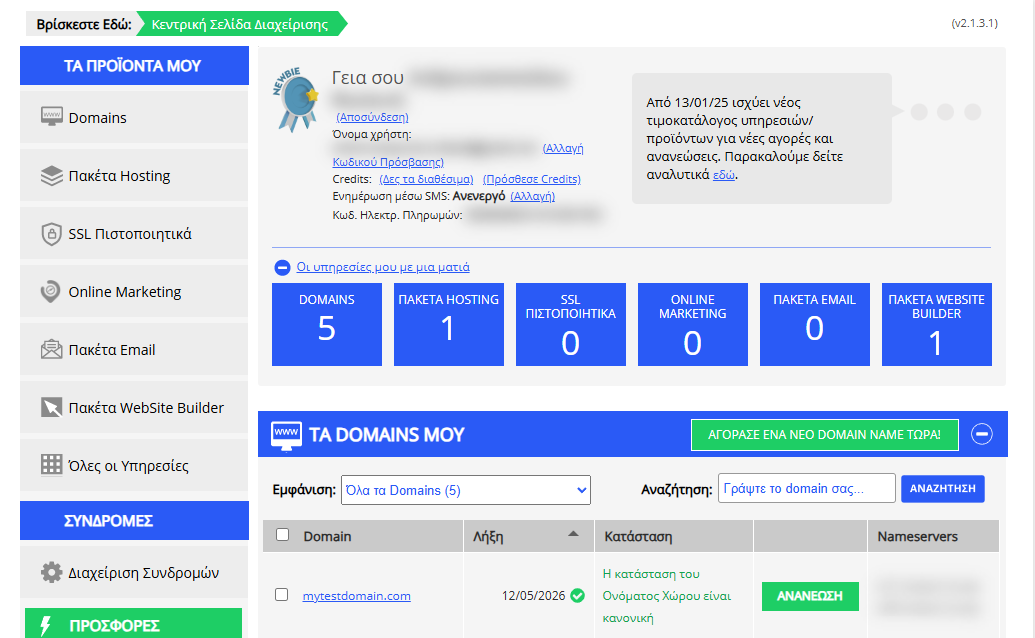
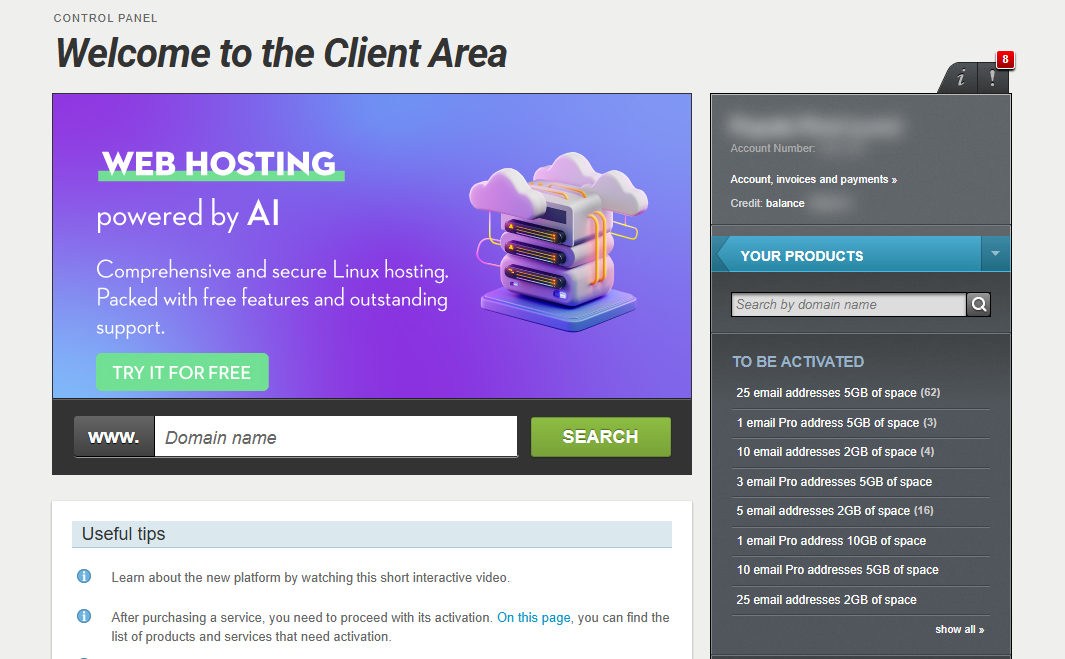
[Papaki 2.0]
Ownership Certificate for .GR or .ΕΛ Domains
For domain names registered with the Greek Registry (ΕΕΤΤ), the certificate is issued by the Hellenic Telecommunications and Post Commission (EETT).
Steps:
- Download and complete the application form:
Application for Certificate of .gr or .ελ Domain Ownership
- Prepare the required documents:
- Copy of your ID or passport (for individuals)
- Recent company registration documents (e.g. Government Gazette, Articles of Association)
- Submit the application:
- Via email to: info@eett.gr
- Or in person / by post to:
60 Kifisias Ave., 151 25 Marousi, Athens
Important Notes:
- The request must be submitted by the domain owner (individual or legal entity).
- The process is free and typically takes 5–9 working days to complete.
Ownership Certificate for .EU Domains
If your domain ends in .eu, you can obtain an ownership certificate via EURid, the official registry for .eu domains.
Steps:
- Log in to the EURid management platform.
Enter your .eu domain name and owner email to receive a unique code and access the control panel.
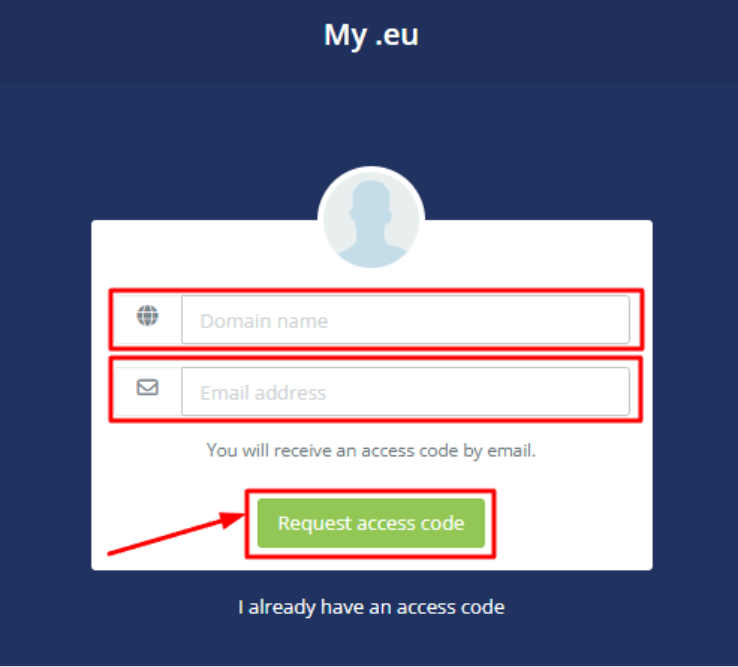
- In the “My domain names” section, click:
Actions → Download registration data

- The generated document will include:
- Domain name
- Registrant’s name
- Contact details
Note:
- Only the registered domain owner can request the certificate, with proof of identity.
- Issuance is instant and free of charge.
Ownership Certificate for Other TLDs (.com, .net, etc.)
For domain names with extensions other than .gr or .eu, ownership certificates are issued by Papaki’s Support Team.
Submit a support request from your account, mentioning the domain name for which you need the certificate.
Note: For certain TLDs, the certificate may be issued directly by the registry. For example, .at domains can be verified via nic.at here.
[Papaki 1.0]
- Log in to your Papaki account.
Forgot your password? See here how to recover it. If it's your first login attempt to the new Papaki panel, please read more here.

- Click the red button Previous client area » on the right side of the control panel to access the old Papaki panel.
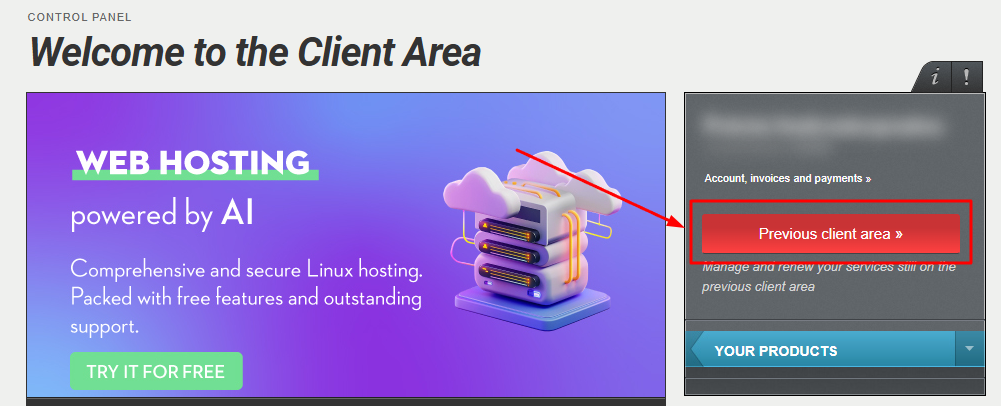
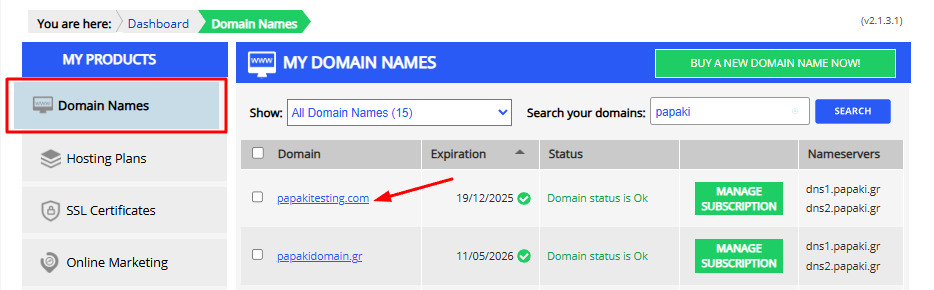
- From the left sidebar menu, select Domains and then click on the domain for which you need to issue an Ownership Certificate.
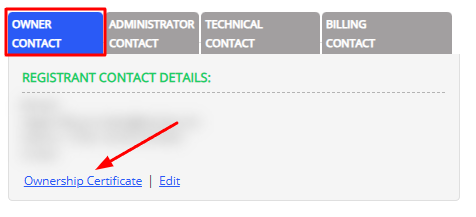
- Scroll down to the bottom of the page and, in the field with the owner details in the Owner Contact tab, click Ownership Certificate. The official document with the registered ownership details will be generated automatically, suitable for any legal use.
You haven't found what you are looking for?
Contact our experts, they will be happy to help!
Contact us