
Customer Support
How do I change the owner of Generic Domain Names (.com, .net, .org, etc.)?
A change of ownership (Change of Registrant) allows you to update the official registration details of your domain name or transfer it to a new individual or legal entity.
For generic domain names (gTLDs such as .com, .net, .org, .info, .biz, etc.), the procedure is governed by international ICANN regulations and is typically carried out automatically via email confirmation (Double Email Approval).
Prerequisites Before You Start
- Domain must be Unlocked: Make sure you have disabled the transfer lock (Transfer Lock / Registrar Lock) from your control panel. If the domain is locked, the system will not allow the request to initiate.
- Access to email addresses: Active access to both the current registrant's email address and the new registrant's email address is required, as confirmation links will be sent to both.
Important: 60-day Transfer Lock
According to official ICANN policy, following any successful change to the registrant's first name, last name, organization, or email address on a gTLD domain, a 60-day transfer lock is automatically applied.
This means that during these 60 days the domain cannot be transferred to another registrar, though it continues to operate and can be renewed normally.
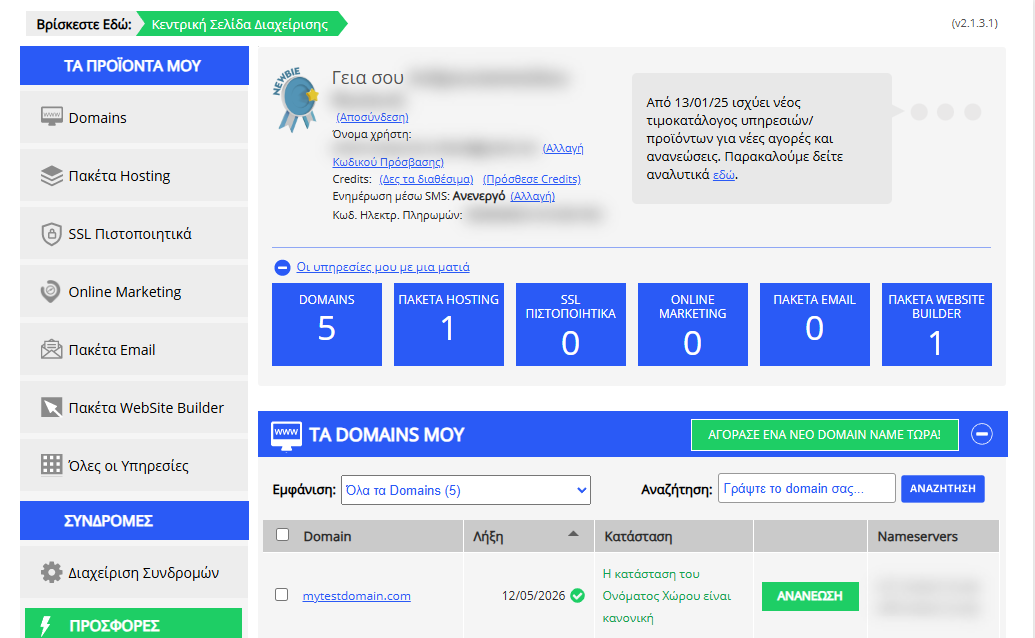
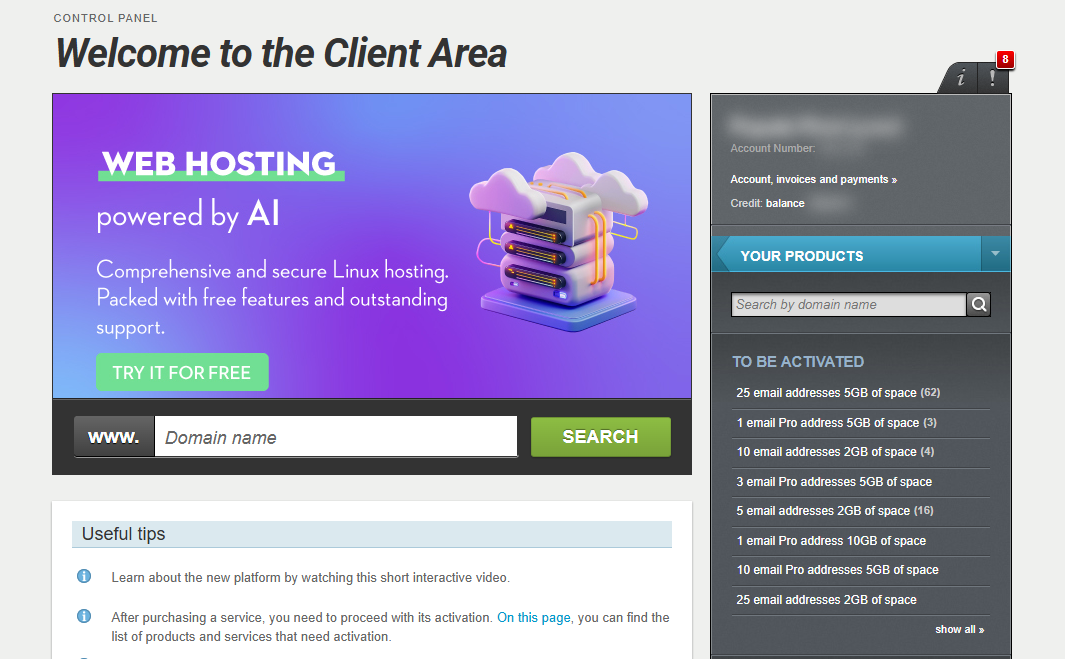
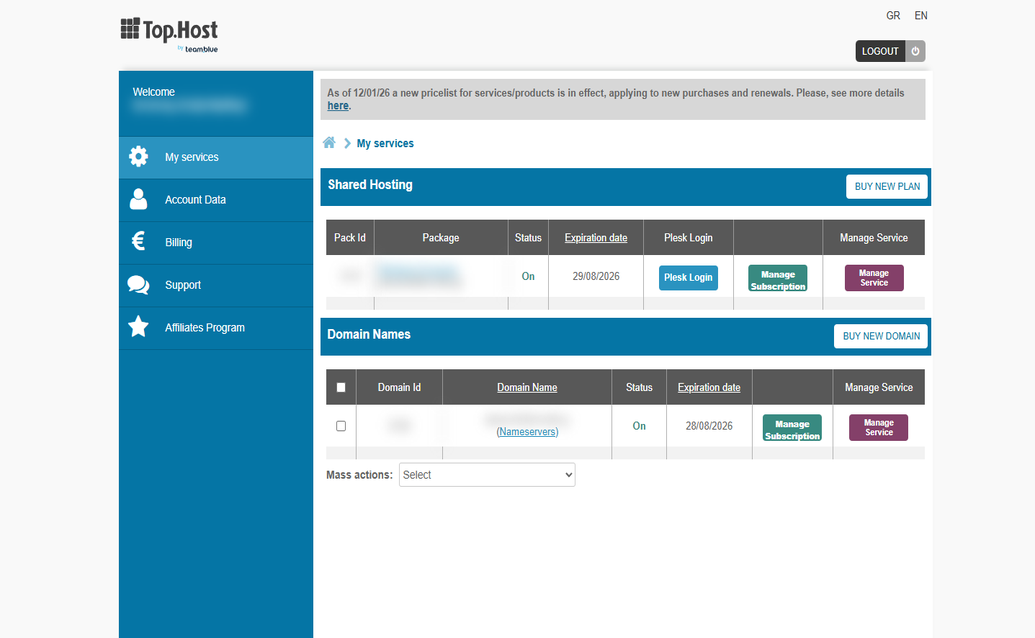
[Papaki/Top.Host 2.0]
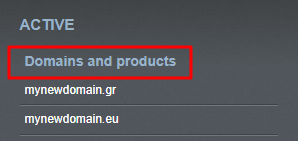
- From the right-side menu under Domains & Products, select the domain you want to manage.
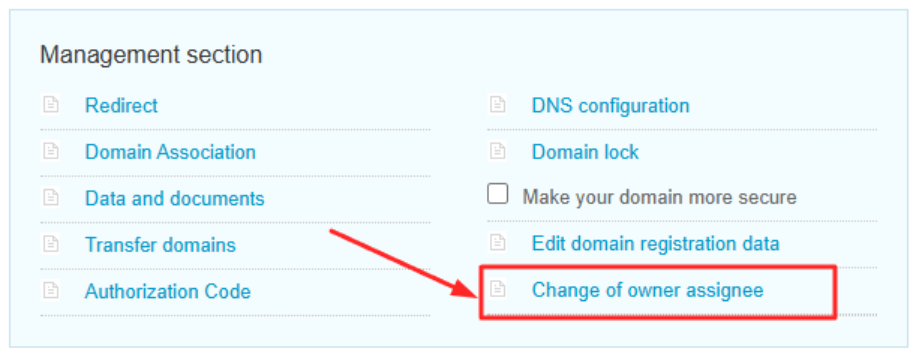
- Then go to:
Domain & DNS → Change of owner assignee
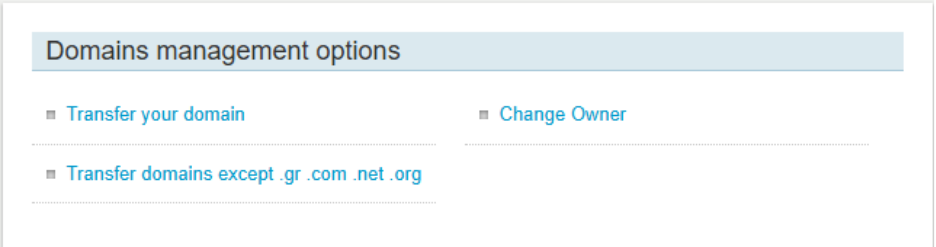
or
Scroll to the bottom of the homepage and, under Domain management options, click on Change Owner.
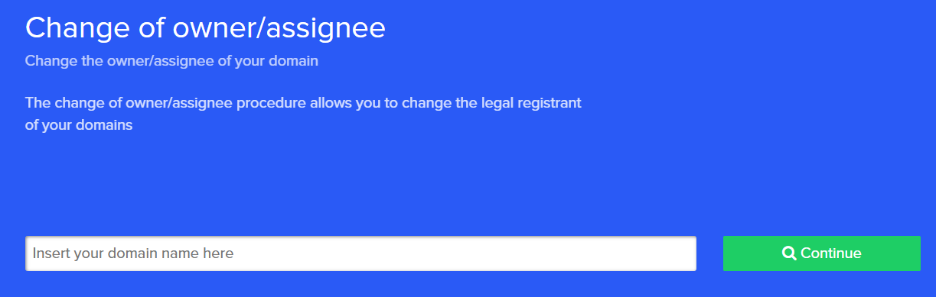
- Enter the domain name for which you want to change the ownership.
- If your domain extension allows it, a form will appear. Fill in the new owner's details and click Continue.
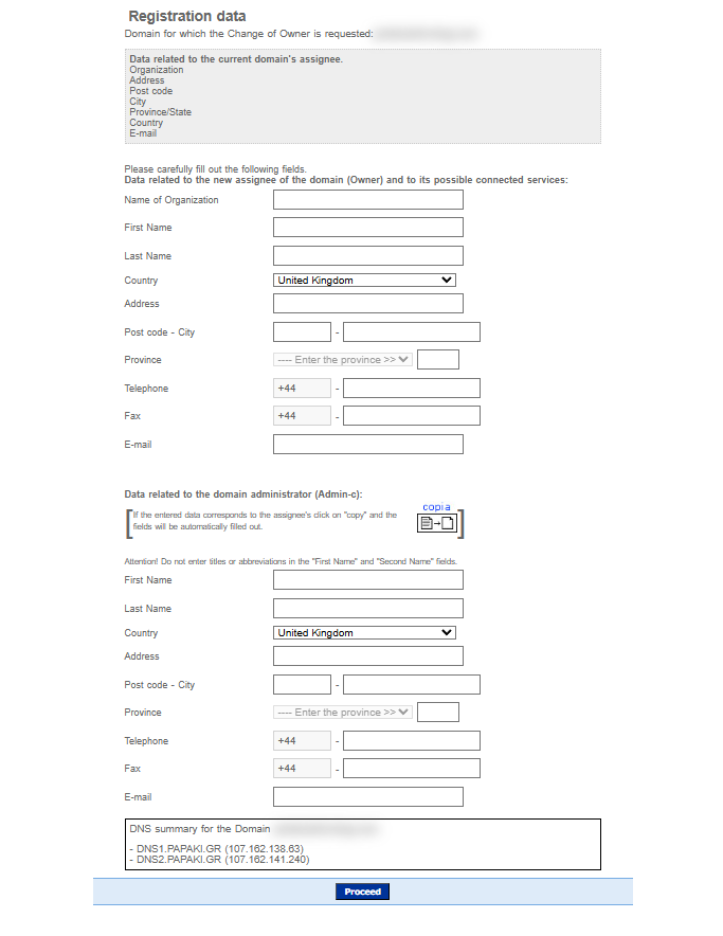
- Complete the order for the ownership change.
If you want to add another domain, click Add another domain. Otherwise, click Proceed to checkout. - In the next step, make the payment.
Accept the Terms of Use and complete your order. You’ll receive a confirmation email. - In your dashboard, next to the domain, a red exclamation mark will appear with the status:
Change owner in progress. Click on More Info.
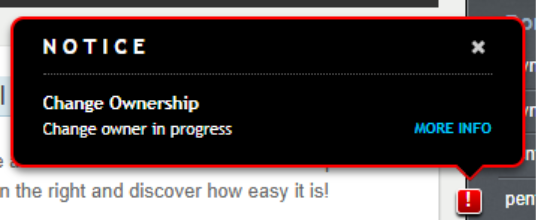
- Both the current and the new owner will receive an email requesting their consent for this action.
Acceptance must be completed within 14 days, otherwise the process is canceled.
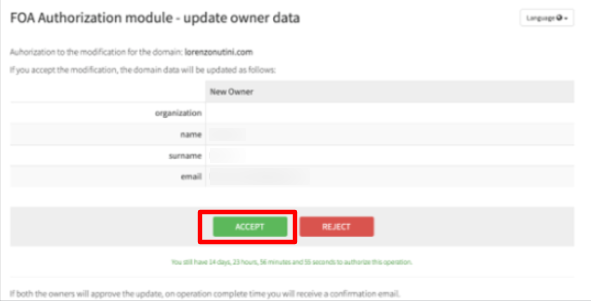
Once consent is successfully received from both parties, the updated owner details will be displayed.
What happens if you don't have access to the old email?
If the current owner's email address is no longer active or accessible:
In this case, the change can be completed manually upon identity verification. You will need to contact our Support Team and provide the required verification/legal documents (e.g., a formal Solemn Declaration via Gov.gr / certified signature verification for individuals, or official company authorization documents for legal entities), along with the relevant transfer form.
How the confirmation process works (Double Email Approval)
Once the change request is submitted and paid for:
- Email to the New Owner: A confirmation email is first sent to the new owner's email address. The new owner must click the link and accept the transfer.
- Email to the Current Owner: Immediately after the new owner approves, a corresponding approval email is sent to the current owner's email address.
- Approval Window: Both parties have a deadline of 14 days to complete the confirmation. If this period passes without approval, the request is canceled.
- Completion: Once approved by both parties, the details are automatically updated in the registry within a few hours.
Frequently Asked Questions (FAQ)
Is there a fee for changing ownership?
Yes, changing ownership for generic domains is a paid service. Upon completion of the process, the domain is automatically renewed for 1 additional year from its current expiration date.
Will my website or emails be affected?
No. The change of owner only updates the official registrant details. Your nameservers, DNS records, web hosting, and email services will remain completely unaffected.
How long does the change take to complete?
As long as both parties promptly confirm their approval emails, the registry update is usually completed within a few hours.
Does the new owner need to have an account?
Not necessarily. The domain can remain in the same management account with the updated registrant details, unless you wish to transfer its management to a separate account.
[Papaki 1.0]
- Log in to your Papaki account.
Forgot your password? See here how to recover it. If it's your first login attempt to the new Papaki panel, please read more here.
- Click the red button Previous Control Panel » on the right side of the control panel to access the old Papaki panel.
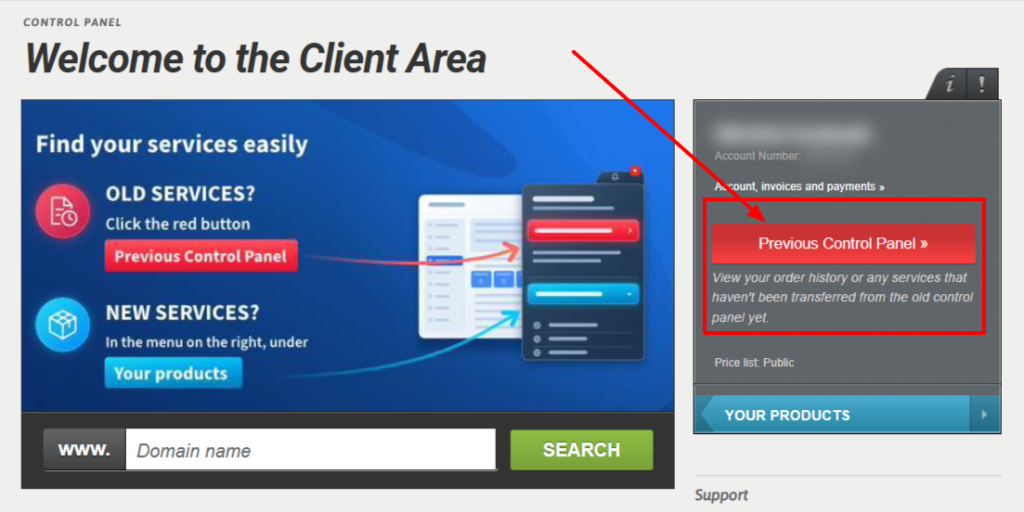
3. From My Products list, select Domains and click on your Domain.
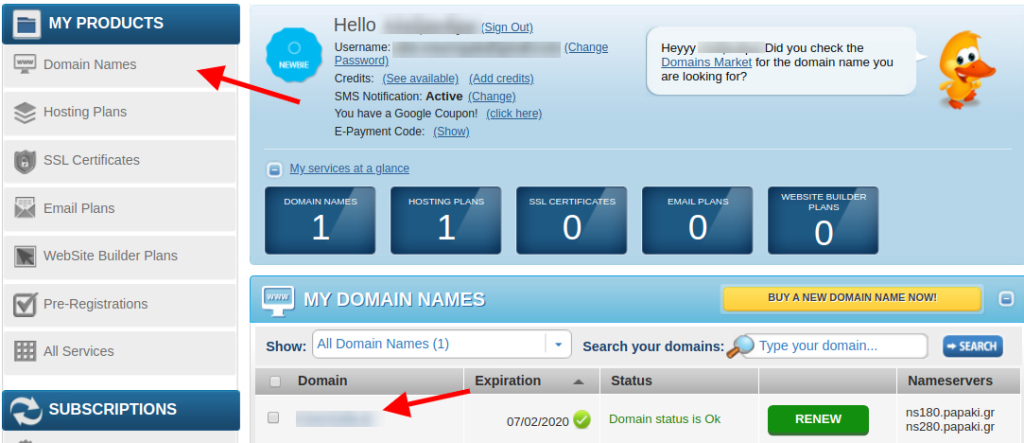
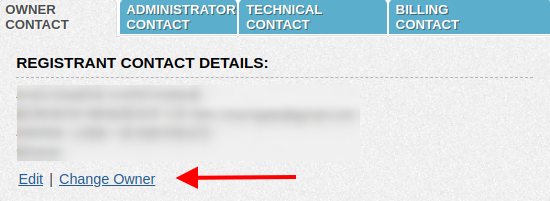
- Most of the tld's , except .gr and .fr domains, you could click Edit on the Owner Contact and save the new owner's details.Keep in mind that some registries like ICANN, forward a confirmation email for this change.
[Top.Host 1.0]
For the generic domain extensions listed above, the ownership change process is free of charge.
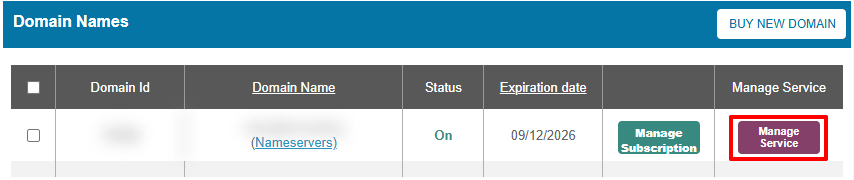
1. After logging in to the myTophost Panel, select Service Management for the domain you wish to transfer.
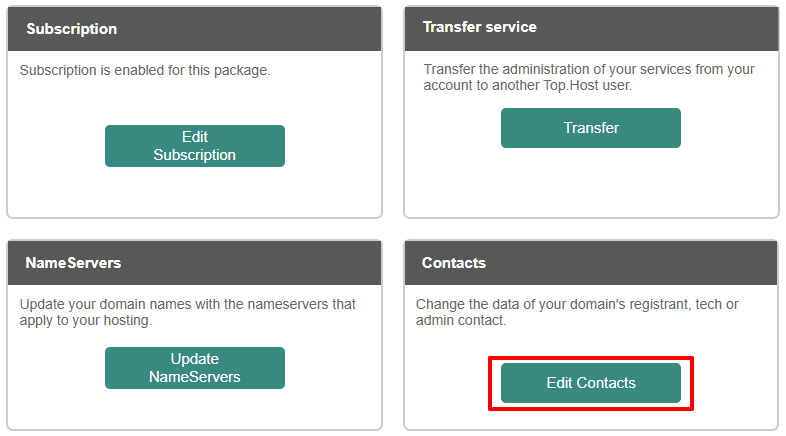
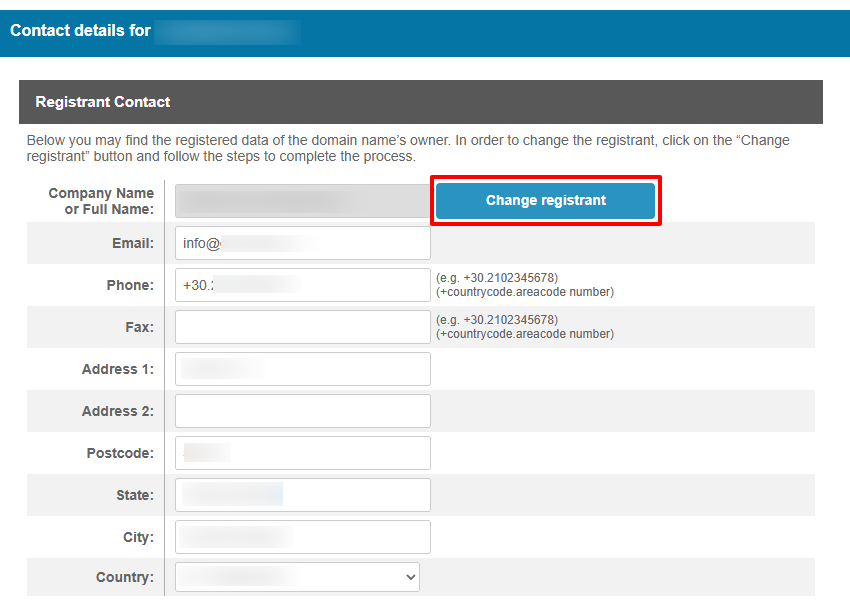
2. Locate the Contacts section and click Edit Contacts.
3. In the Domain Owner section, you will see the details of the current owner.
Enter the new owner's details in the corresponding fields.
Repeat the same process for the:
- Technical Contact
- Administrative Contact
Then click the Save button at the bottom of the page.
4. After clicking Save, the following informational message will appear.
Click OK and then Close.
5. Finally, the owner email address you entered will receive an Owner Verification Email containing a confirmation link.
By clicking this link, you will be taken to the owner verification page, where you must confirm the new owner's details.
6. That's it! The ownership transfer process has been completed.
You haven't found what you are looking for?
Contact our experts, they will be happy to help!
Contact us