
Customer Support
How do I add a custom domain to my Website Builder plan?
To make your website visible online, you need to connect it with the domain you specified during the initial setup of Website Builder.
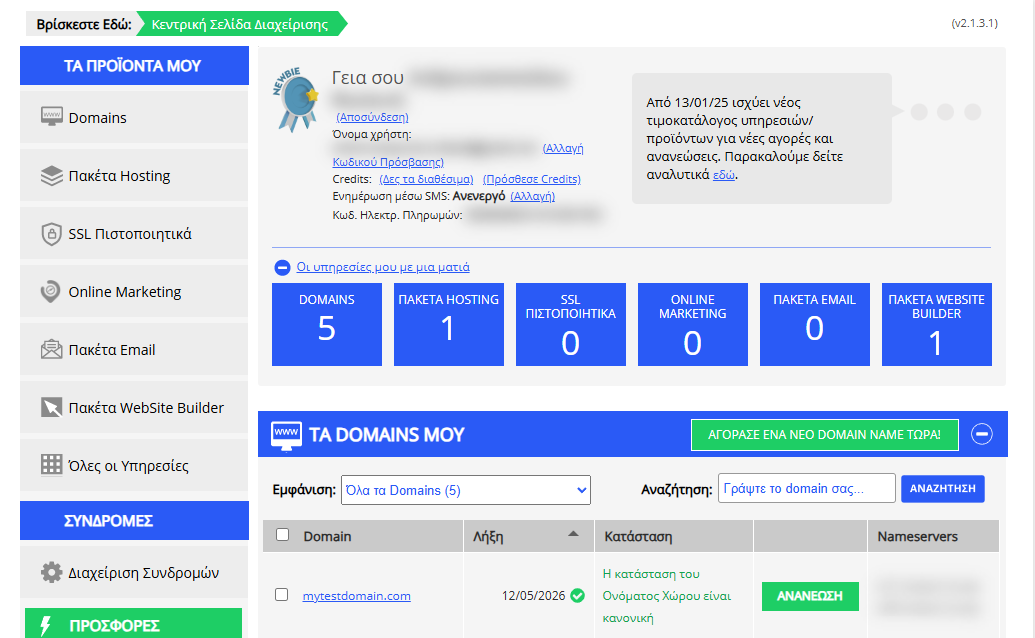
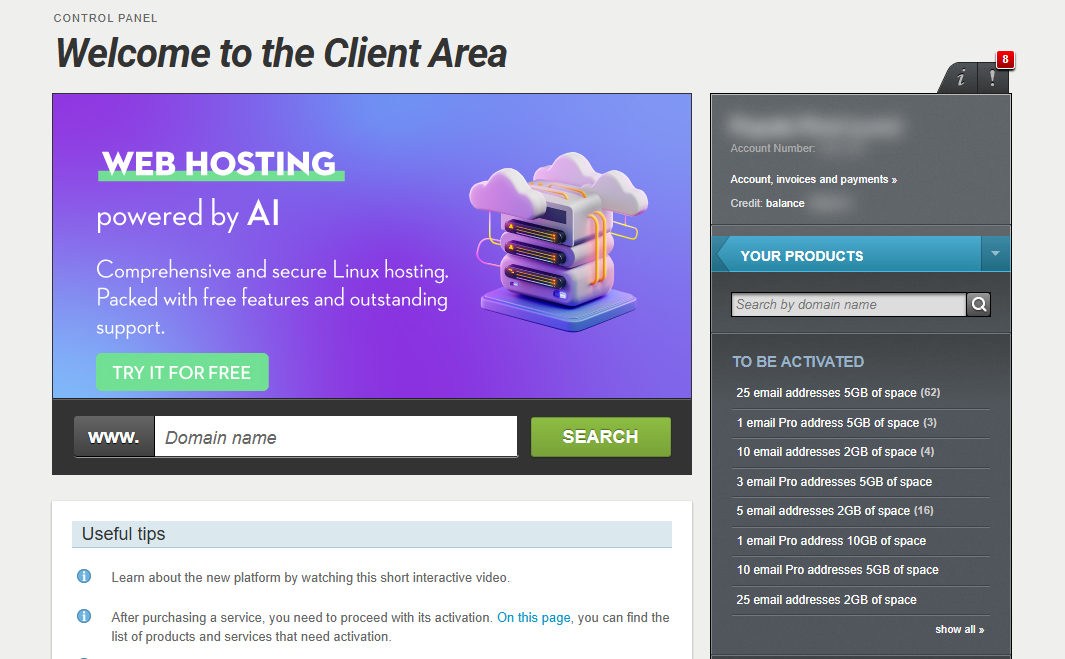
[Papaki 2.0]
Α. If you manage your domain through the new Papaki Control Panel
Once you activate the Website Builder package, the connection with your domain is easy, follow these steps:
- In the right-side menu, under Domains and Products, click on your domain.
- Select Connect domain.
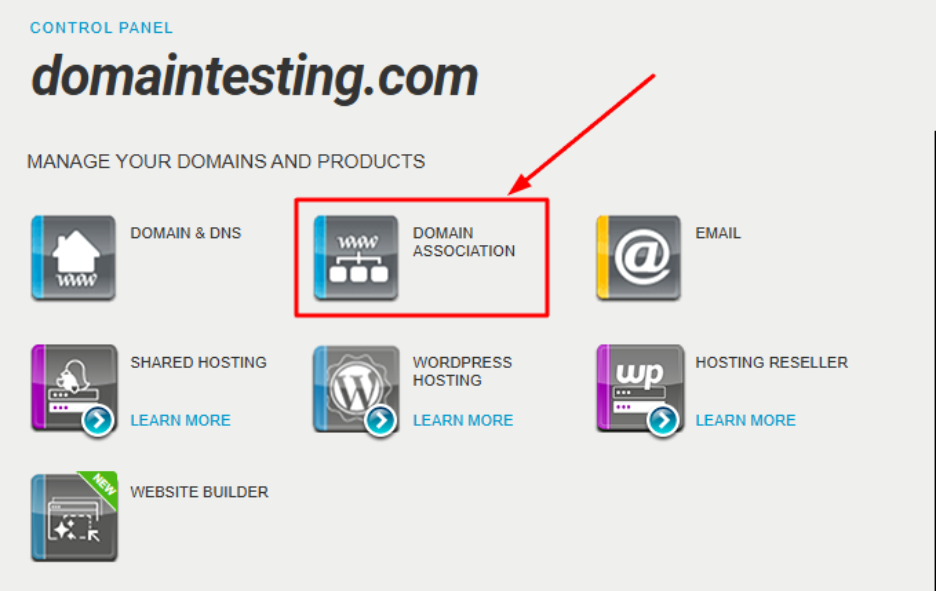
- In the Connections tab, find the record related to Website Builder and click Connect with domain name.
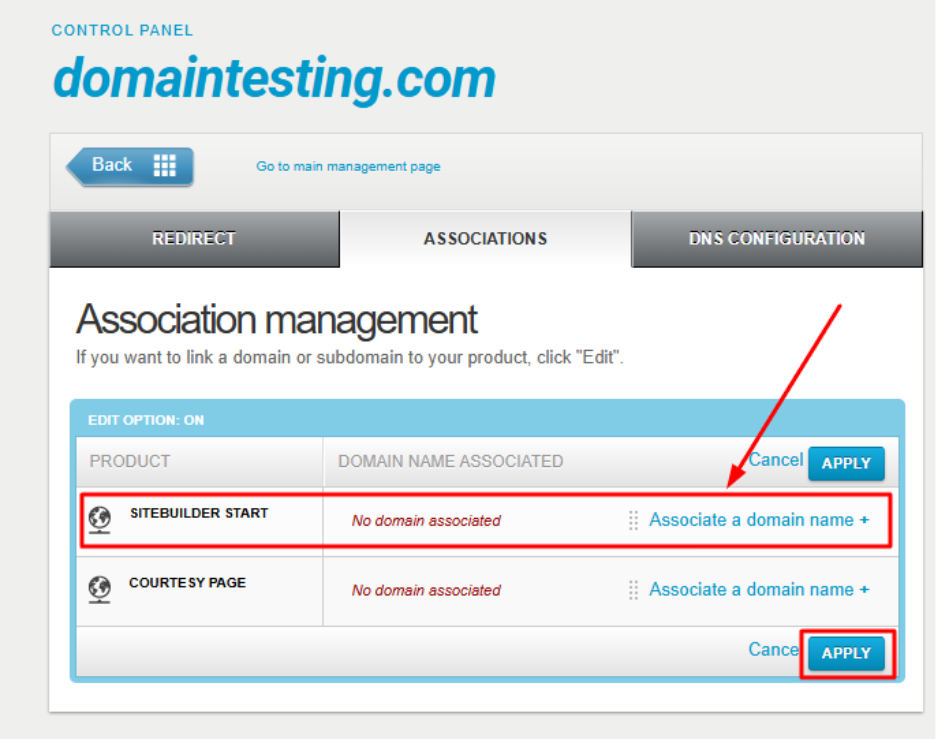
- Click Apply and then Apply again at the bottom of the page.
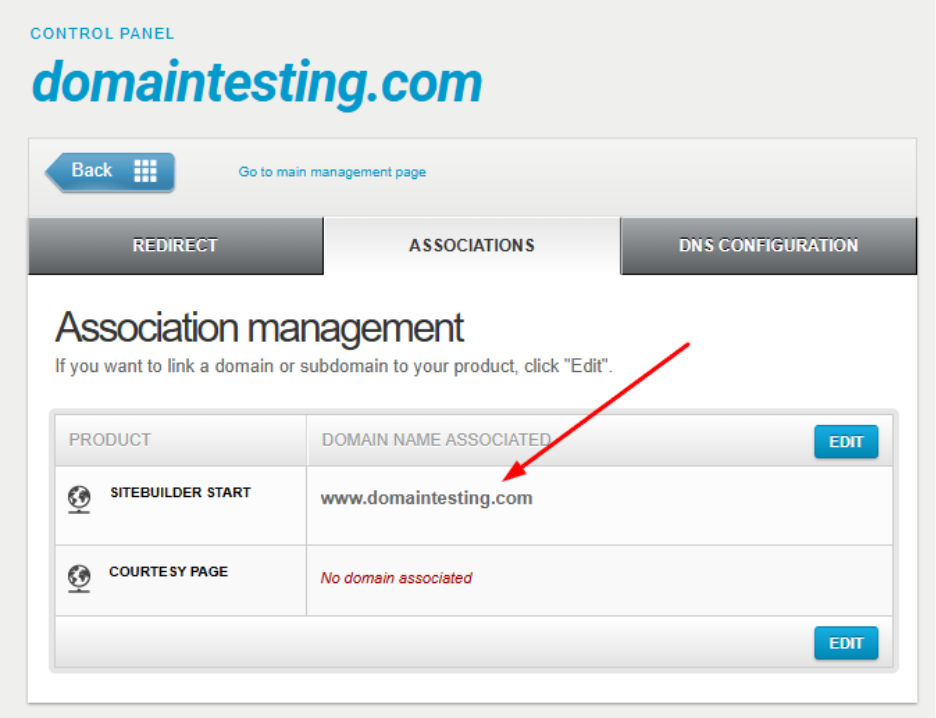
After about one hour (DNS propagation time), your website will be accessible online. The time may vary depending on your Internet provider.
Important: If you are using an external DNS service (e.g., Cloudflare) and not Papaki’s free DNS service, you will need to make manual DNS changes (see below).
Β. If you manage your domain through the old Papaki Control Panel, use an external DNS service, or your domain is registered with another registrar
In this case, the connection is not automatic. You will need to update your domain’s DNS zone manually.
- When you activate Website Builder, you receive an email containing the required settings (IP addresses).
- You need to create or update two A Records in your domain’s DNS zone, using the IP addresses provided in the email.
- If A Records already exist, replace their values with the new IPs.
See detailed instructions here: How do I create A Records for my domain in Papaki?
Again, DNS changes usually take about one hour to propagate, but the time may vary depending on your Internet provider.
Frequently Asked Questions (FAQ)
How long does it take for my website to go live?
Usually about 1 hour. However, propagation time depends on your Internet provider.
What if I’m using Cloudflare or another DNS service?
You’ll need to manually add the Website Builder IPs as A Records in your DNS zone.
I didn’t receive the email with the IPs. What should I do?
Check your inbox and spam/junk folders. If you still can’t find it, contact support.
Can I connect a domain registered with another registrar?
Yes. You just need to add the A Records with the provided IPs to your domain’s DNS zone at your registrar.
[Papaki 1.0]
You can easily connect your Website Builder plan with a domain you have registered with Papaki or another registrar, by following the steps below.
- Log in to your Papaki account.
Forgot your password? See here how to recover it. If it's your first login attempt to the new Papaki panel, please read more here
- Click the red button Previous client area » on the right side of the control panel to access the old Papaki panel.

- Go to your Website Builder plan. Then, click on "Edit" under the domain name.

- Insert the domain you want to connect with your Website Builder plan and click save.

To complete the process you need to create a CNAME record for your domain through a DNS hosting service.
Depending on the case, you will see the option to complete the process automatically by clicking on the green button "Connect Domain", or manually by cr
You haven't found what you are looking for?
Contact our experts, they will be happy to help!
Contact us