
Customer Support
How can I upgrade my service?
Your hosting plan can be upgraded quickly and easily through your Papaki account, to one of the larger available packages.
When should you upgrade your hosting plan?
An upgrade may become necessary when your website’s needs grow or change. The most common reasons are:
- Increased traffic: Your site has more visitors and requires more resources (CPU/RAM).
- Slow response or loading delays: Especially for dynamic websites or e-shops.
- Limited storage or email capacity: When there is no more room for files, images, or email accounts.
- Frequent errors or downtime: Issues related to server overload or plan limitations.
- New needs or functionalities: Such as adding an e-shop, staging environment, SSH access, or other advanced features.
- Hosting more websites: If you want to manage more domains/subdomains from the same account.
If you notice any of the above, upgrading your hosting can improve performance, visitor experience, and site stability.
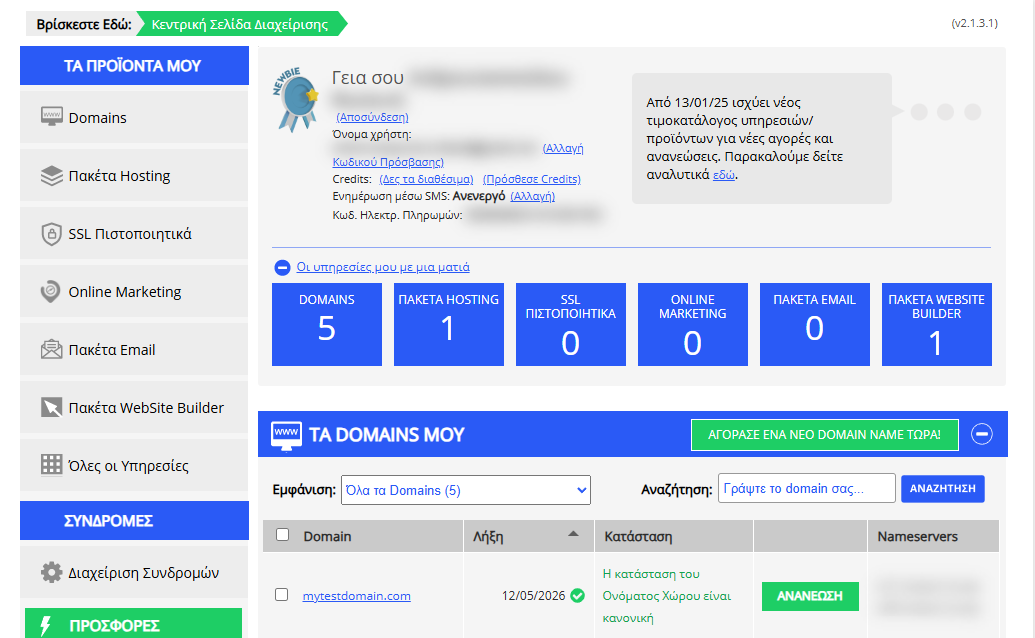
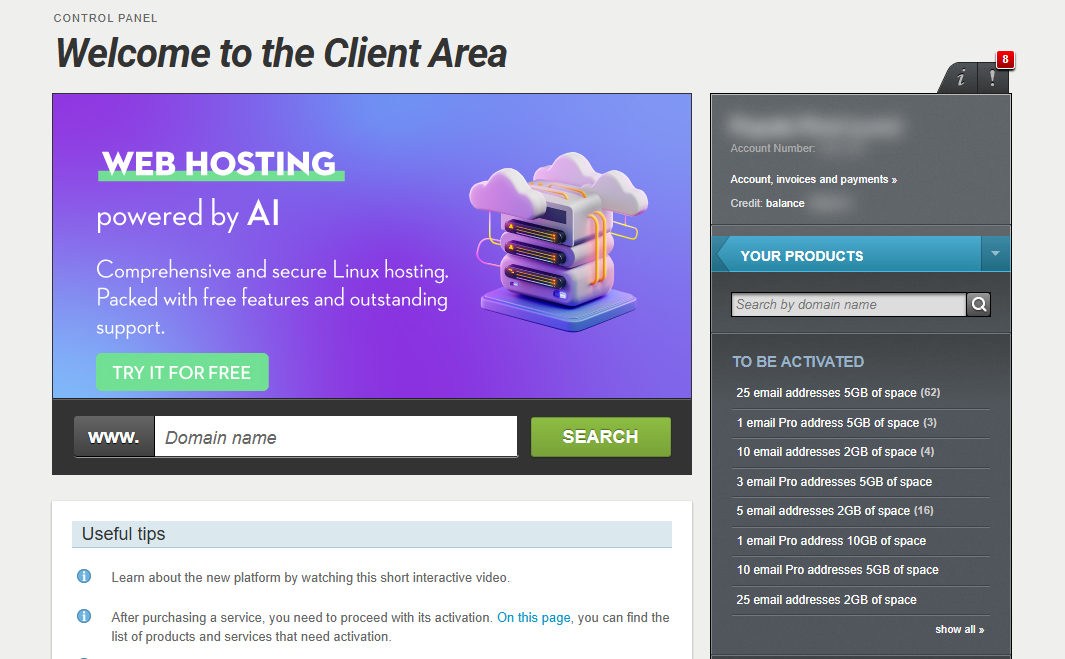
[Papaki 2.0]
Upgrade process

- Go to https://controlpanel.papaki.com/upgrade/ and locate the plan you want to upgrade.
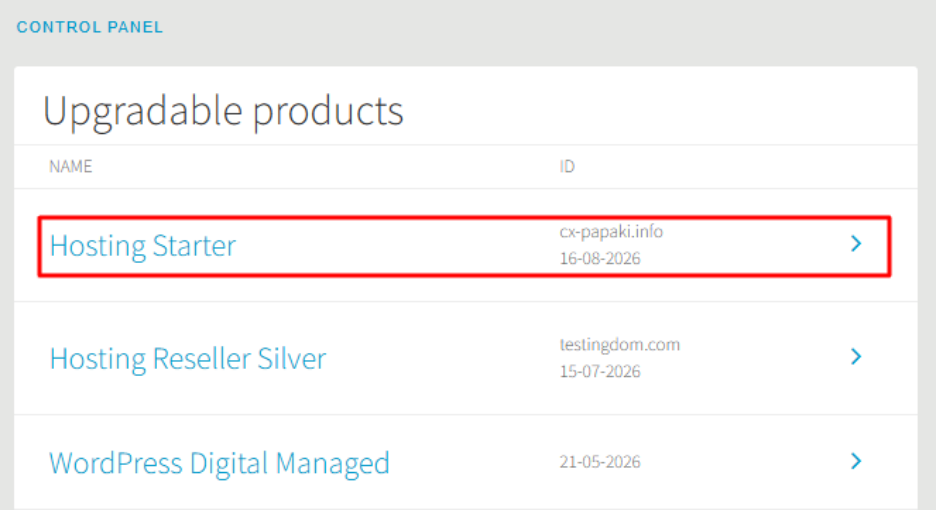
- In the menu that appears, you can:
- View the available upgrade plans.
- Check their detailed features.
- Complete the upgrade with a single click.
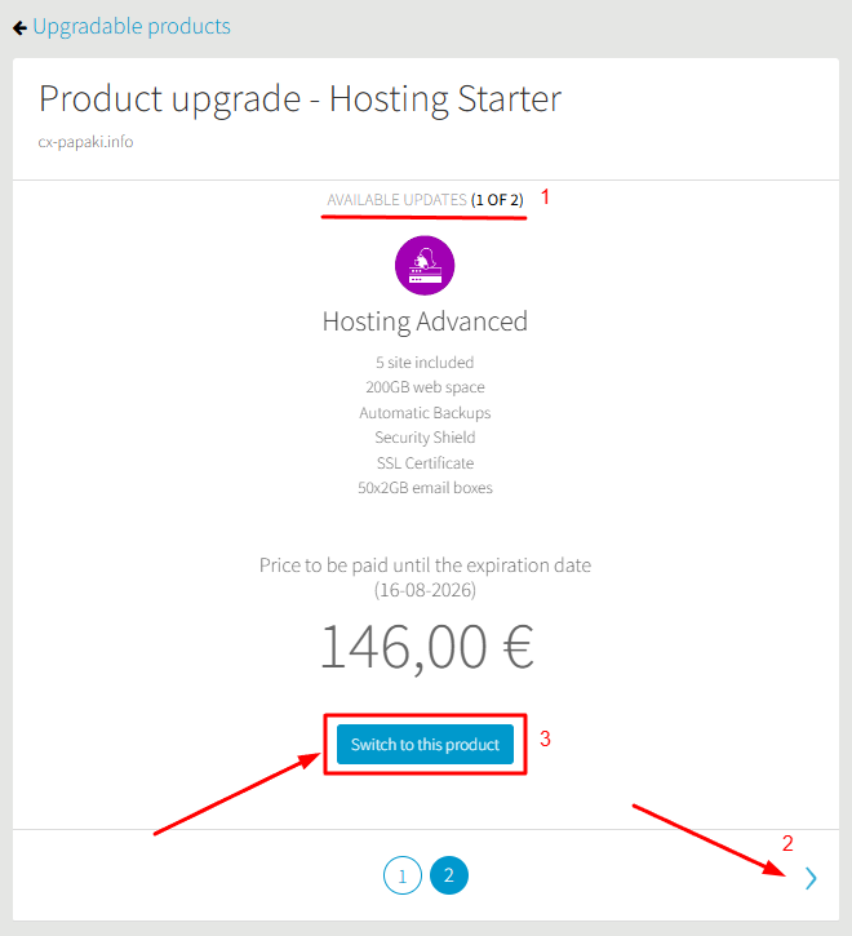
- Pay for the upgrade order. Your plan will be updated automatically, and your resources will be upgraded accordingly.
Alternative navigation
You can also reach the upgrade menu directly from each product:
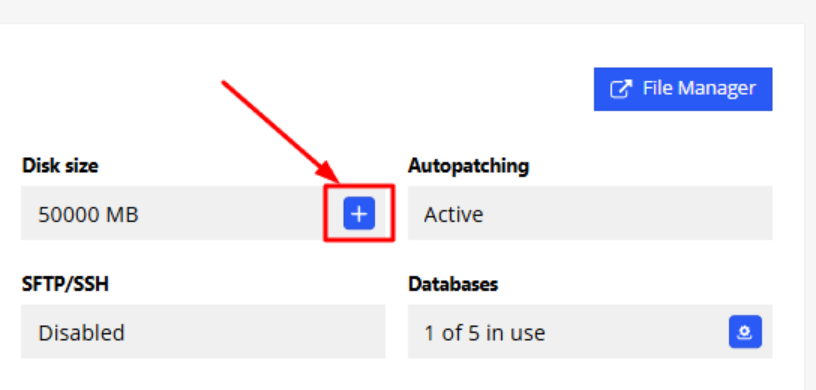
- Shared Hosting: Find the “+” option to increase available resources.
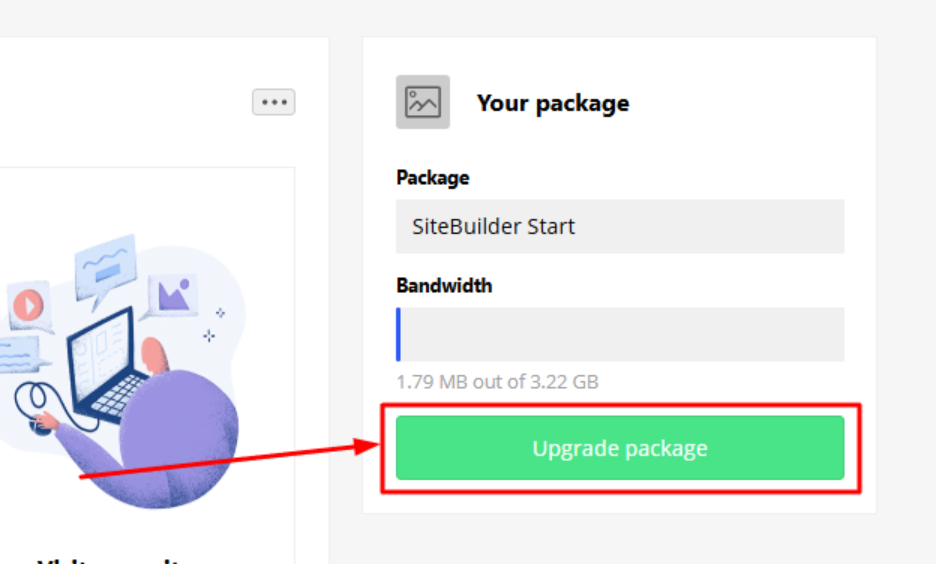
- Website Builder: Select Upgrade Package.
Important information
- The upgrade is instant and automatic. All your files are safely transferred, and your service continues without downtime.
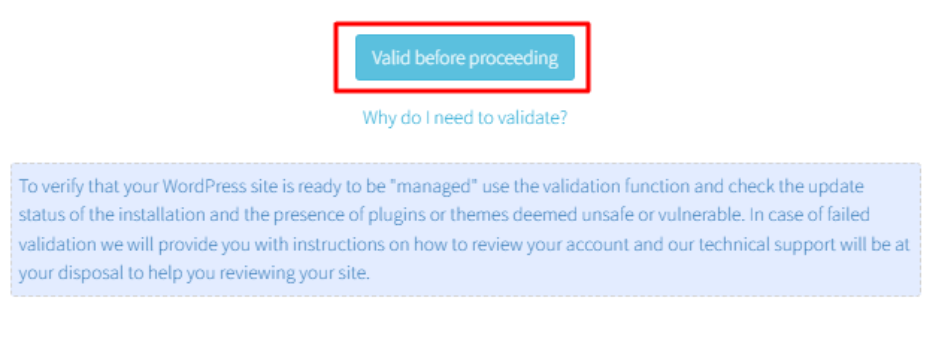
- If you upgrade from Unmanaged WordPress to Managed, an automatic technical check will take place before the upgrade proceeds.
- Downgrading to a smaller plan is not technically possible. If you need a smaller plan, you must purchase a new hosting package and manually transfer your files. Our team can also handle the migration for you (upon agreement for cost & process).
- Even though the process is automatic, we recommend keeping a backup of your content before upgrading.
Frequently Asked Questions (FAQ)
How long does the upgrade take?
It is immediate once the order is paid.
Will there be downtime?
No. The process is automatic, and all your files are transferred safely.
Can I downgrade later?
Not directly. You will need to purchase a new plan and migrate your files.
What if I have Unmanaged WordPress and want Managed?
An automatic technical check will be performed before the upgrade. In case of failed validation we will provide you with instructions on how to review your account and our technical support will be at your disposal to help you reviewing your site.
Is there a fee for file migration to a new plan?
If our team handles the migration, there is a related cost. You can also do it yourself.
Can I upgrade at any time?
Yes, at any time from the control panel.
If my site is an e-shop, will orders be interrupted?
No, the process is seamless and uninterrupted.
Does the upgrade cost cover only the remaining time of my current subscription?
Yes. It covers the price difference between the two plans. The subscription end date remains the same.
[Papaki 1.0]
Yes, you can upgrade your subscription at any time if your package requirements exceed what your current plan provides.
You can upgrade your hosting plan by following the steps below:
- Log in to your Papaki account.
Forgot your password? See here how to recover it. If it's your first login attempt to the new Papaki panel, please read more here.
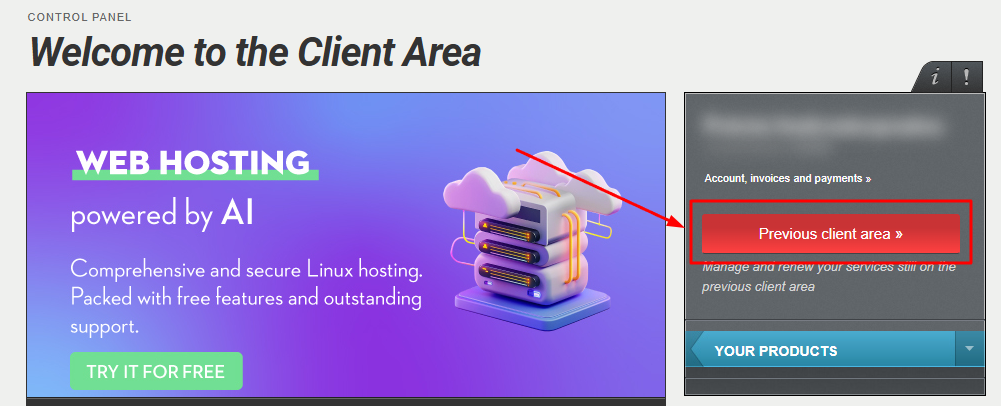
- Click the red button Previous client area » on the right side of the control panel to access the old Papaki panel.
- Upgrade Hosting Plan
In the left-side menu, click on Hosting Packages and select the package you wish to upgrade.
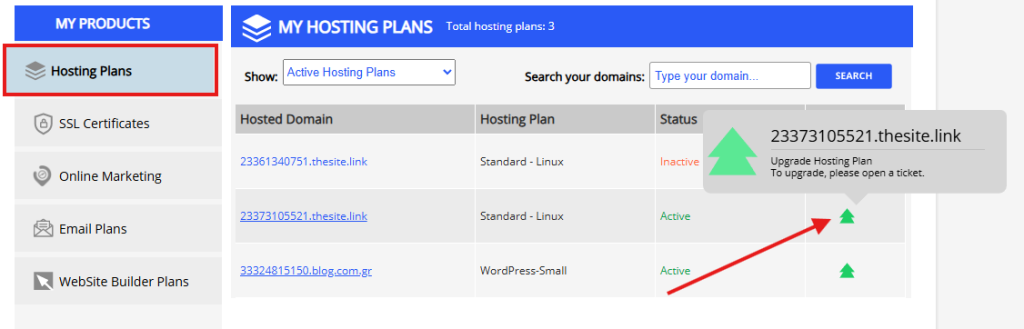
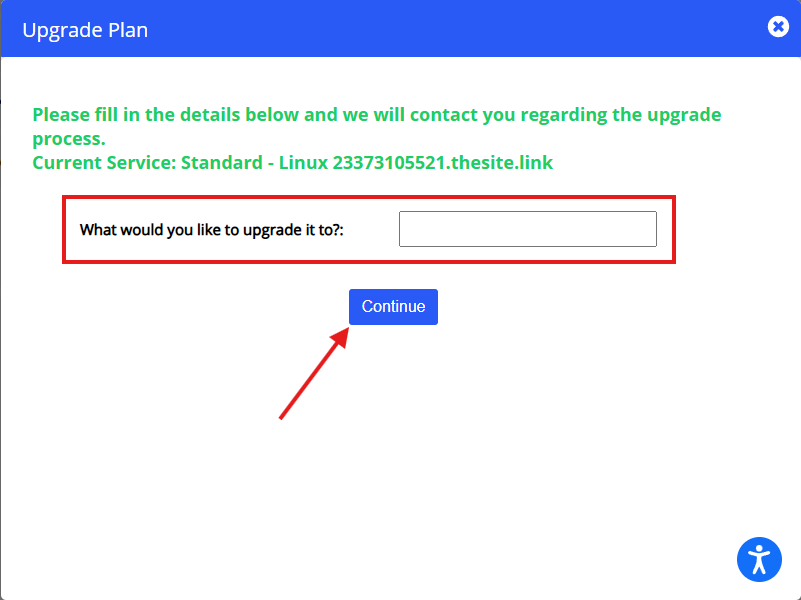
The upgrade is not immediate and one of our representatives will need to contact you. Write down the package you’re interested in switching to, and we will get in touch with you as soon as possible.
- Upgrade Email Hosting Plan
In the left-side menu, click on Hosting Packages and select the package you wish to upgrade.
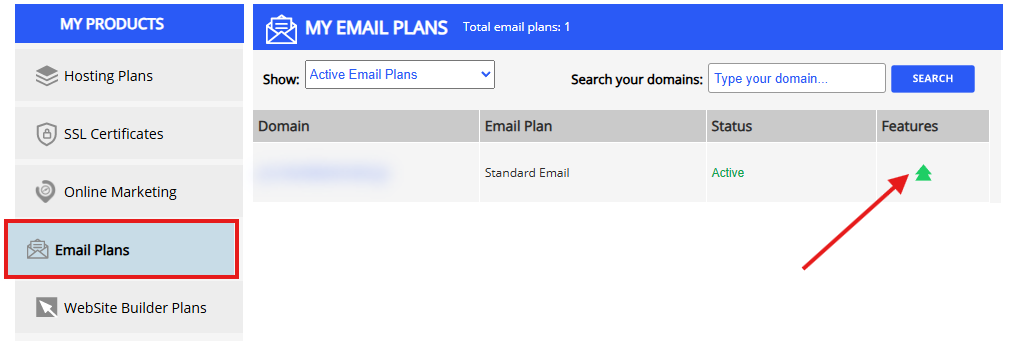
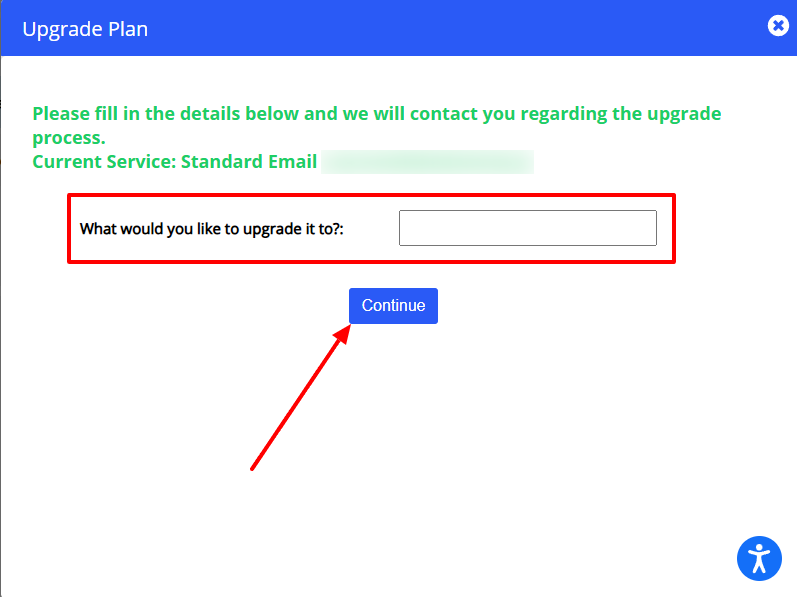
The upgrade is not immediate and one of our representatives will need to contact you. Write down the package you’re interested in switching to, and we will get in touch with you as soon as possible.
- Upgrade Hosting Plan
In the left-side menu, click on Website Builder Plans and select the package you wish to upgrade.
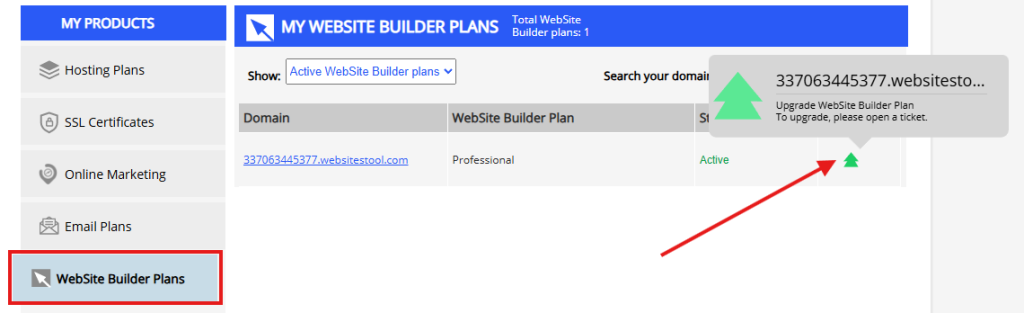
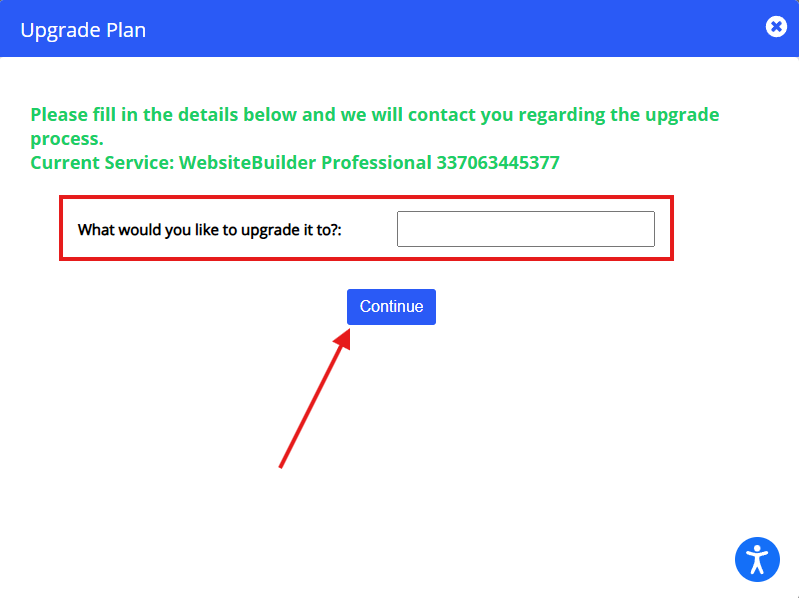
The upgrade is not immediate and one of our representatives will need to contact you. Write down the package you’re interested in switching to, and we will get in touch with you as soon as possible.
You haven't found what you are looking for?
Contact our experts, they will be happy to help!
Contact us